
Function Overview
On the Keysecure’s smart contract platform, you can link third-party wallets to add or remove transfer-free addresses for your managed contracts. To enable automated transfers, you may need to add transfer-free addresses to the contract. Transactions initiated by these addresses do not require approval from signers to be successful.Add A Transfer-Free Address
Obtaining Transfer-Free Address
1
Log in to MPC Web
Visit Smaet Contract Platform,access the MPC wallet Web interface and select the [Cold Wallet] - [Contract Address] function.
2
Select Contract Network and Obtain Address
Get the corresponding transfer-free address based on the contract network.
Adding Transfer-Free Address
1
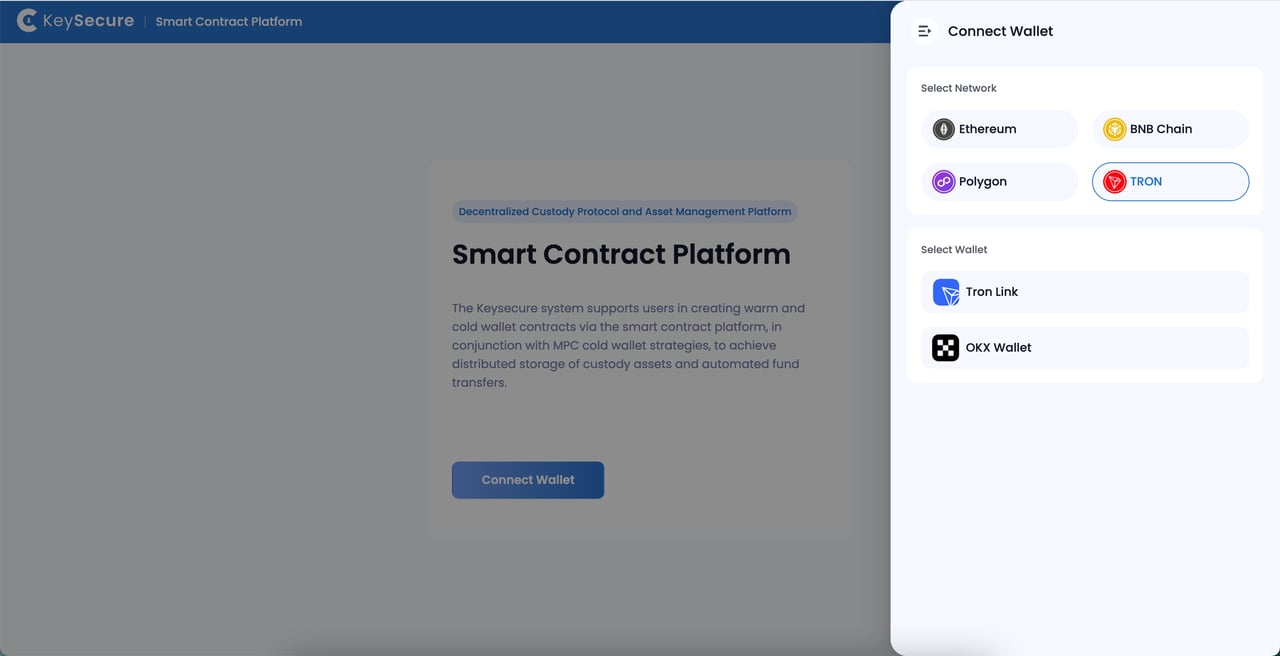
Select Network and Connect Wallet
Based on your business needs, choose the warm wallet contract network you wish to access and link your third-party wallet.
2
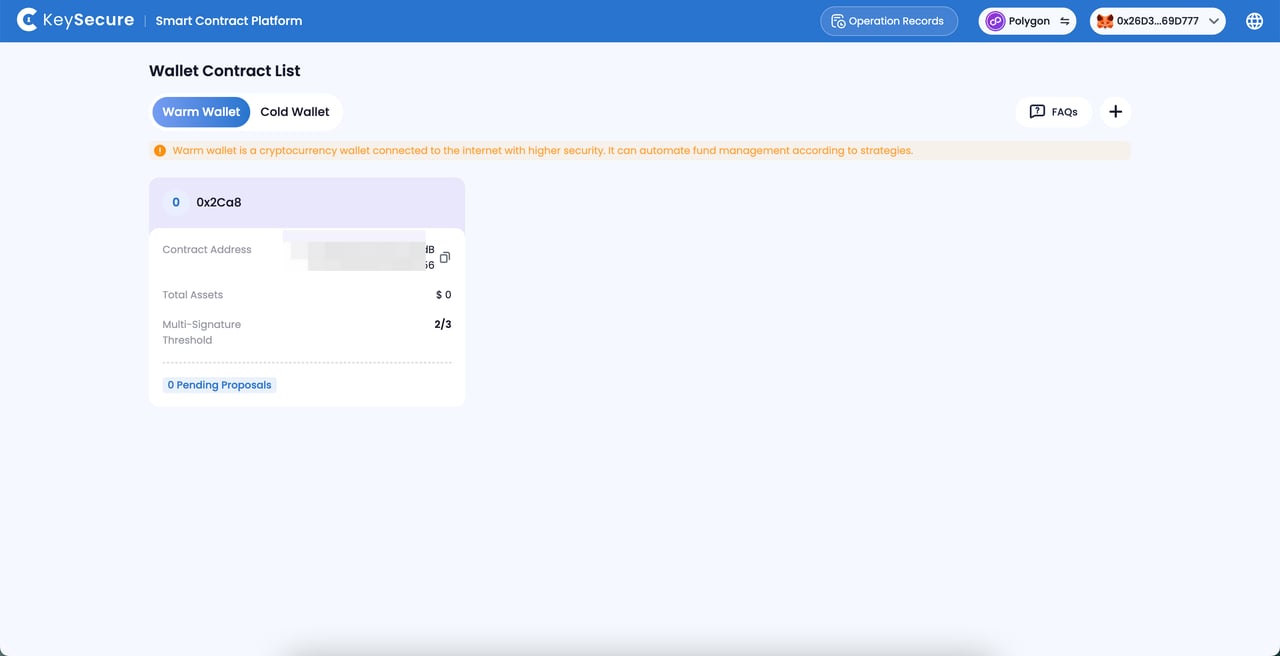
Select Contract
View the contract list, select the contract you wish to access, and click to enter the [Transfer-Free Whitelist] page.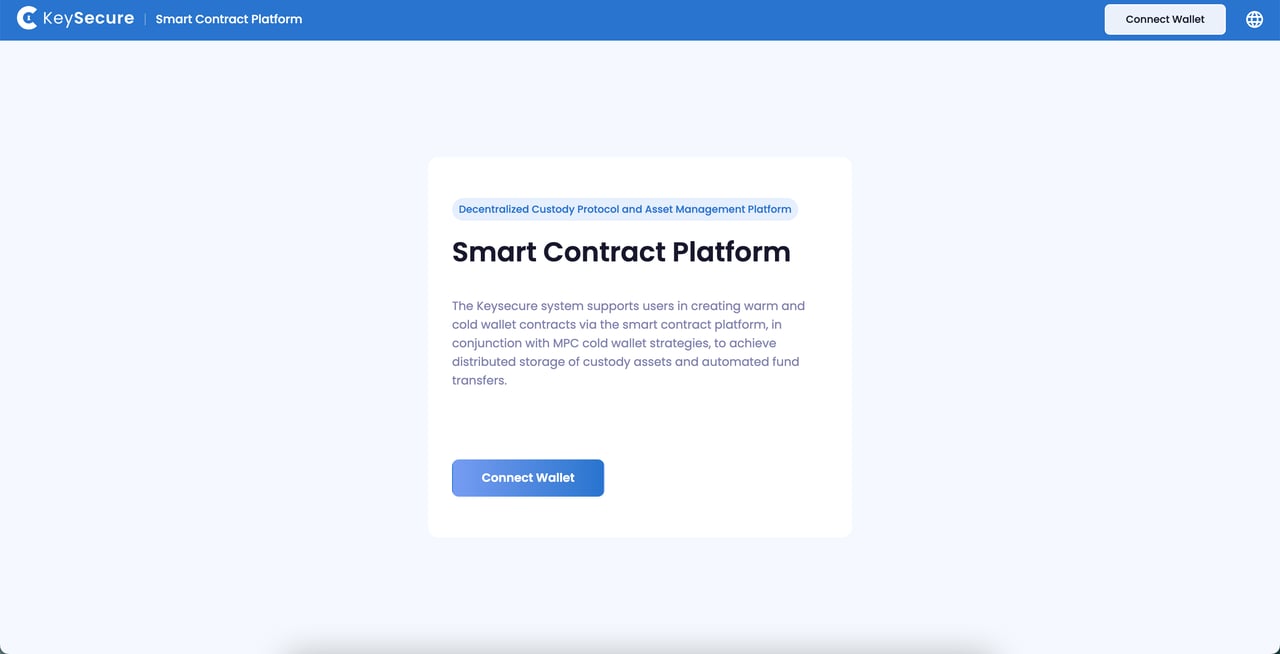
3
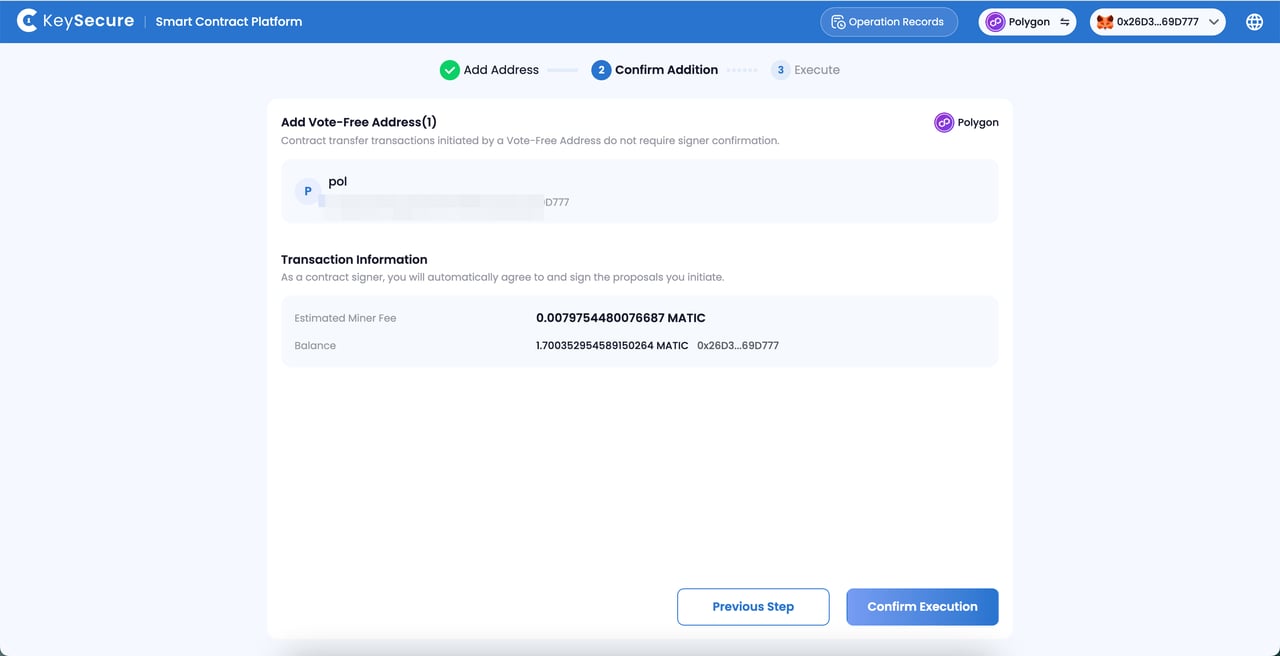
Add Transfer-Free Address
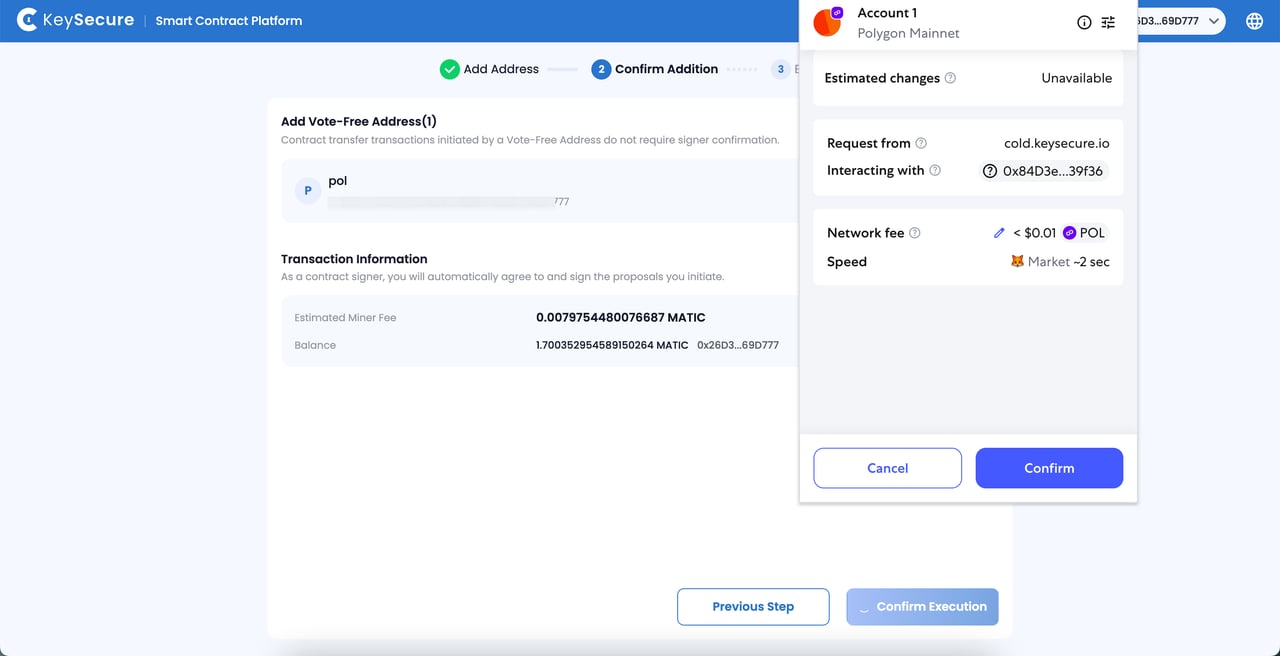
Click the “Add” button to initiate a proposal for adding a transfer-free address.
Sign the proposal and pay the gas fees using the connected third-party wallet address.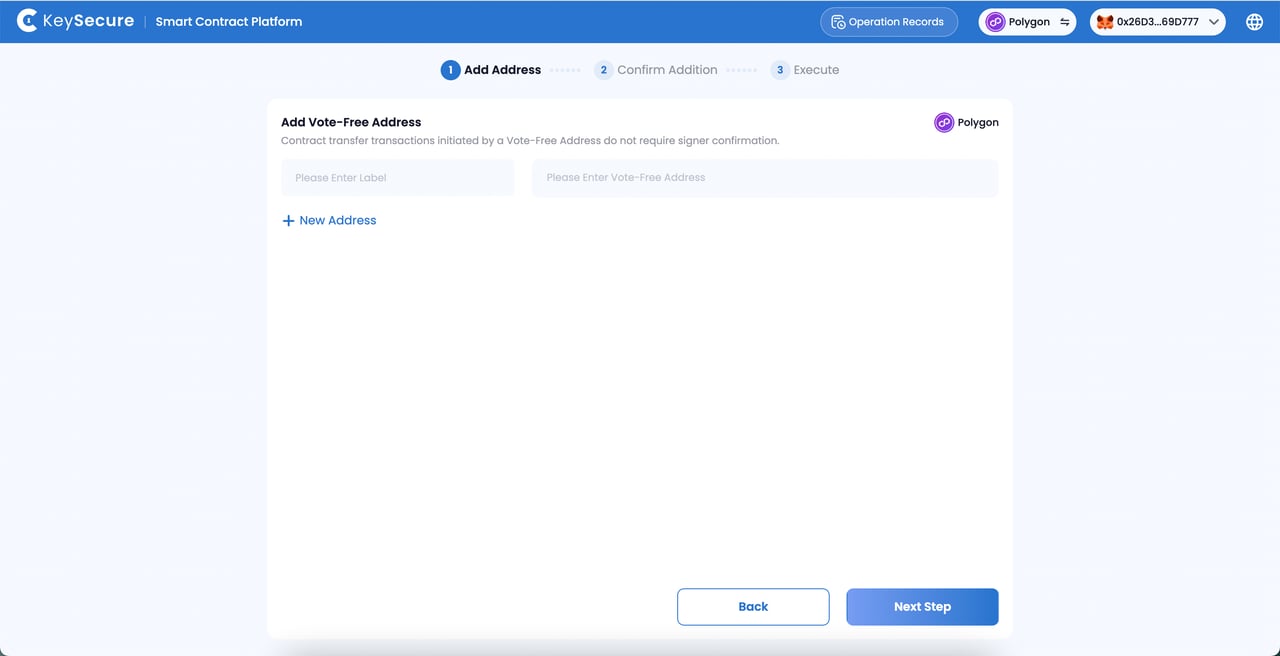
III. Removing Transfer-Free Address
1
Select Transfer-Free Address
Select the transfer-free address you wish to delete and initiate a deletion proposal.
2
Confirm Proposal and Sign
Sign the proposal and pay the gas fees using the connected third-party wallet address.
Frequently Asked Questions
What is Vote-Free Address?
What is Vote-Free Address?
The vote free address is a tool used for automated fund dispatch, automatically generated and assigned by the Keysecure System. This address will automatically initiate warm-to-hot and warm-to-cold transactions according to the funding dispatch strategy, which will take effect without requiring approval from warm wallet signers.Please first create a fund flowing strategy for the relevant coin, then obtain the vote free address, and add it to the warm wallet contract on the corresponding network.If you cannot obtain the vote free address in the MPC wallet, please contact online customer support for assistance.
How to Manage Vote Free Addresses?
How to Manage Vote Free Addresses?
Regularly Replenish Address Balance:Vote Free addresses automatically handle auto flowing transactions and cover transaction fees according to your strategy. Make sure to regularly check and add funds to these addresses to ensure smooth and uninterrupted automation of your cold wallet funds.
Why Can't I Manage Transfer-Free Addresses?
Why Can't I Manage Transfer-Free Addresses?
- You have successfully connected the third-party wallet;
- The connected wallet is a signer of the contract;
- Your contract has sufficient transfer assets;
- You have paid enough gas fees for the proposal.