
Function Introduction
In Keysecure, you can set a login password for your account to enhance security. The login password should meet the following rules:- Composed of numbers, English letters, or special symbols,
- Contains at least two types of uppercase letters, numbers, or special symbols,
- No less than 8 characters in length.
If:
- You are using a mobile phone number or email to log in to your account and have not yet completed the password setting,
- You have logged in with an old password for more than 60 days, The system will provide page guidance during the login process, and you can choose to skip the password setting.
Operation Procedure
You can set or modify the login password for your Keysecure account in the following scenarios:Scenario One: Already Logged into the Keysecure App
1
Account Page
In the MPC Workspace, click on the personal avatar in the upper left corner to enter the account settings page.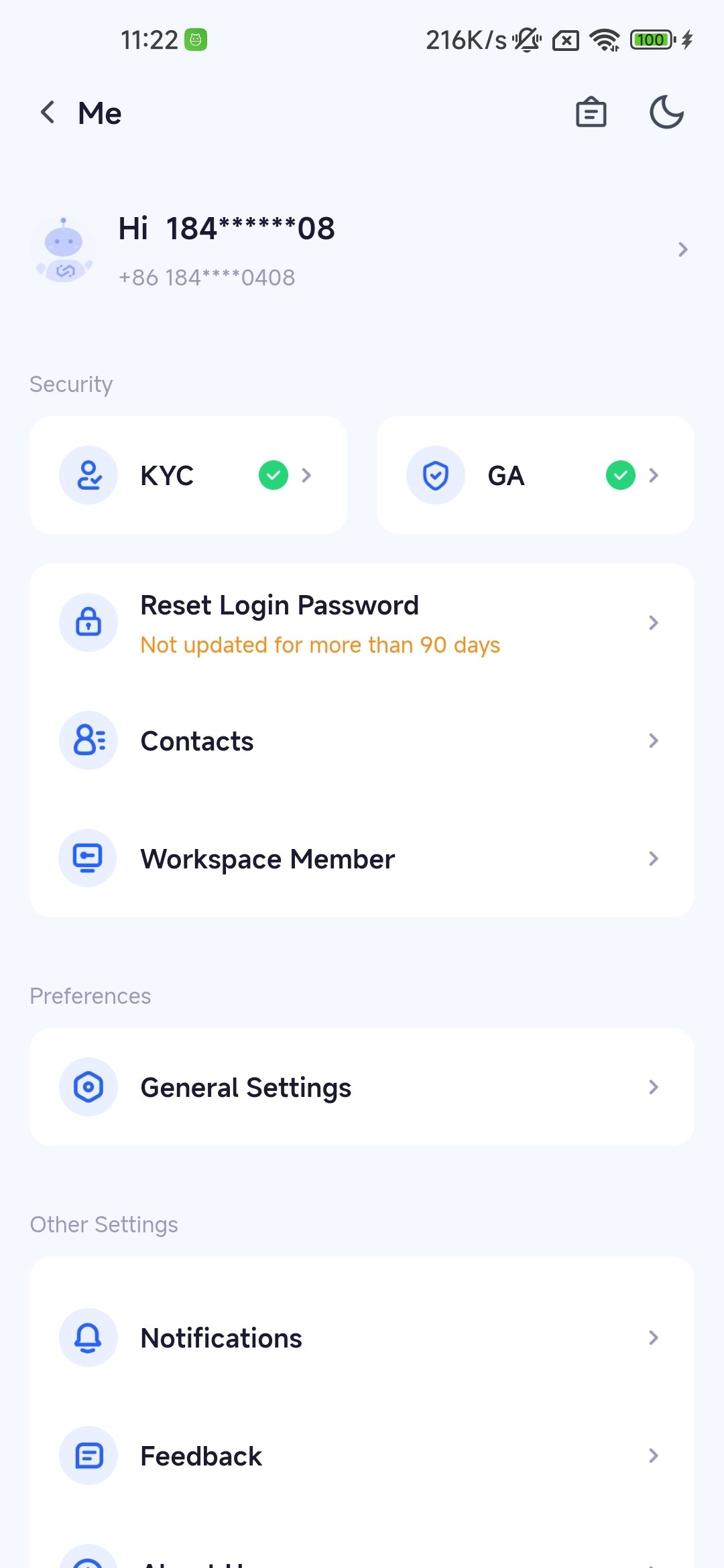
2
Click 'Reset Login Password'
Enter your new password and confirm it twice according to the rules.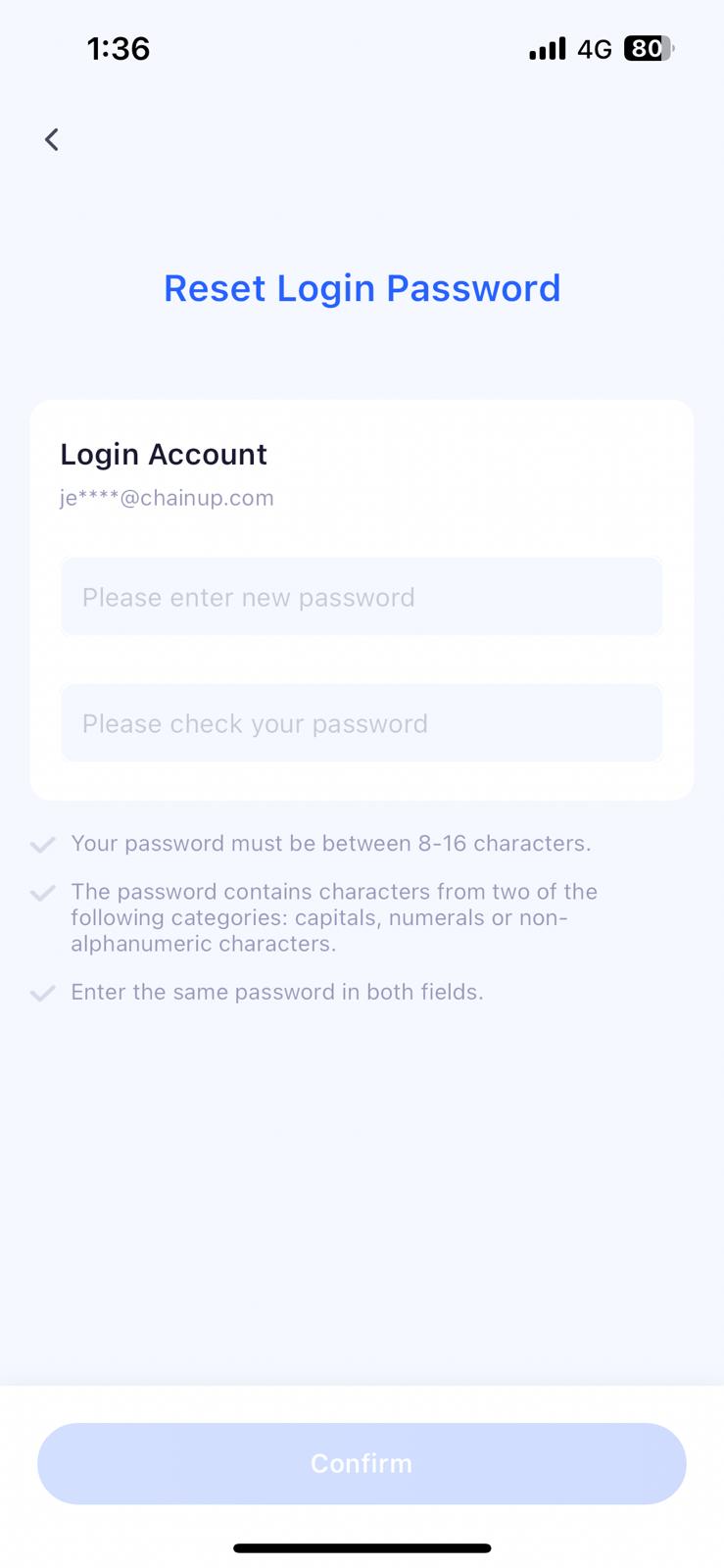
3
Enter New Password
Enter the new password and verify it with GA or verification code to complete the new password setting.
Scenario Two: Not Logged into the Keysecure App
1
Enter Phone Number or Email on App Login Page
On the App login page, enter your phone number or email and click ‘Next’.
2
Click 'Forgot Password'
Enter the security verification page, and click ‘Forgot Password’ under the login button.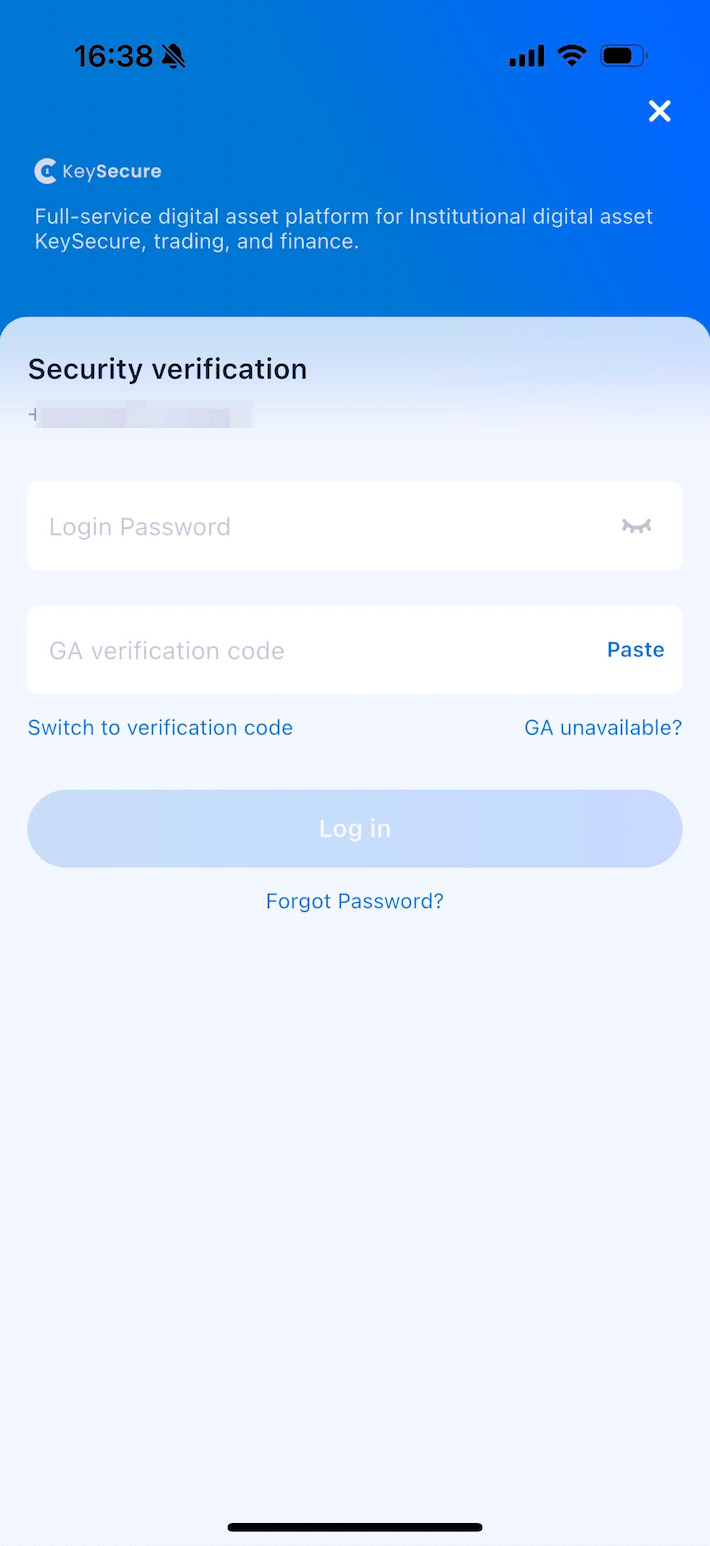
3
Enter New Password
Enter the new password and verify it with GA or verification code to complete the new password setting.
Frequently Asked Questions
Do I have to set a login password?
Do I have to set a login password?
It’s not mandatory, but for the sake of account security, it is recommended that all users set a password when logging into their accounts and update it regularly.
What are the benefits of setting a login password?
What are the benefits of setting a login password?
If you want to improve the security of your account, you can enable double verification after setting a password. Use the password and verification code or GA for double verification when logging in to ensure the account is more secure.