
Please note:
- KYC verification can only be performed in the Keysecure App;
- Before adding a team member, please make sure the user has enabled Google Authenticator and passed KYC verification.
Function Introduction
KYC (Know Your Customer) identity verification is a process that users need to complete before adding team members to ensure account security. KYC supports two different verification identities, individual and business, and users can choose the appropriate verification method based on their type.Operation Procedure
1
Enter the KYC Verification Page
In the MPC Workspace, click on the personal avatar in the upper left corner, select KYC verification, and enter the identity verification page.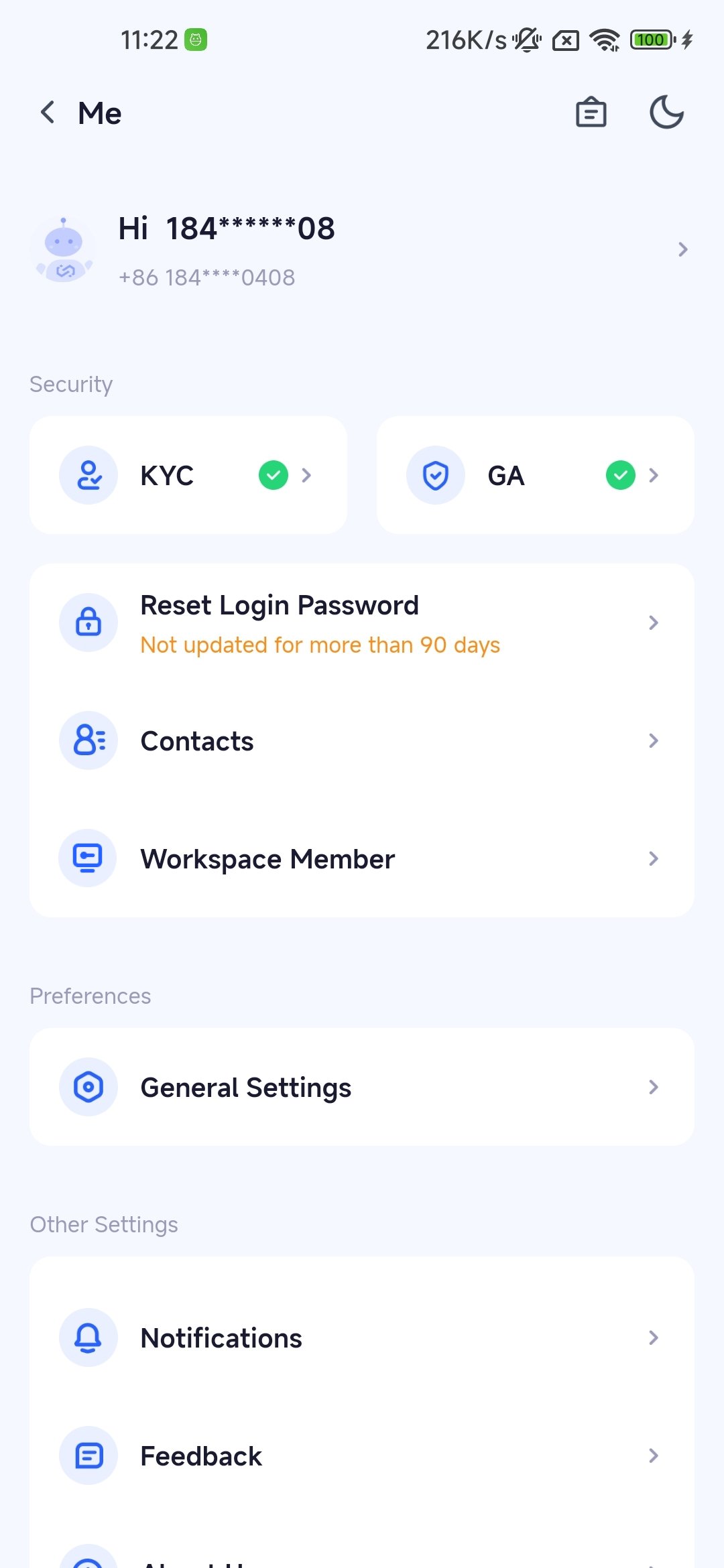
2
Choose Verification Identity
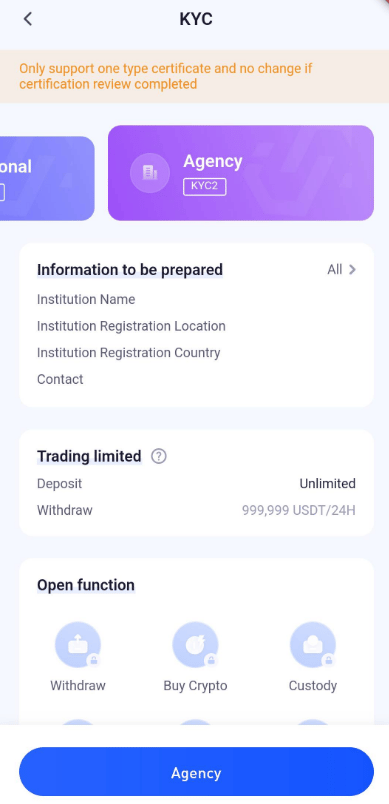
Supports two different verification identities, individual and business. Choose the appropriate verification method based on user type.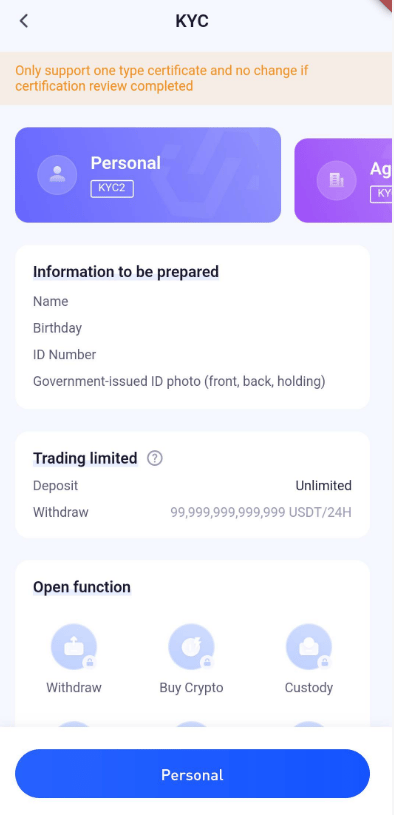
- Individual Verification: Submit personal ID, photos, and other relevant information.
- Business Verification: Submit corporate legal person ID, business license, and other related information.
3
Fill in Verification Information
Fill in the corresponding verification information based on the chosen verification identity, ensuring the accuracy of the information.Upload the required ID, photos, and other verification files.
4
Submit Verification Application
After confirming that the filled-in verification information is correct, submit the verification application.The system will automatically verify the identity information.
5
Wait for the Review Result
Wait for the system review, which is usually completed within a certain number of working days.Users can check the verification status in the APP.
6
Verification Completed
Once the review is approved, the user has completed the KYC identity verification.
Frequently Asked Questions
How do I check my KYC verification status?
How do I check my KYC verification status?
In the APP, click on the personal avatar in the upper left corner, select KYC verification, and you can check the verification status.
How long does KYC review take?
How long does KYC review take?
KYC review is usually completed within a certain number of working days, the specific time may vary, please be patient and wait.
Can I modify the submitted KYC verification information?
Can I modify the submitted KYC verification information?
Before submitting the verification application, you can modify the filled-in verification information.Once the application is submitted, it cannot be modified again, and you need to wait for the review result.
Do I have to verify KYC?
Do I have to verify KYC?
or MPC wallet users, KYC verification is not a mandatory requirement and will not affect the normal use of wallet functions.