
Function Introduction
Biometric technology is a type of physical characteristic recognition technology that verifies identity by recognizing personal biological characteristics. Because biological characteristics are unique and difficult to fabricate or duplicate, they are more secure than traditional passwords or PIN codes. The Keysecure App allows users to enable biometric verification for password-free payments or operations, and verification can be completed using their own biological characteristics. This reduces the hassle of entering passwords or GA verification codes, making user operations simpler and smoother. However, while biometric technology brings many conveniences, it also involves considerations of privacy and security. Please consider all factors when deciding whether to enable biometric verification for MPC system operations.Operation Procedure
1
Enter Biometric Verification Function
Click the [Security] module in the bottom navigation and select the biometric verification function.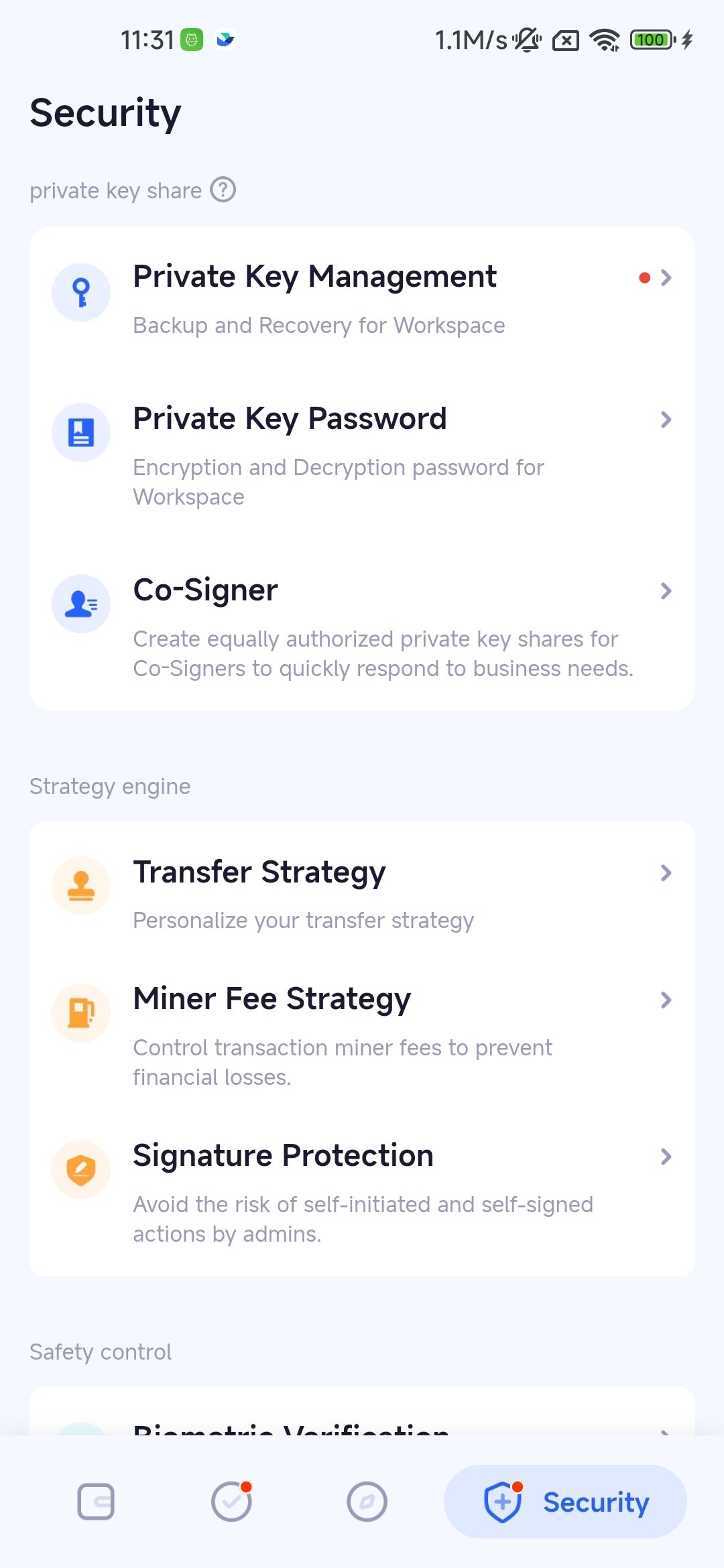
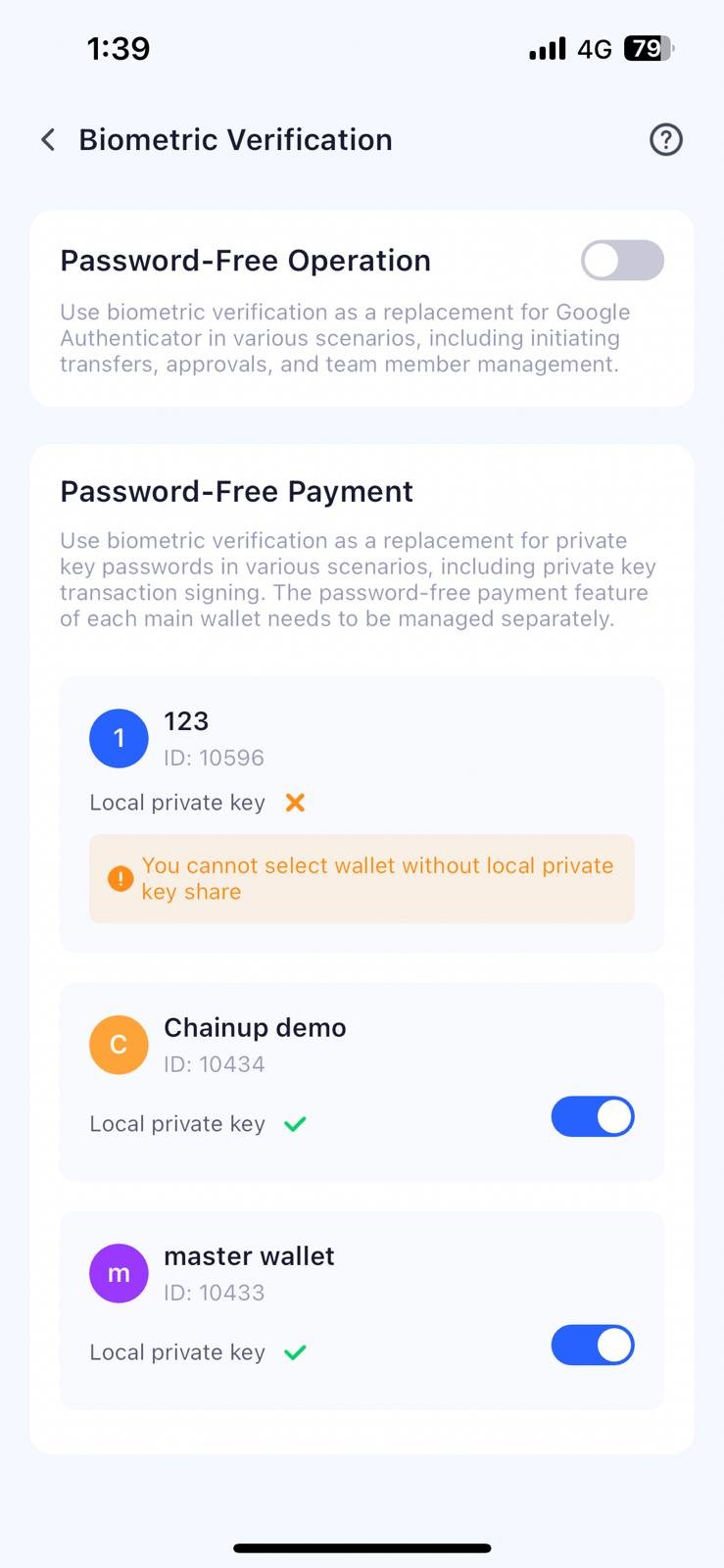
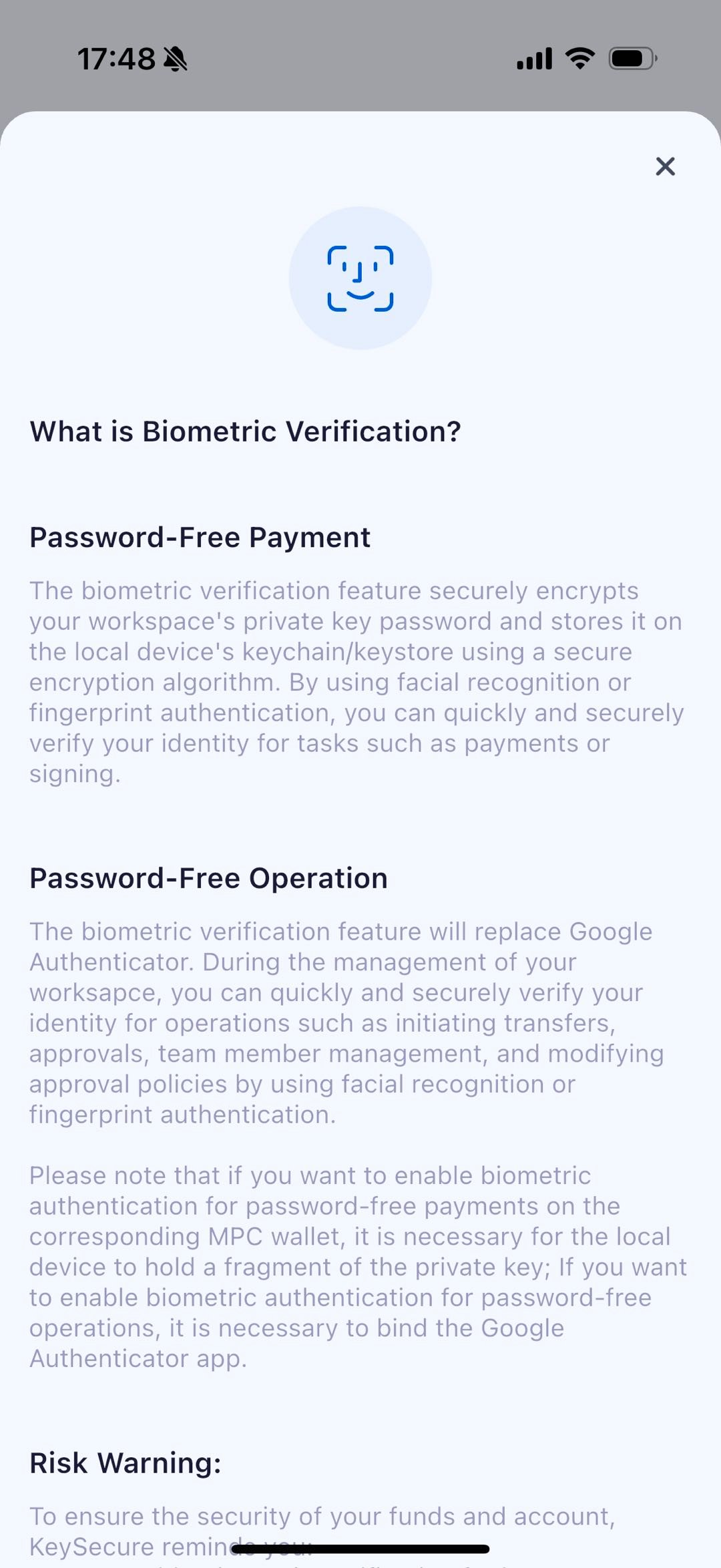
Other Ways to Enable Biometric Verification
During regular verification, such as entering GA or a private key password, you can click the quick enable icon button in the upper left corner of the verification pop-up window.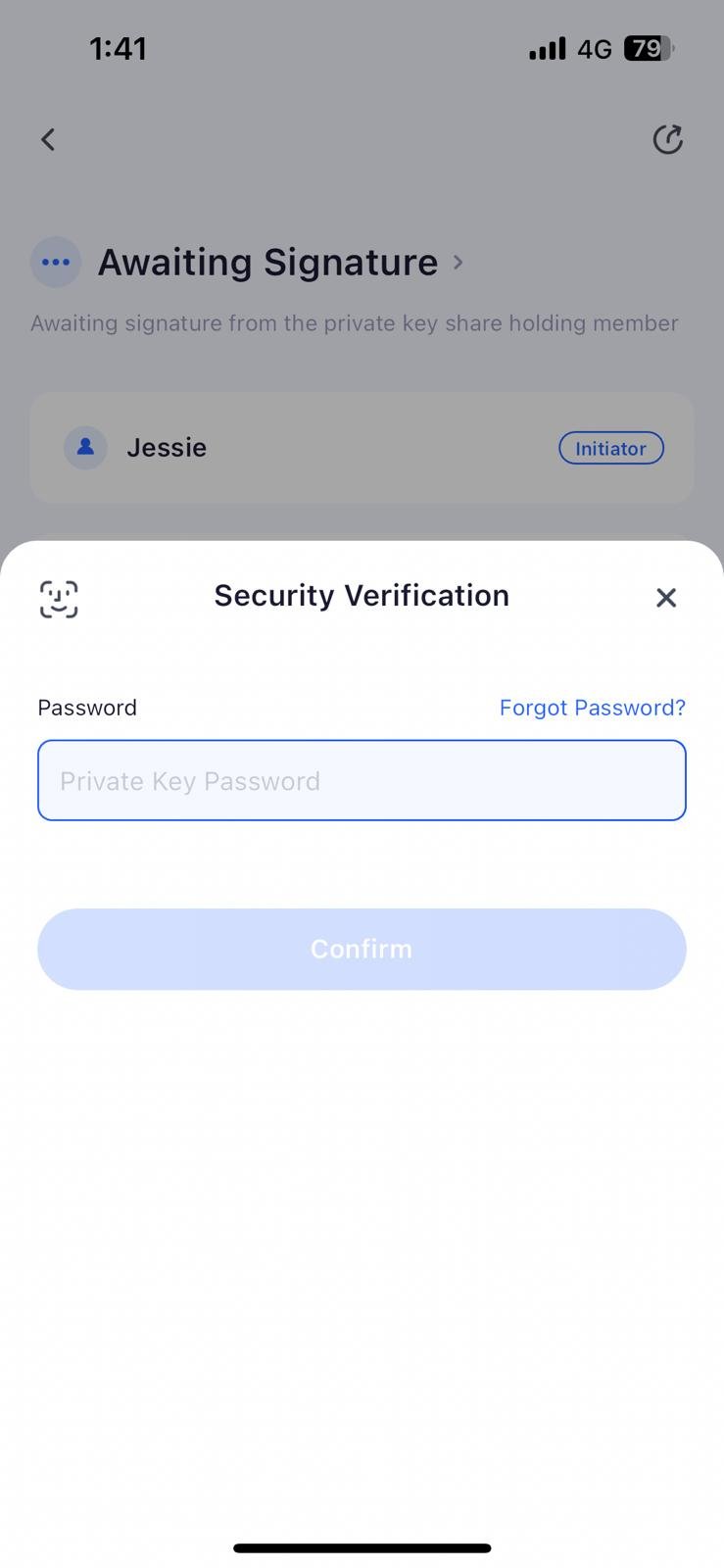
Frequently Asked Questions
Why can't I enable biometric Verification?
Why can't I enable biometric Verification?
Please note that the following situations may prevent you from enabling biometric verification:
- The local device’s biometric function is not authorized for the Keysecure App.
- The local device has not enabled the biometric function, so the app cannot read the biometric information.
- The wallet does not store the private key locally.
Why is biometric verification invalid or unusable?
Why is biometric verification invalid or unusable?
Please note the following situations that may cause the biometric function you have enabled to be automatically disabled:
- For created workspace, changes to the local private key of the creator, such as password modification or re-backup; for co-managed workspaces, the equal-authority private key held by the admin becomes invalid.
- Changes to the biometric information on the local device, such as adding a new facial recognition or fingerprint.
- The biometric function on the local device is disabled or deauthorized.”