
I. Function Introduction
Utilize the Keysecure Strategy Engine to configure risk management strategies for your workspace. Once configured, any core operations, such as viewing recovery phrases and managing APIs, require approval from designated approvers to execute. This feature not only protects your business from internal collusion but also streamlines operational processes. Users can customize workspace strategies based on organizational structure and business workflows to achieve effective internal control and collaborative management.II. Operational Workflow
View and manage your workspace strategy1
Login and access the strategy engine.
Use the Keysecure App to scan and log in to the MPC wallet web platform. Then, select the “Strategy Engine - Workspace strategy” module.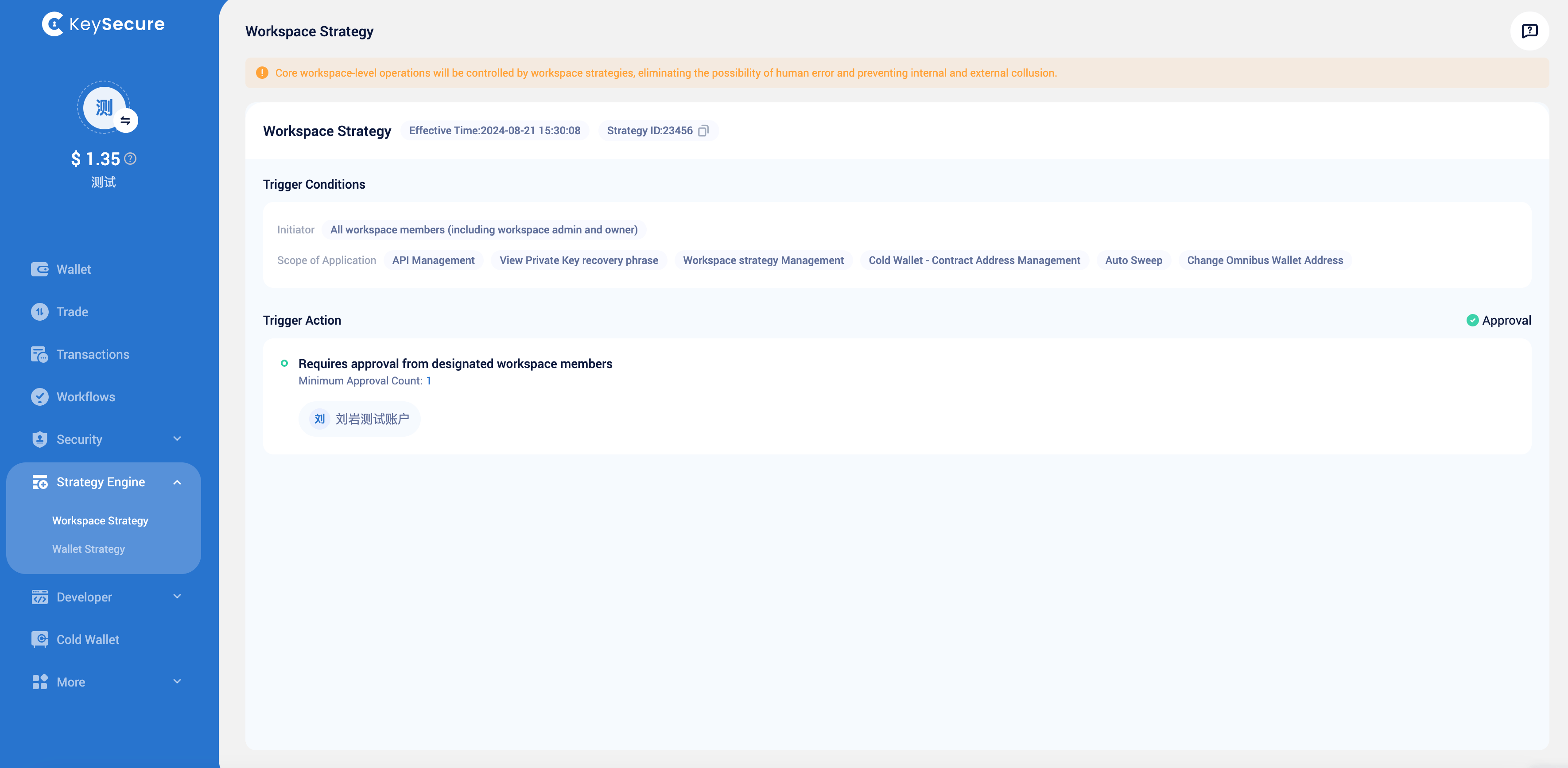
2
Modify Strategy
In this step, you can configure the following parameters for the workspace strategy:Approval Members and Approval Threshold:You can select approvers from admin and owner, and set the minimum number of approvals required. All related operations will be confirmed by these approvers.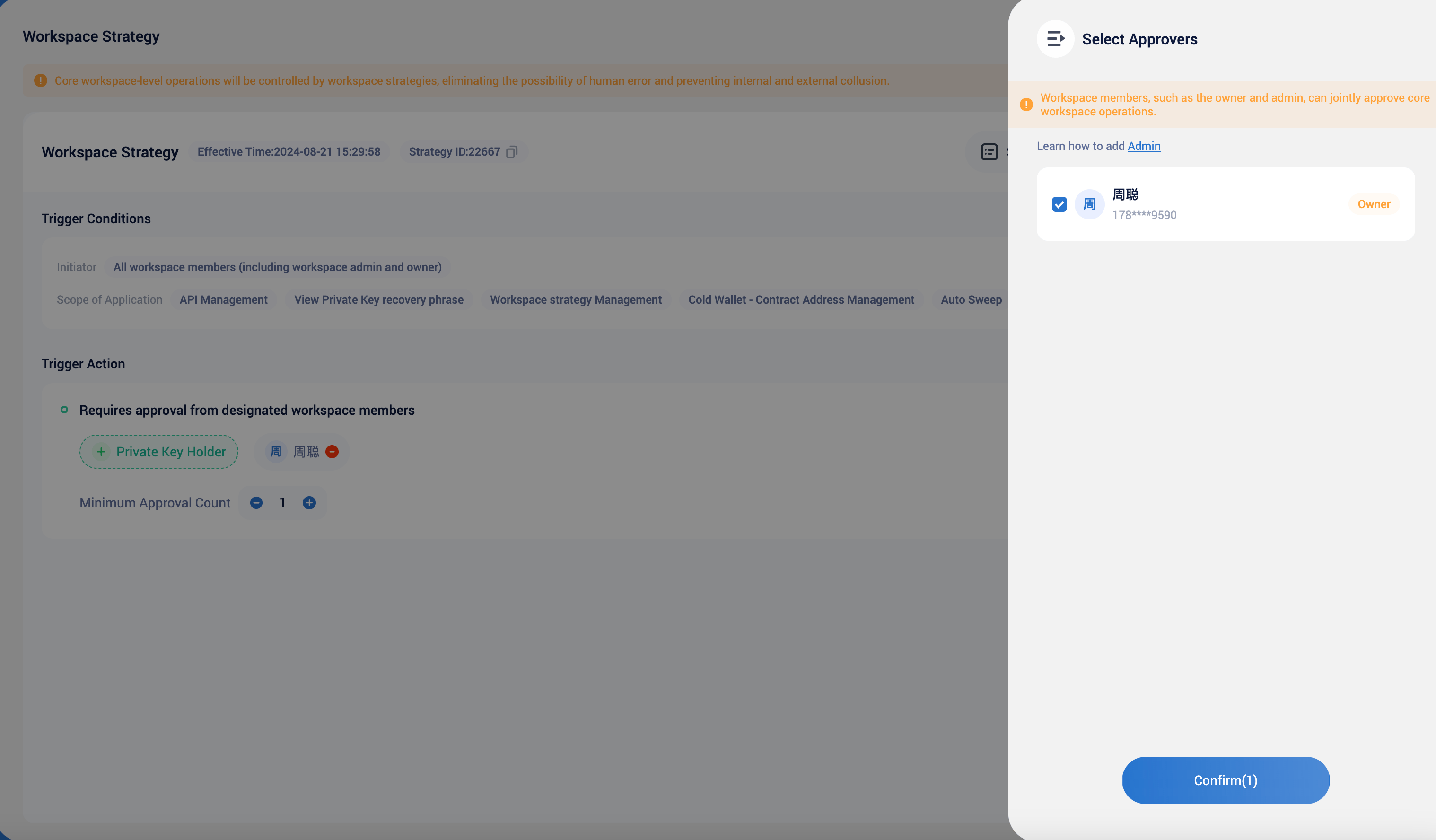
III. Frequently Asked Questions
Why can't I edit the workspace strategy?
Why can't I edit the workspace strategy?
Only workspace admin and owner can view and edit workspace strategy. If a policy edit request has been initiated by another user, other users will not be able to perform the same operation until that request is approved.
Why can't I delete the workspace strategy?
Why can't I delete the workspace strategy?
As the last line of defense for workspace security, the policy cannot be deleted to ensure that critical workspace operations are controlled by the strategy engine.
How can I get management permissions for the workspace strategy?
How can I get management permissions for the workspace strategy?
Workspace members, including owner and admin, can view and edit the workspace strategy.
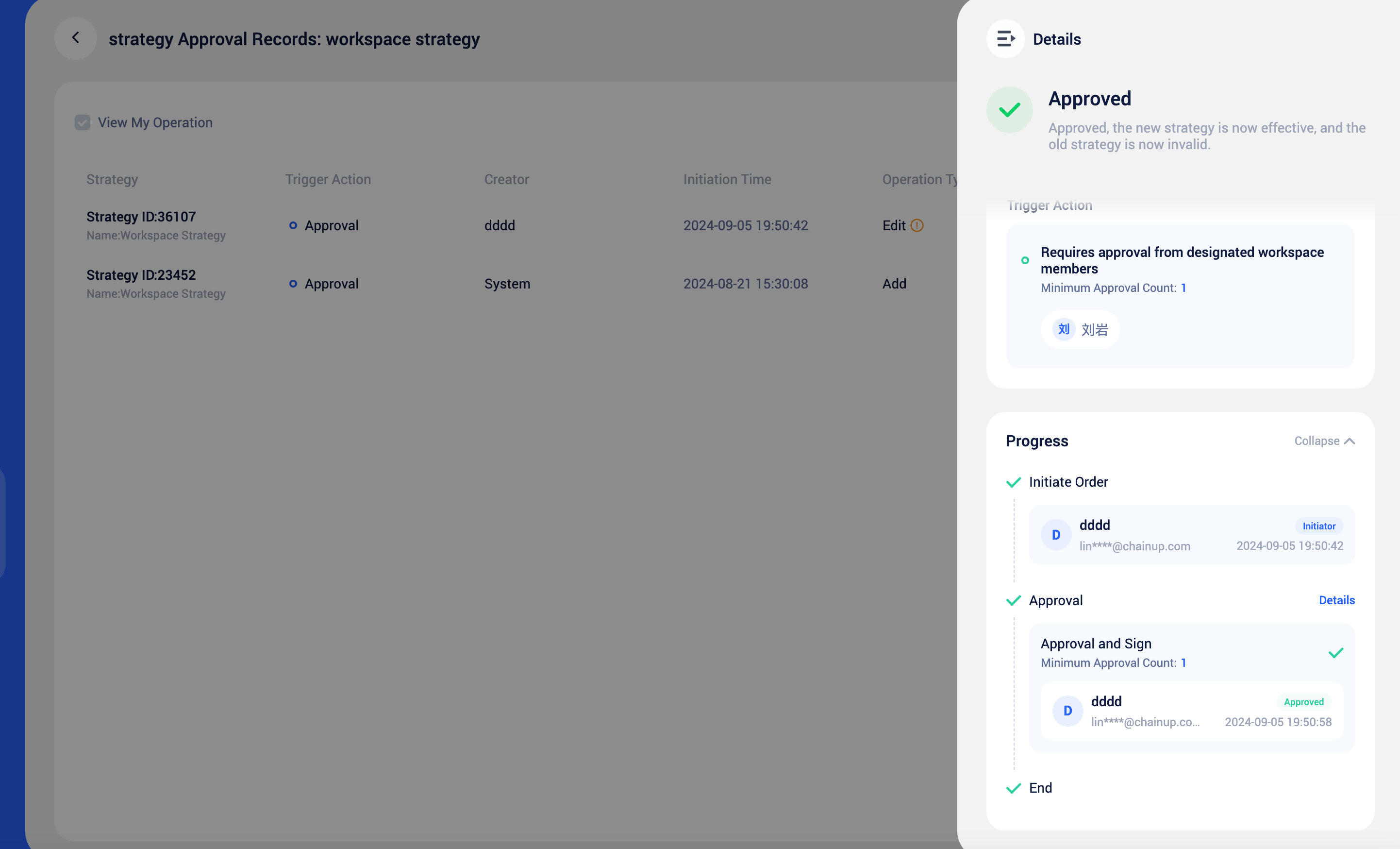
How can I view the historical approval records of the workspace strategy?
How can I view the historical approval records of the workspace strategy?
You can click the policy approval records button in the upper right corner to view all workspace policy edit records.