
Introduction
The strategy engine of Keysecure provides robust support for your MPC system, setting basic strategy for all your wallets without the need for advanced strategies, ensuring asset security. basic strategy serve as the crucial line of defense for wallets, controlling various risk scenarios, including but not limited to editing basic strategy, editing advanced strategies, and transfer transactions. This arrangement aims to safeguard asset security and facilitate effective circulation. Users can design wallet strategies and approval roles according to their needs to ensure that team structure and compliance requirements are fully reflected.Operation Process
Viewing and Managing Basic Wallet Strategy1
Log in and Open Strategy Engine
Use the Keysecure App to scan and log in to the MPC wallet web version, select the [Strategy Engine - Wallet Strategy] module, and choose the wallet [Basic Strategy] module.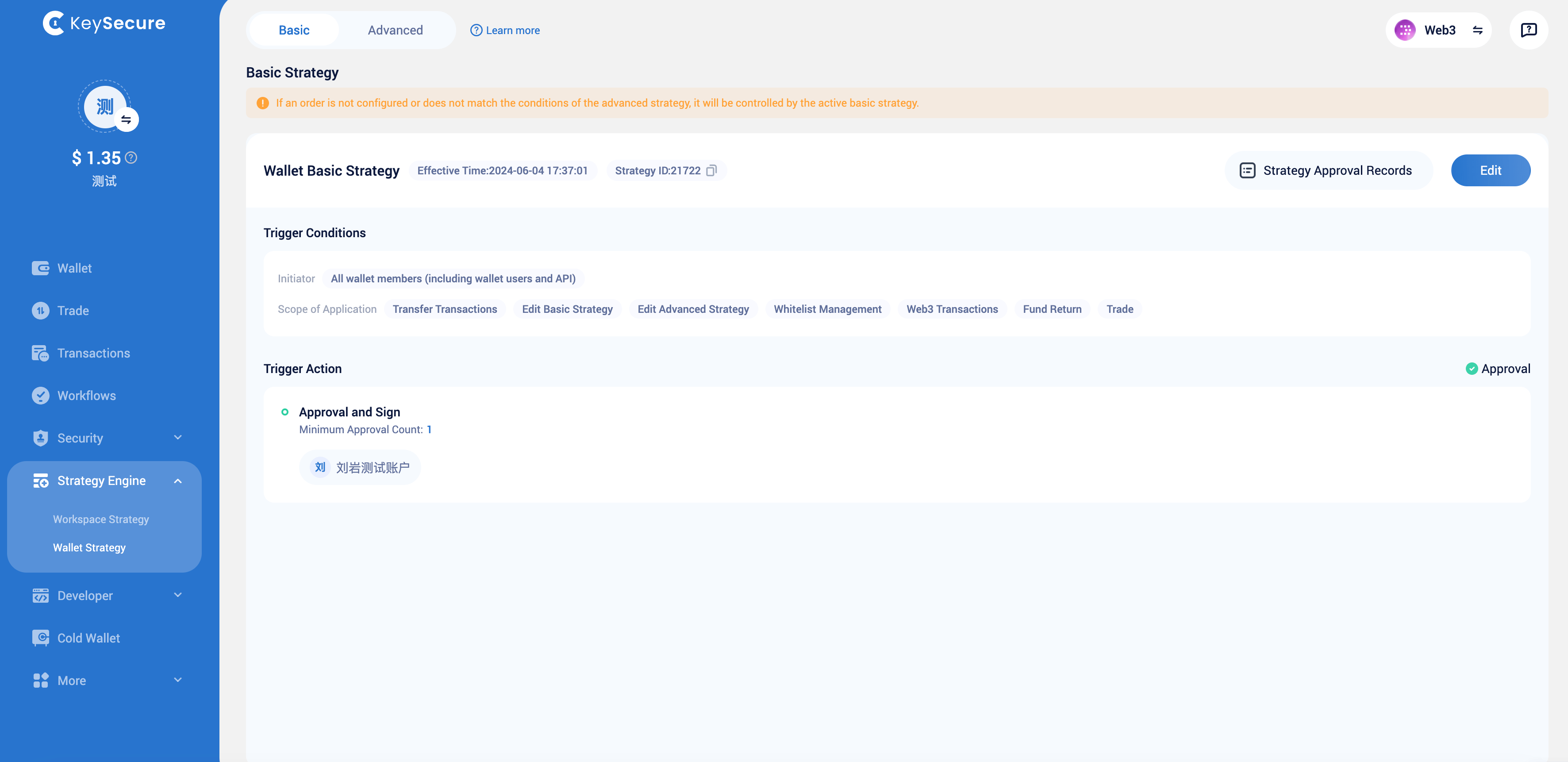
2
Manage Basic Strategy
Click the edit button to modify your basic strategy.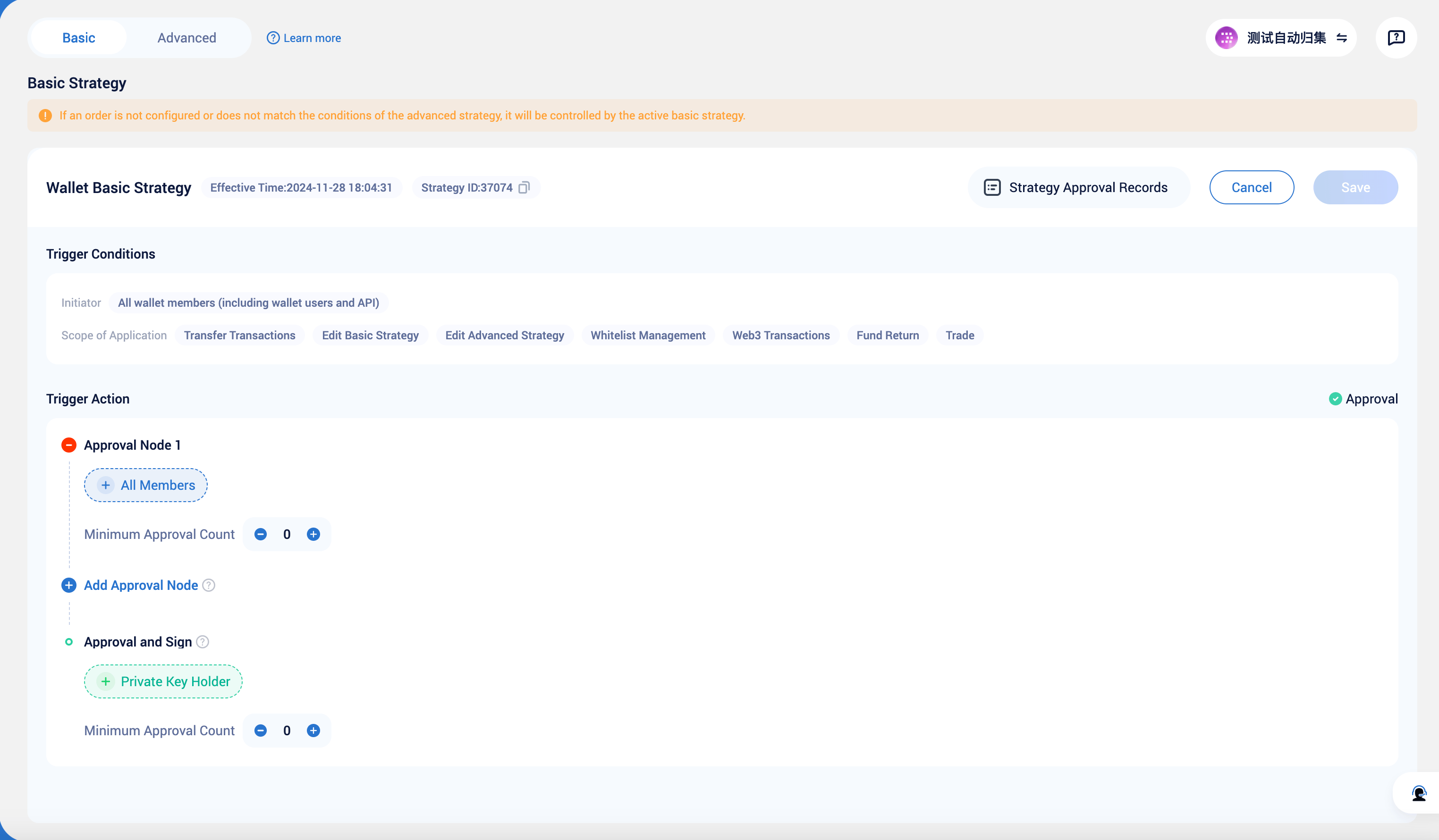
3
Add and Configure Transfer Strategy
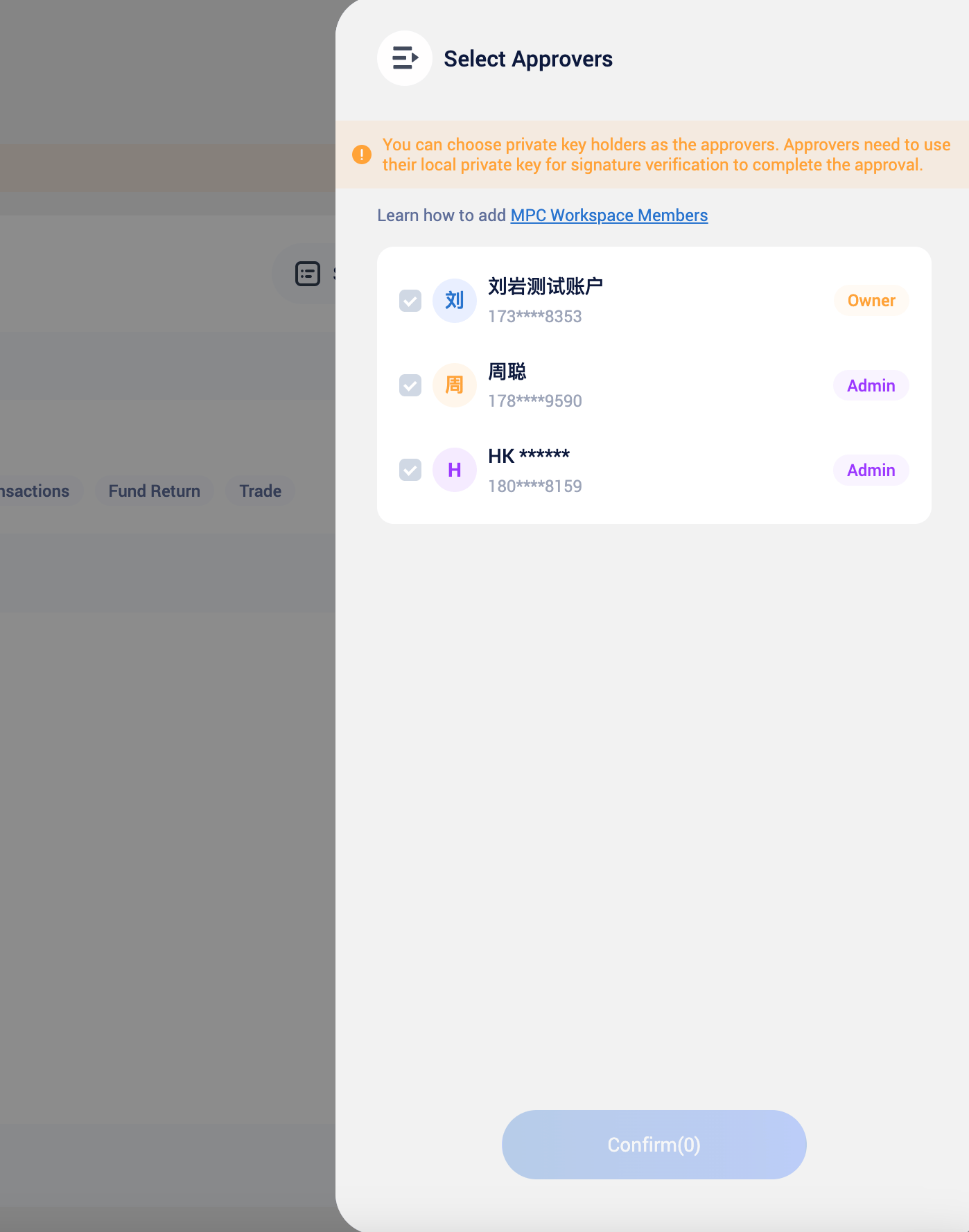
In this step, you can configure the following parameters for the basic strategy:Approval Members and Approval Threshold:You can create a multi-level approval process, consisting of regular approval nodes and approval and signing nodes:Regular approval nodes can include all wallet members as approvers, with a maximum of 9 levels.The approval and signing node is the final node and can include members with wallet private key permissions, ensuring high-level members are involved in wallet governance.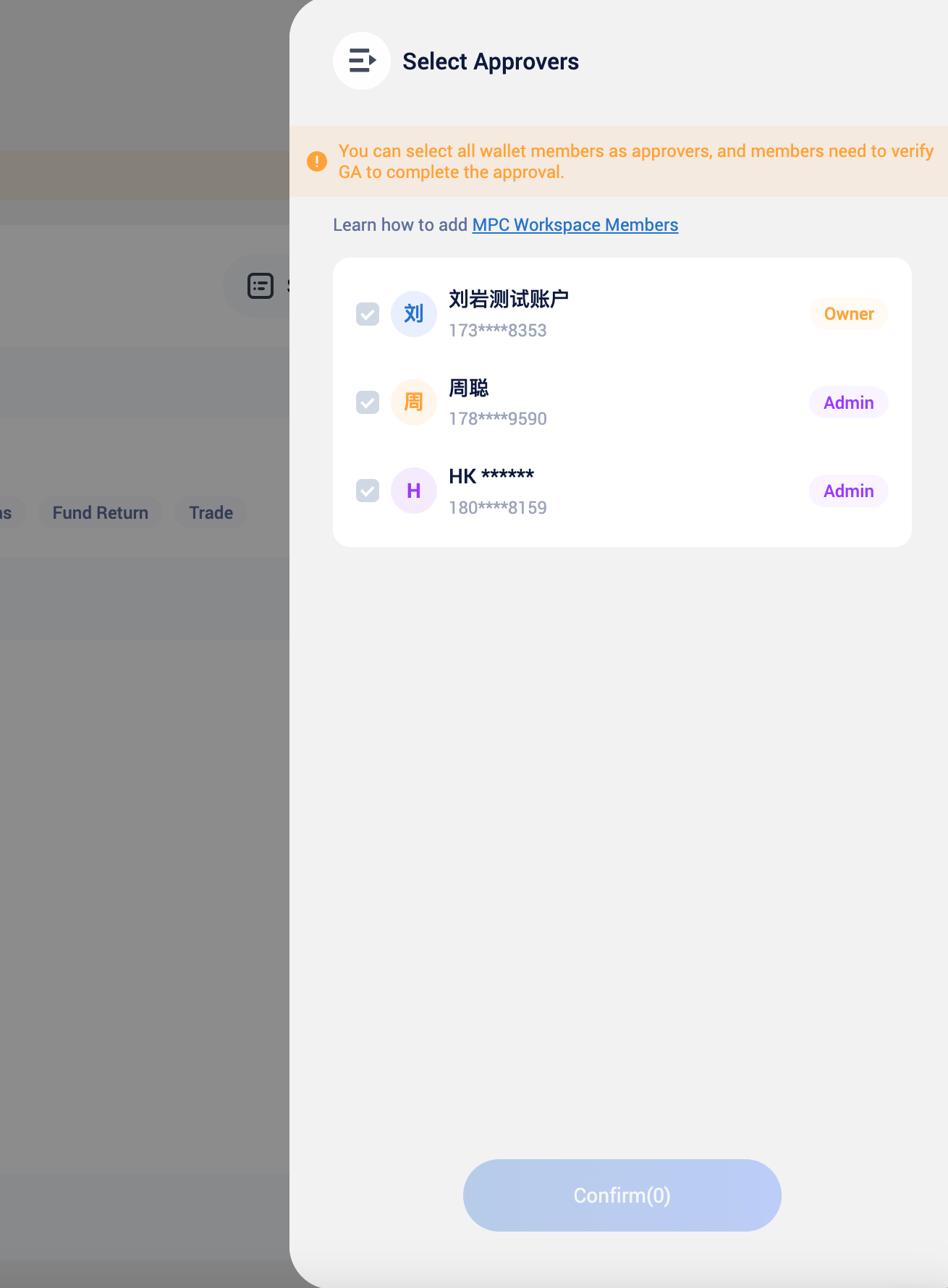
4
Confirm Basic Strategy Modification
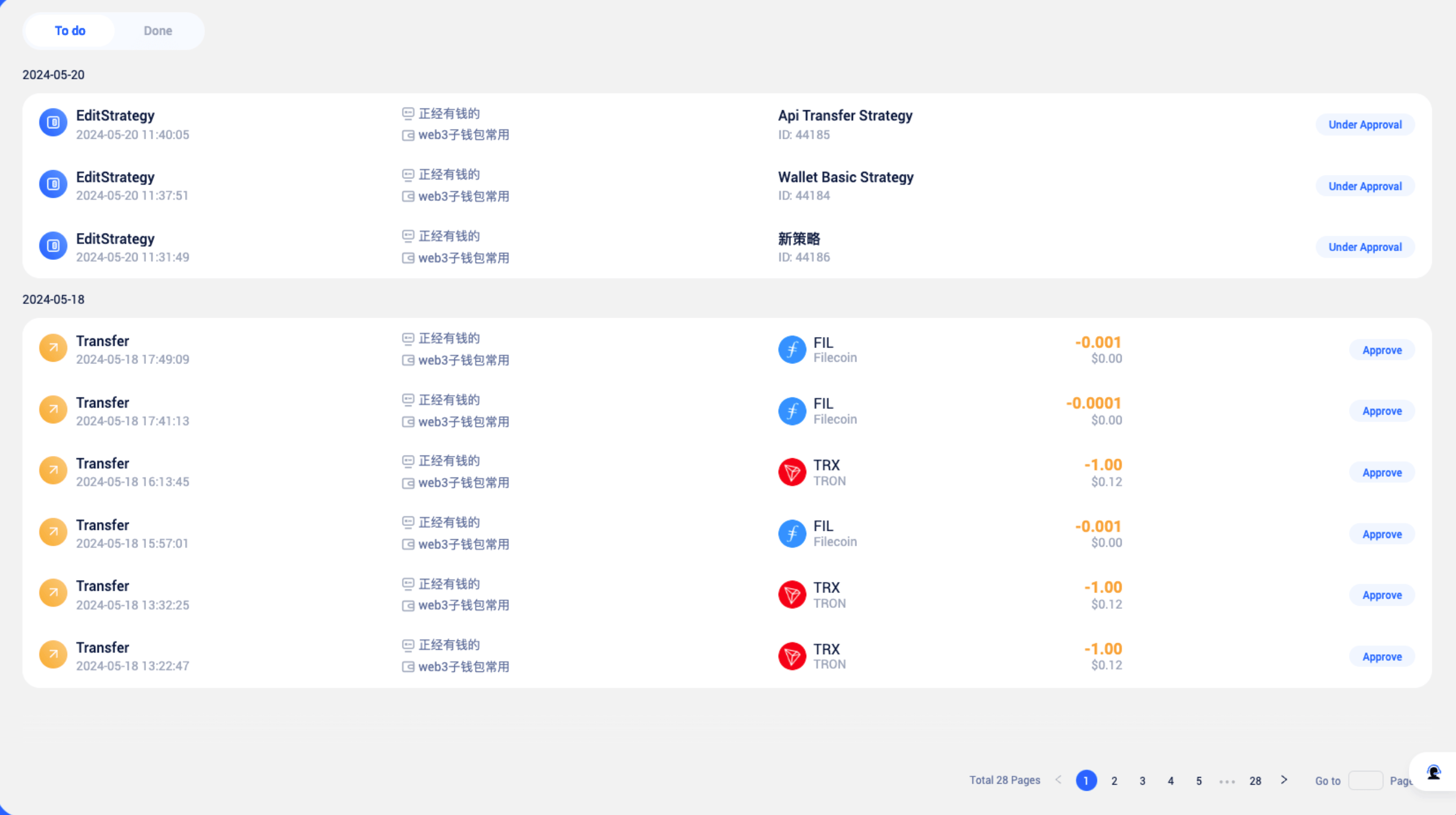
Any modifications to the basic strategy require approval from the current basic strategy to take effect. If you are an approver of the currently effective basic strategy, you can find the corresponding pending tasks in [Workflow] to process them.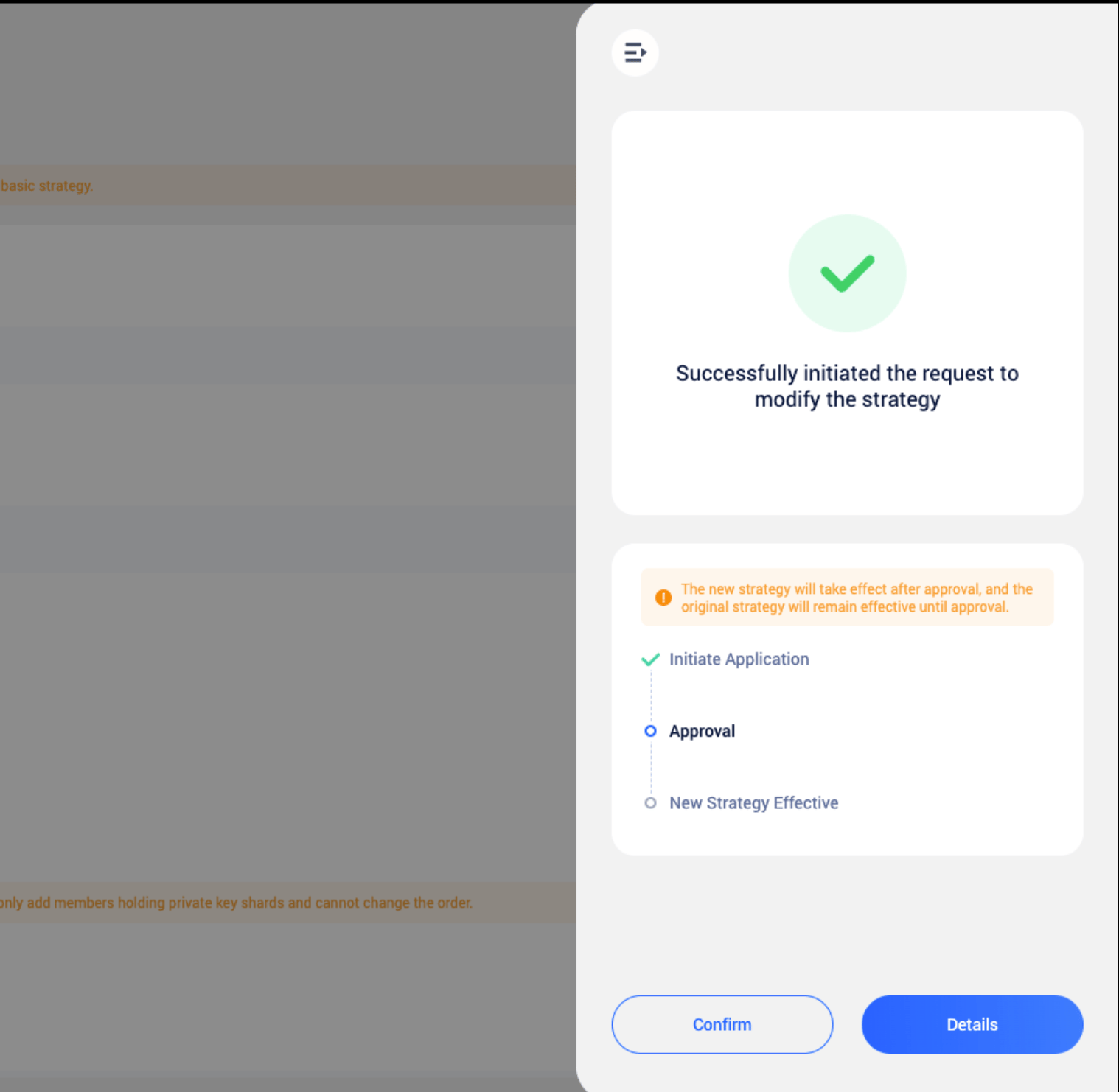
FAQs
Why can't I edit the basic strategy
Why can't I edit the basic strategy
If a user has initiated an edit request for the basic strategy, other users will not be able to perform the same operation until the request is approved.
Why can't I delete the basic strategy
Why can't I delete the basic strategy
The basic strategy, serving as the last line of defense for wallet security, cannot be deleted. This ensures that the wallet is always protected by the strategy engine’s risk control measures, preventing internal risks.
When will orders hit the basic strategy
When will orders hit the basic strategy
If a wallet has never had advanced strategies edited, all risk control scenarios in that wallet are governed by the basic strategy.
How to obtain management permissions for basic strategy
How to obtain management permissions for basic strategy
All co-managing members of the wallet, including owners, admins, and regular members, can view and edit the wallet’s basic strategy.
How to view the history of basic strategy edits
How to view the history of basic strategy edits
You can click the approving records button in the upper right corner to view all the basic strategy edit records of the wallet.