
Energy Resource in TRON
The TRON blockchain uses a unique fee model, differing from blockchains like Ethereum. Instead of fixed gas fees, transactions are executed using two resources: Bandwidth and Energy. If a wallet lacks the necessary resources for a transaction, users must either freeze TRX to obtain resources or directly burn TRX from their address to support transactions on the TRON network.Introduction
Staking or directly burning TRX to pay for miner fees can be costly. To help clients reduce transaction fees and lower operational costs, the platform offers a resource trading feature. Clients can purchase TRON resources directly via API, ensuring instant Energy allocation and immediate fee savings. Efficient: The API resource leasing service offers a fast and convenient process with no transaction or time limits. Instantly obtain Energy in real time—an essential cost-saving solution for Tron users. Professional: We provide 24/7 dedicated customer support and professional technical assistance, ensuring a reliable leasing service for all types of external clients. Economy: Keysecure aims to minimize TRON transaction costs for every trader—The more you buy, the greater the discount.Configuration
1. Create an MPC Workspace
Download the Keysecure App from the link below and register a Keysecure account using your phone number or email. Once registered, you can access the MPC system and create a workspace. Download Keysecure App Create MPC WorkspaceFor non-custodial clients, your MPC workspace follows a special subscription model. Please contact the Keysecure support team and provide your MPC workspace name (ID), specifying that the workspace was created for purchasing TRON resources. The support team will adjust your workspace configuration and usage period accordingly.
Client Authorization to the Platform
Deposit at least 101 TRX into the Web3 wallet under your MPC workspace and initiate an automatic delegation authorization request.Without modifying the strategy engine, the workspace owner can directly initiate and approve the authorization.
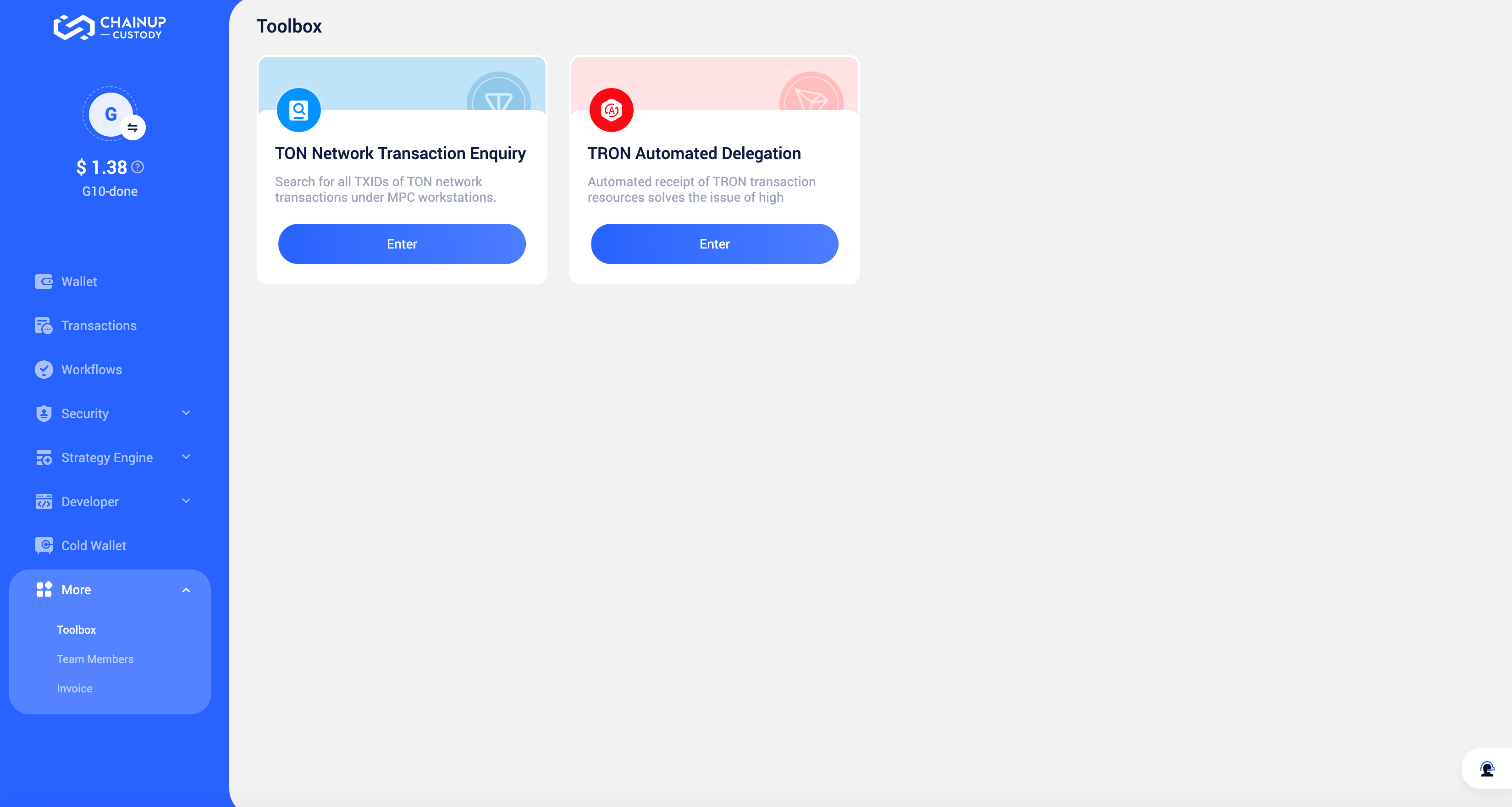
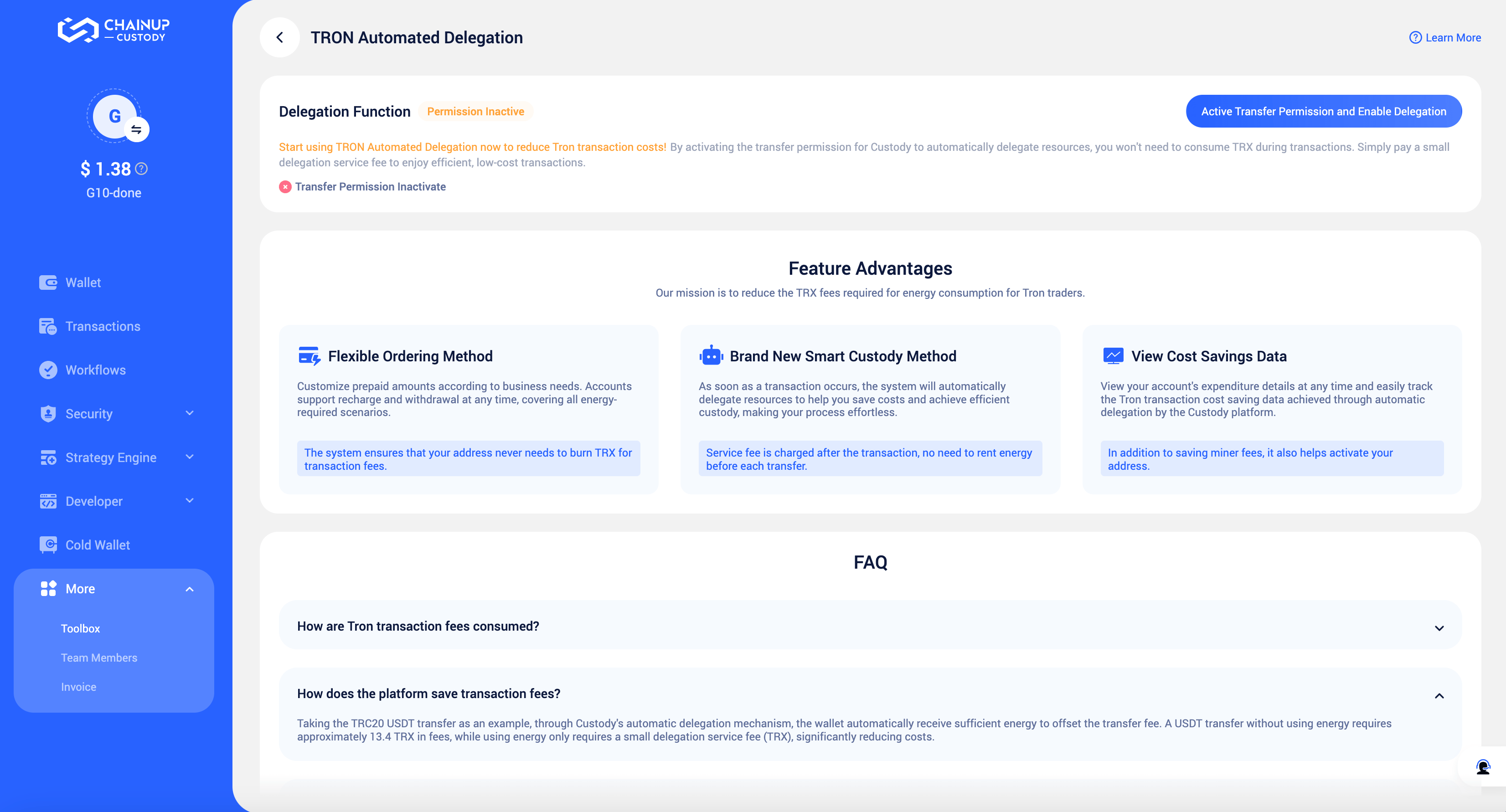
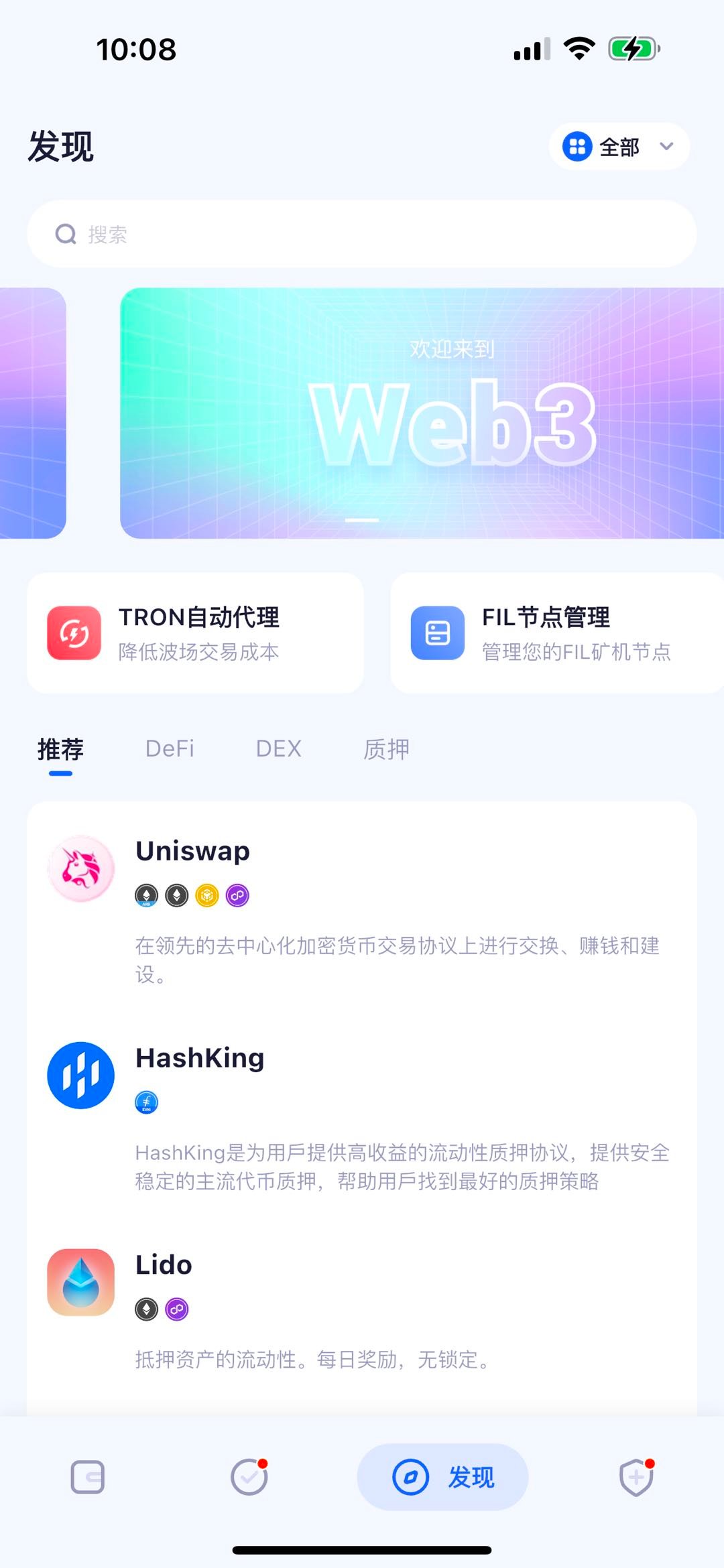
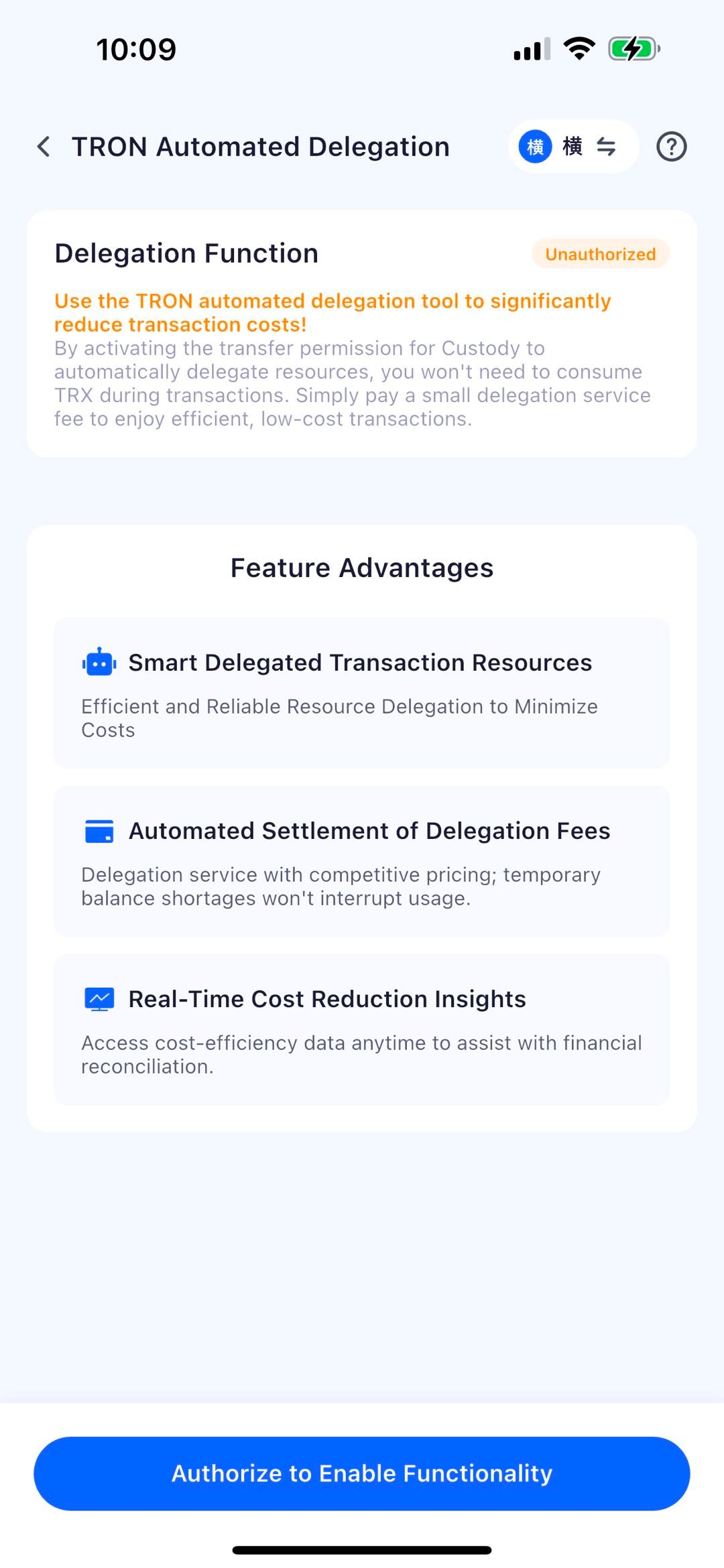
3. Contact us to Complete Fee Configuration
After the authorization is completed, go to MPC Workspace - Tools - TRON Auto Delegation. If the tool status shows Waiting for System Configuration, it means the authorization was successful. Please contact the Keysecure team to complete the resource pricing configuration.4. Complete API Configuration
Currently, Keysecure only supports purchasing resources through the API. Please go to MPC Workspace - Developer - API Management to complete the API configuration. For the detailed process, you can refer to API Management。Please note that for special clients who only call the API without performing transactions in the workspace (such as those using the API to purchase TRON resources), it is not necessary to deploy API Co-Signer.
5. Call Keysecure API to Purchase TRON Resources
To purchase resources, refer to the API document::Purchase TRON Transaction Resources To get the purchase records, refer to the API document: Get Resource Purchase Records To synchronize purchase records, refer to the API document: Synchronize Resource Purchase Records For purchase transaction notifications, refer to the API document:TRON Resource Purchase Transaction NotificationFrequently Asked Questions
How to understand the actual transaction resources consumed by an order?
How to understand the actual transaction resources consumed by an order?
You can visit the blockchain explorer and query the transaction’s TXID to view the resources consumed by the transaction.
How does the system charge and settle delegation service fees?
How does the system charge and settle delegation service fees?
The Keysecure System calculates the consumption data for the previous day at 0:00 (UTC+8) based on actual resource usage and real-time pricing, and settles the related fees from your authorized wallet at 17:00 (UTC+8) daily.