
Function Introduction
Keysecure provides users with powerful and easy-to-integrate API tools that can help you automate workflows, quickly create and configure wallets, and receive all kinds of information about the wallet. Whether it’s automating wallet management, transaction processes, or quickly viewing transaction information, it can be achieved through the API.Operation Procedure
1
Configure API
You can conveniently configure the API information of the MPC system on the web side of Keysecure for more flexible wallet management.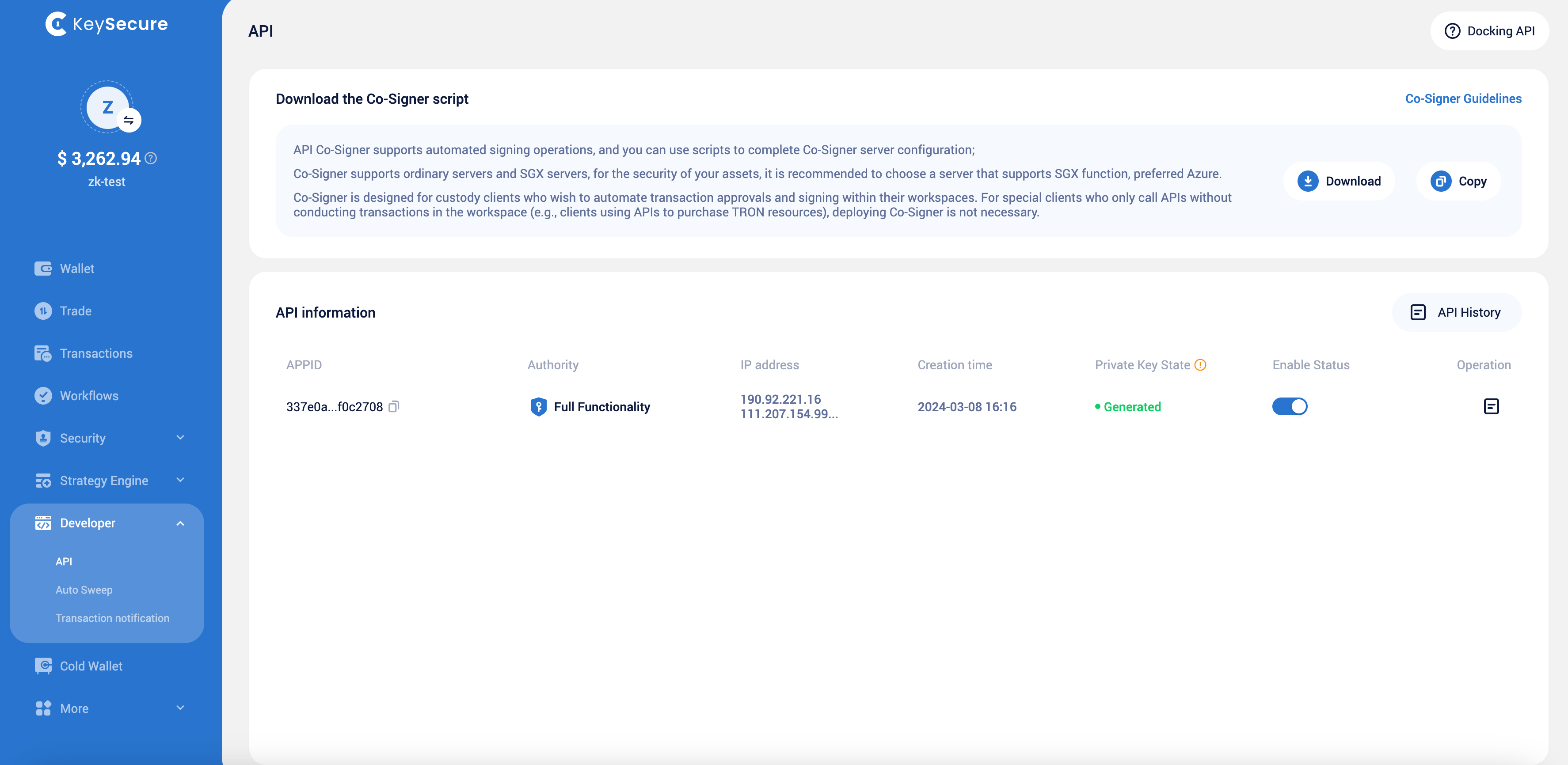
2
API Field Filling
Please fill in the API information and submit a new API request. The API will only become effective after approval from the workspace strategy approver.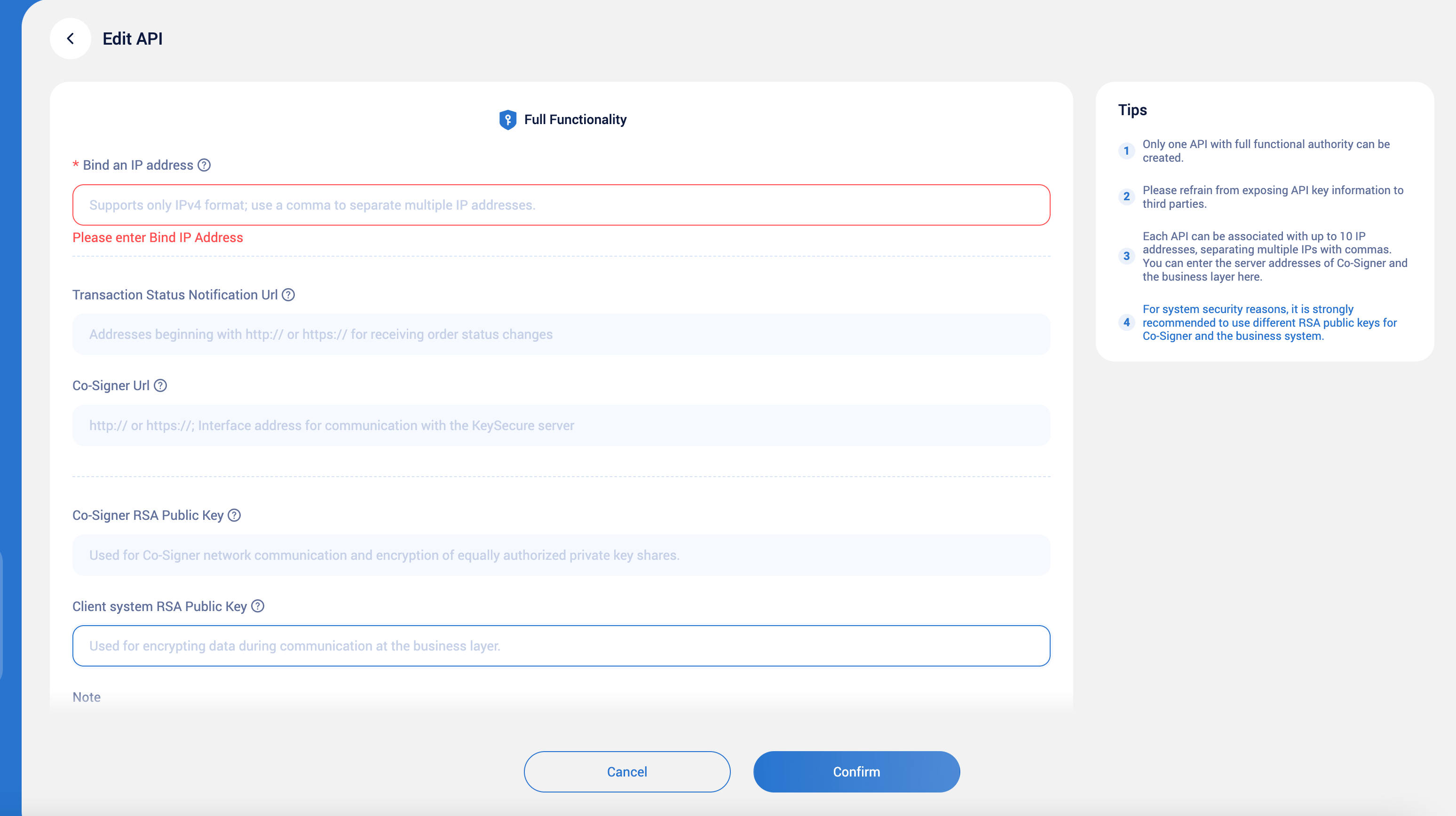
- IP Address: Specifies the IP address that the API interface listens to, allowing requests only from a specific IP range.
- Notification Address: The URL address used to receive transaction status notifications.
- Co-Signer Interface Address: Specifies the API interface address of the Co-Signer service, ensuring the normal invocation of the Co-Signer service.
- Co-Signer RSA Public Key: Used for encrypting and decrypting related data. Ensuring the correct RSA public key helps maintain communication security.
- Client System RSA Public Key: Used to encrypt sensitive information and ensure that only the client system can decrypt it. Providing the correct RSA public key helps protect data security during communication.
- Remarks: Records additional information related to API configuration, facilitating the understanding of special requirements or agreements by administrators and developers.
3
Modify or enable API
Modifying the API requires approval from the workspace strategy approver, whereas disabling or enabling the API does not require approval.
Frequently Asked Questions
What can I do with the Keysecure API?
What can I do with the Keysecure API?
The Keysecure API can help you achieve the following:
- Automate wallet management workflows: Use the API to quickly create and name wallets, realizing automated wallet management.
- Automate transaction workflows: Implement batch processing of blockchain transactions, automate asset transfers, and use a secure API Co-Signer to automatically sign transactions.
- Expand wallet and address creation: Quickly and cost-effectively configure multiple wallets. This makes it easy for game studios, NFT service providers, or dApp developers to manage large amounts of digital assets.
- Quickly view transaction information: Quickly obtain wallet address information and transaction details, users can conveniently obtain a full range of transaction records and details, ensuring they can conveniently and quickly understand and monitor their digital assets.
If I have multiple IP addresses, how should I configure them?
If I have multiple IP addresses, how should I configure them?
Each API can bind up to 10 IP addresses, separated by commas.
How do I use the API documentation?
How do I use the API documentation?
You can refer to the API documentation for a detailed understanding of how to effectively dock the API. The API documentation provides detailed API interface information and usage methods and is an important reference resource for you to use the API.