
Function Introduction
After completing the KYT (Know Your Transaction) configuration, the system will automatically process transaction orders that match the KYT rules based on your settings. You can view the transaction results through the KYT service. If certain transactions require manual approval, you can go to the task list to view and handle the relevant KYT tasks.Operation Procedure
View KYT Orders
1
View in KYT-KYT Orders
You can view all KYT orders under your current workspace in KYT-KYT Orders.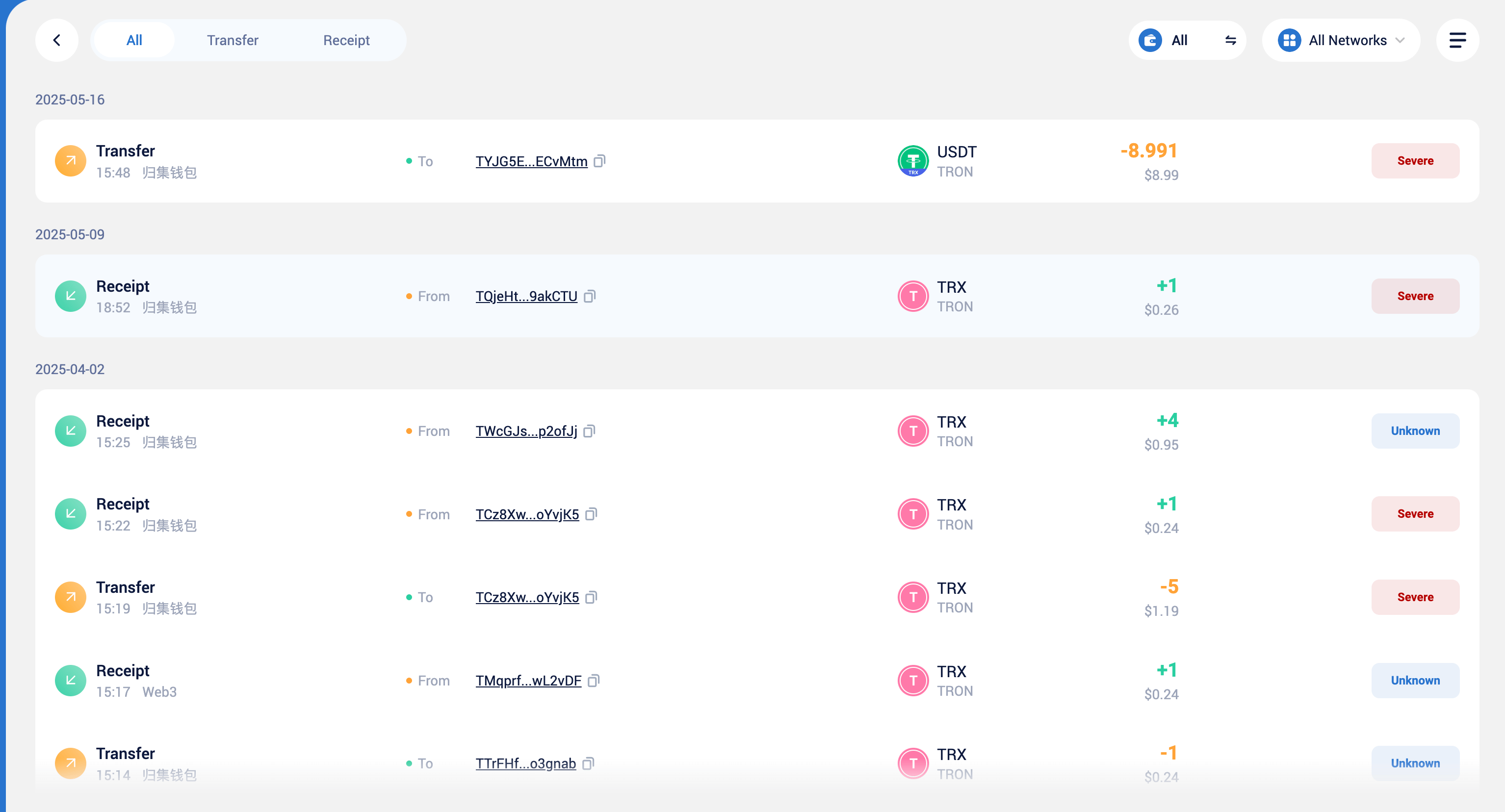
2
View Details
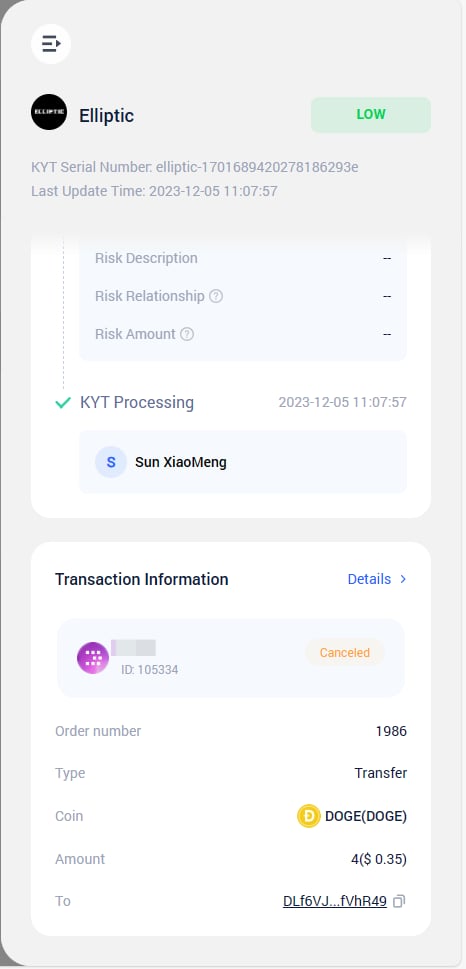
Click on the order to view order details.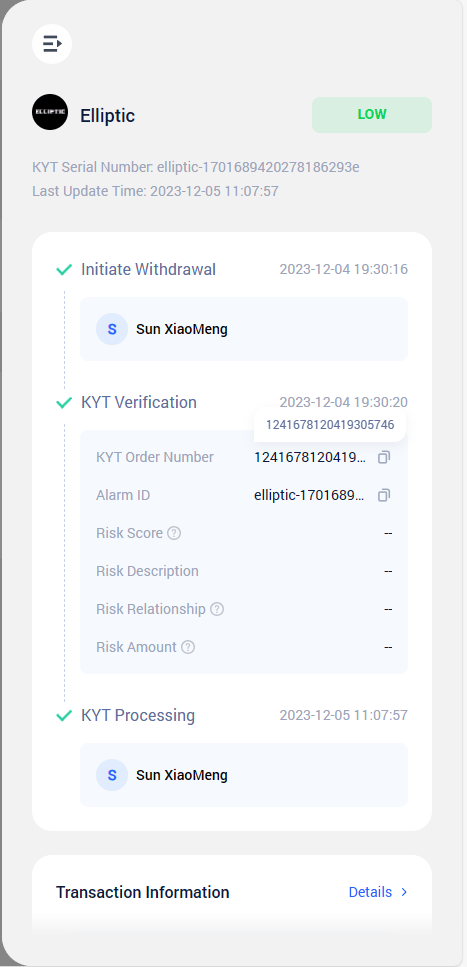
3
View in Transaction Information
Your KYT-verified orders will also be displayed in the transaction information.
Handle KYT To-Do
1
View in To-Do
You can view the KYT to-do items that need to be handled in To-Do.
2
KYT Status
KYT(Know Your Transaction)includes the following stauts:KYT Verification in Progress: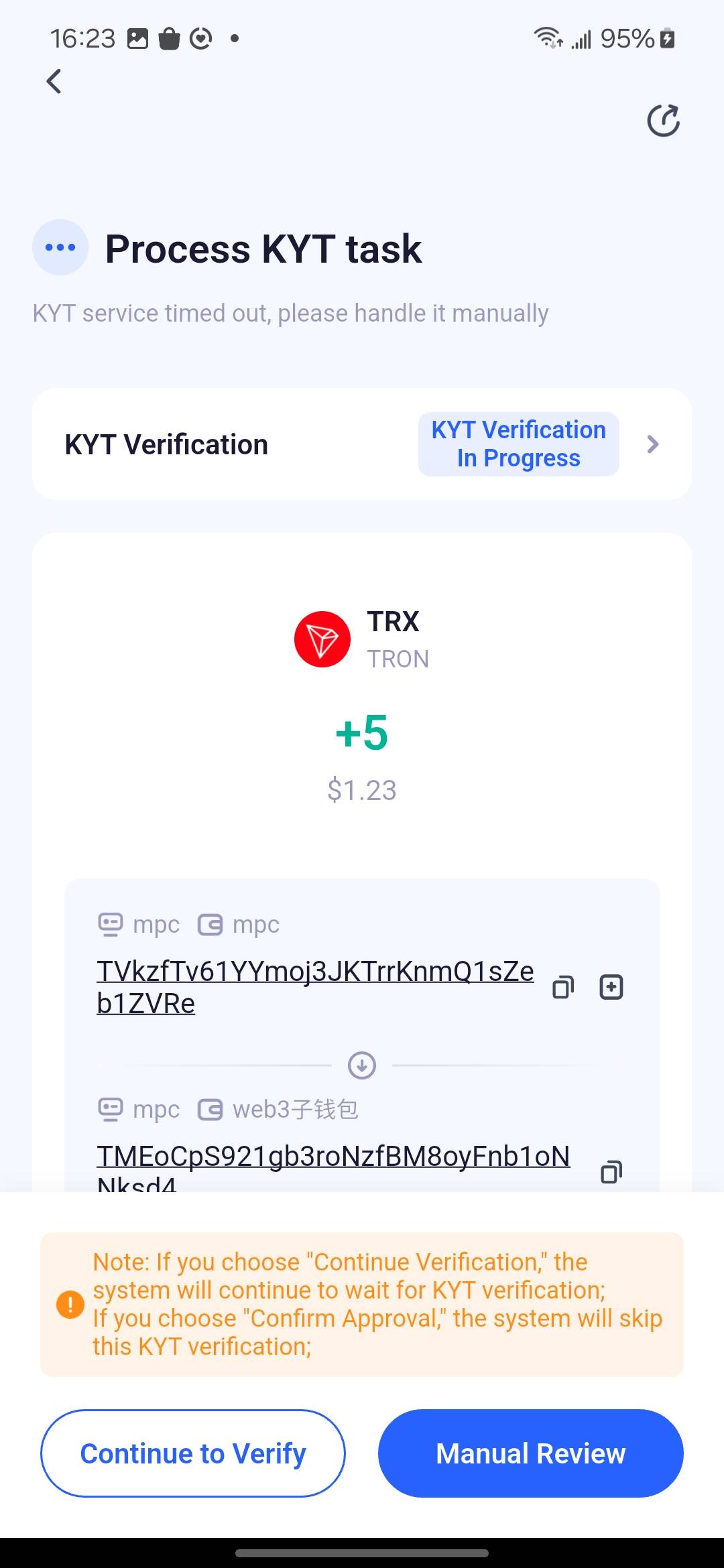
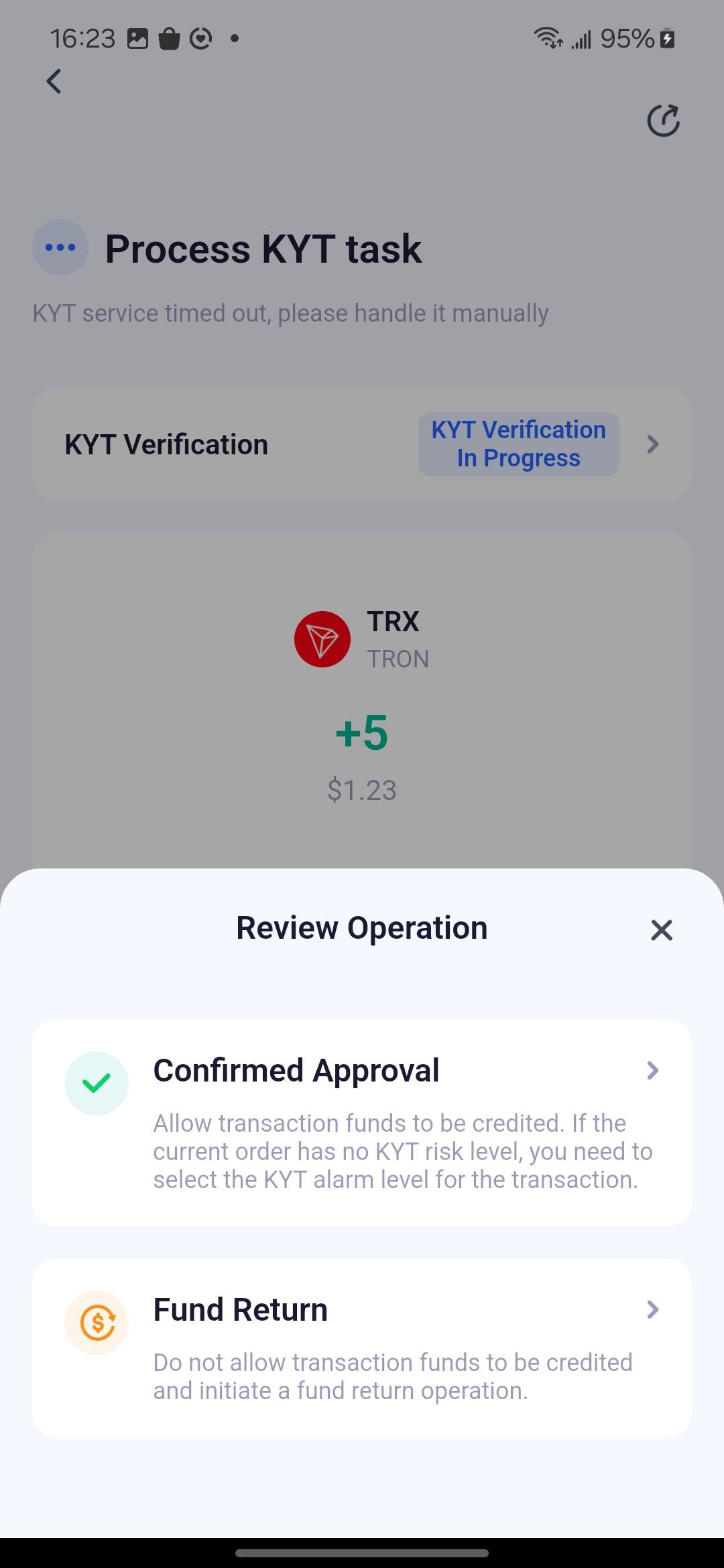
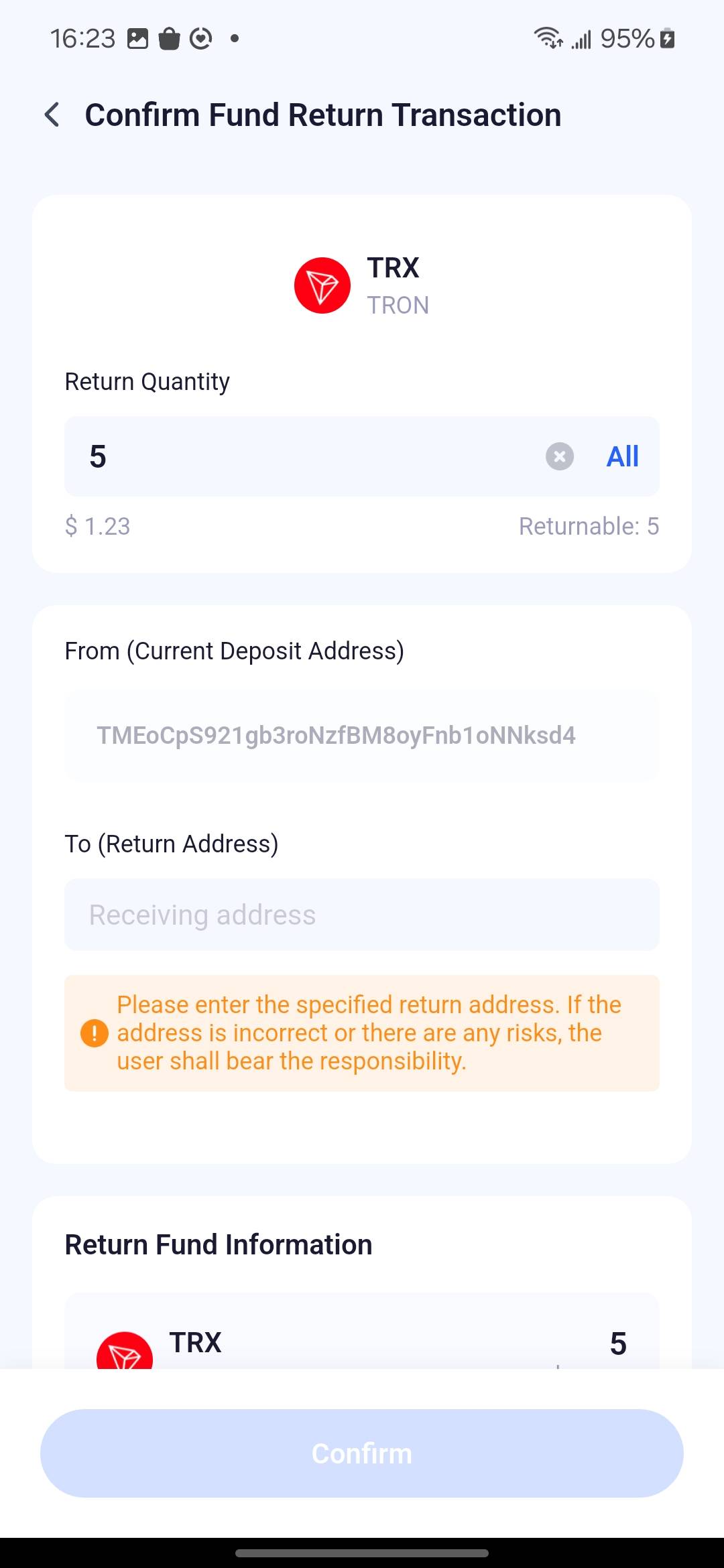
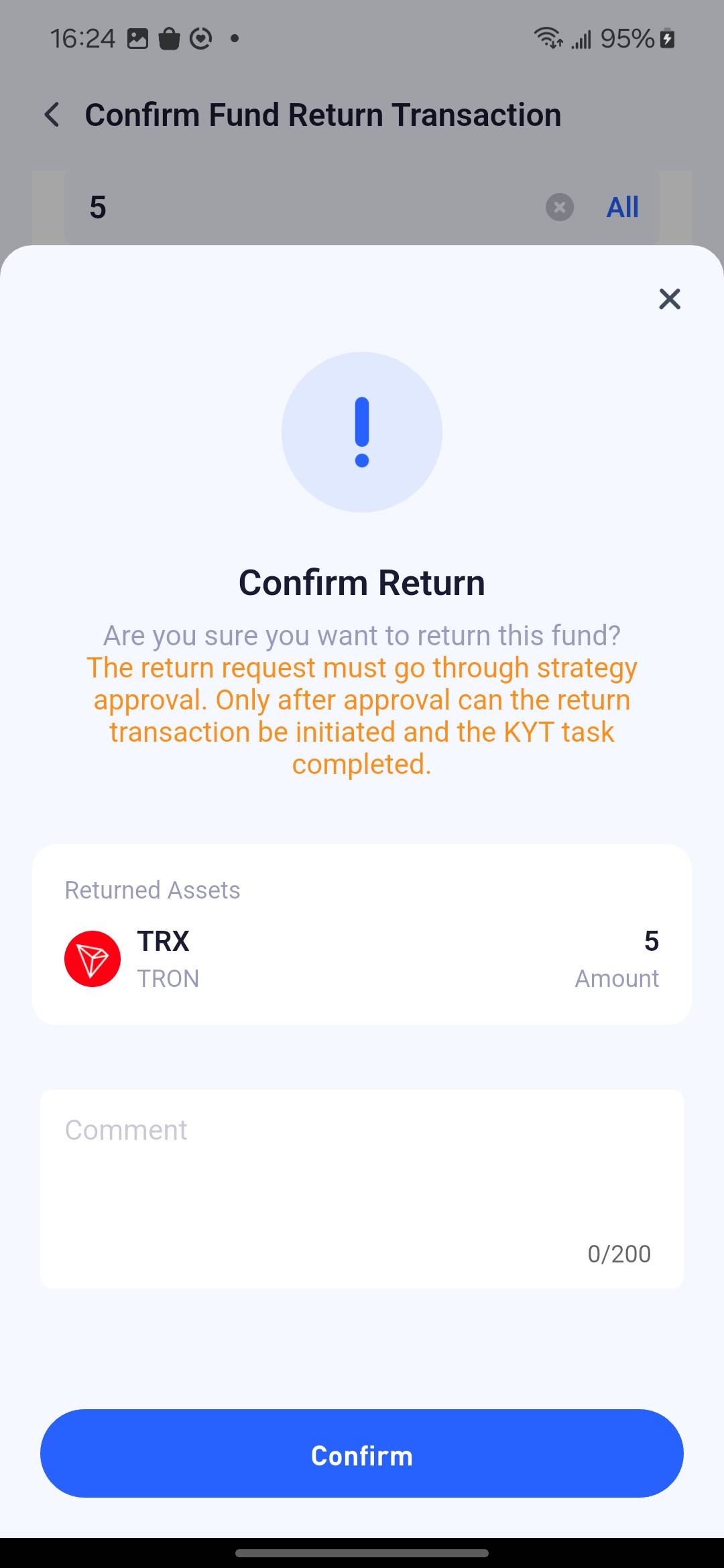
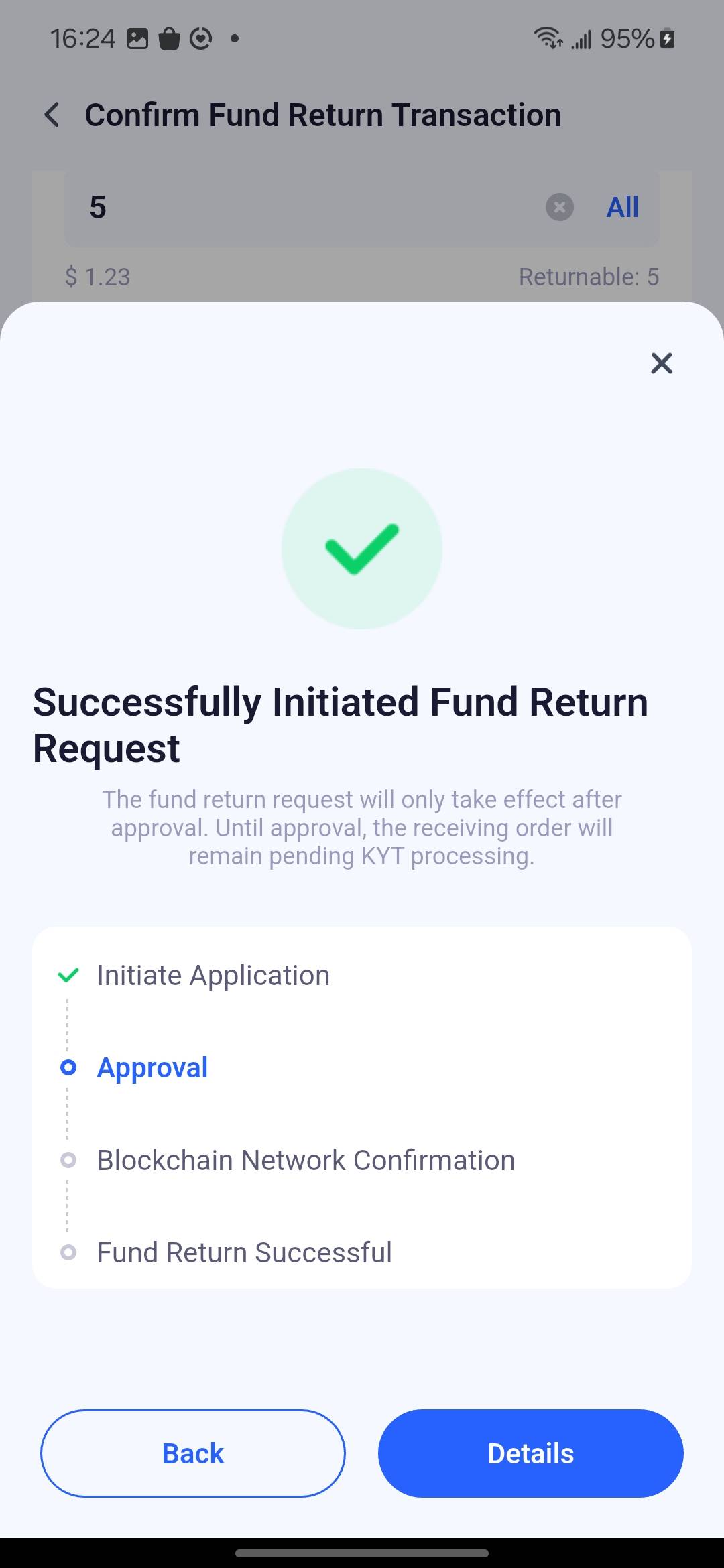
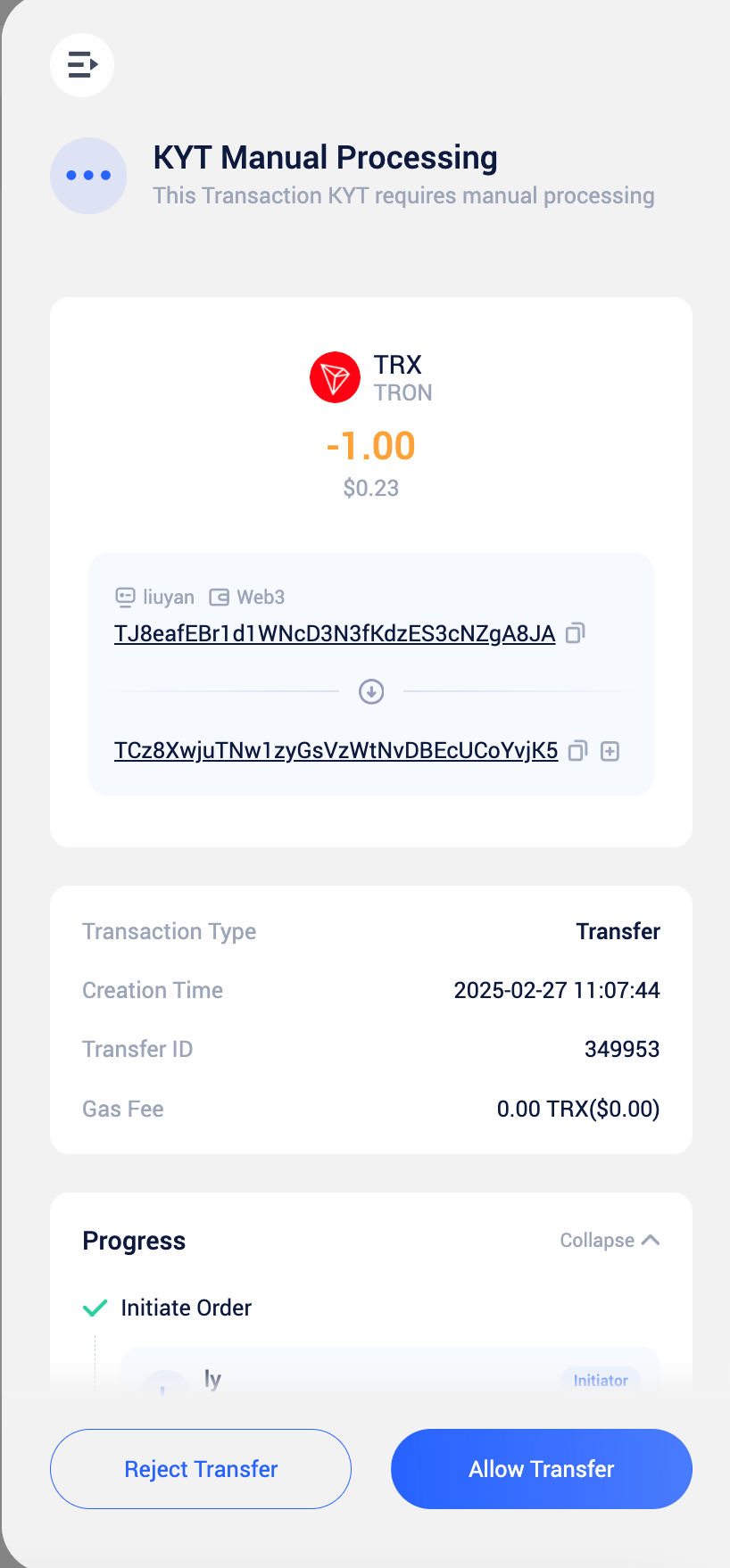
- Verification in Progress: Your business has created a KYT order and submitted it to the KYT service provider, and it is currently being verified. You need to wait for the service provider to return the verification result.
- Verification Timeout: The KYT verification submitted by your business has timed out, and the system will generate a KYT verification timeout task.
- If your transaction order times out, or if the KYT risk level of the transaction order requires manual review, any member of the wallet can process the KYT result for that transaction. If your configured payment handling method is ‘manual processing,’ and no action is taken, assets corresponding to the pending KYT processing will not be transferable or swept.
- If your transaction order times out, or if the KYT risk level of the transaction order requires manual review, any member of the wallet can process the KYT result for that transaction. If the configured payment processing method is “Manual Review” and no action is taken, to ensure the safety of funds, any asset addresses awaiting KYT processing will not be allowed to transfer or sweep. Deposit Transaction Review Operation
- Allow Deposit: The transaction amount will be accounted as an asset change, and the payment transaction status will be marked as successful, allowing for collection and transfer operations.
- Return Fund: Initiate a refund request, where the user can select the return address and amount. Once the refund is successful, the status will be updated to “Refunded.”
- If the transfer order’s KYT risk level policy is set to “Reject Transfer,” the system will automatically terminate the transfer order process when the order matches this risk level.
- If the transfer order’s KYT risk level policy is set to “Allow Transfer,” the order will automatically proceed to the next stage when it matches this risk level.
- If the transfer order’s KYT risk level policy is set to “Manual Review,” the wallet member will decide whether to allow the transfer when the order matches this risk level.
Frequently Asked Questions
Which members can process KYT tasks?
Which members can process KYT tasks?
If a transaction order requires manual KYT processing, all members of the wallet associated with the order can perform the operation.
If the receive order fails to retrieve the KYT risk level, how should I proceed?
If the receive order fails to retrieve the KYT risk level, how should I proceed?
If the KYT service provider is unable to determine the risk level of the receive order, you can choose one of the following actions:
- Re-verify the KYT result;
- Set a custom risk level and proceed with the transaction;
- Return the funds to the original source.
If the transfer order fails to retrieve the KYT risk level, how should I proceed?
If the transfer order fails to retrieve the KYT risk level, how should I proceed?
If the KYT service provider is unable to determine the risk level of the transfer order, you can choose one of the following actions:
- Re-verify the KYT result;
- Manually approve the transfer;
- Manually reject the transfer.