
Overview
Follow the instructions below to access Keysecure For any questions, please contact your dedicated business manager.Create Account
1
Download Keysecure App
Method 1:Open the link in your mobile browser:https://www.keysecure.io/download
2
Register Keysecure account
Open the app and register a new account using email OR mobile phone number.
3
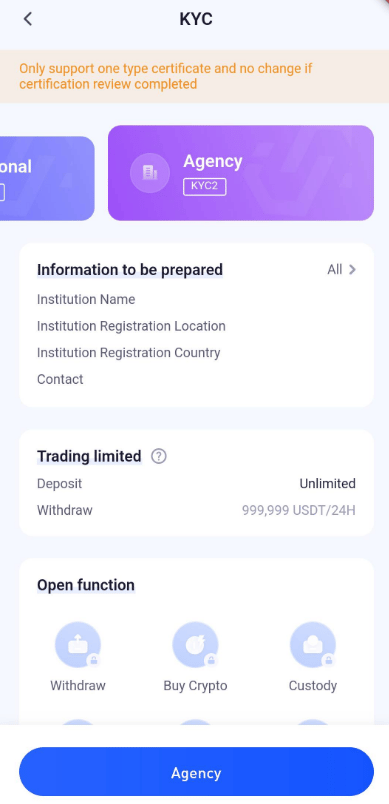
Complete Identity Verification
Please note that our authentication system only supports one identity and does not allow for replacement of that identity after authentication.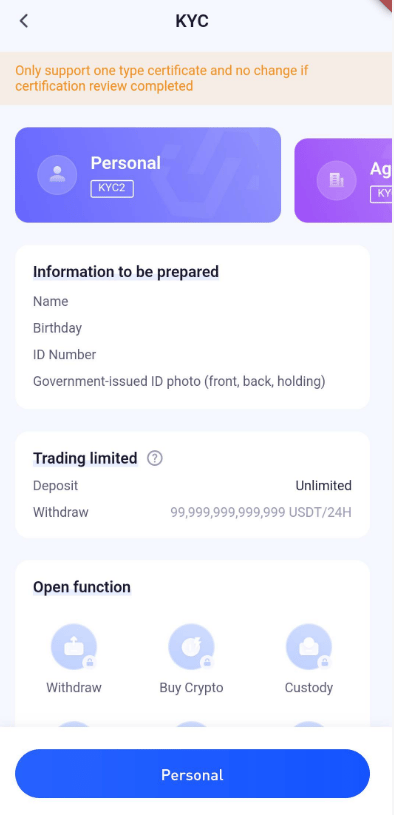

Build Enterprise workspace
- Login
- Create a workspace
- Add Coin
- Before adding a coin, please contact the platform admin to add the main chain first. The corresponding coin/token can only be used for free once the main chain coin has been added by the platform admin.
- After adding the coin, enter the workspace and click “Coin Management” to search for the coin.
- Go to the edit page and add the coin.
Obtain API information
- Create APIs (Currently only allows permission and support one set of API)
- The API creation is completed and the public key information is available now.
- Development and Testing,API documentation integration with the system based on the platform’s capabilities and solutions.
Contract signing
- Formal contract signing
- Payment
Support
- Online Assistance Assist our clients’ operations by project manager.
- Technical support The platform provides 7* 24 technical online support.