
I. Function Introduction
Once users have configured auto-sweep rules, the Keysecure System will execute corresponding sweeping operations according to the specified sweeping strategy. This will result in assets from general addresses meeting the auto-sweep conditions being transferred to the Omnibus Wallet. In cases where a general address meets the auto-sweep conditions but lacks gas fees, funds will be transferred from the Gas Station address to the general address.Prerequisites for Using the Feature
Please ensure that the workspace is not expired, as expiration will render all wallet-related business functions unusable.Ensure that API and Co-Signer configurations are completed to ensure the normal operation of the API, thereby enabling the auto-sweep function to execute smoothly.Please upgrade the App version to 6.4.5 or higher.II. Operation Procedure
1
Configuring Omnibus Wallet and Gas Station
Use the Keysecure App to scan the QR code and configure the Omnibus Wallet and Gas Station through the “Auto Sweep” feature on the Keysecure Web platform.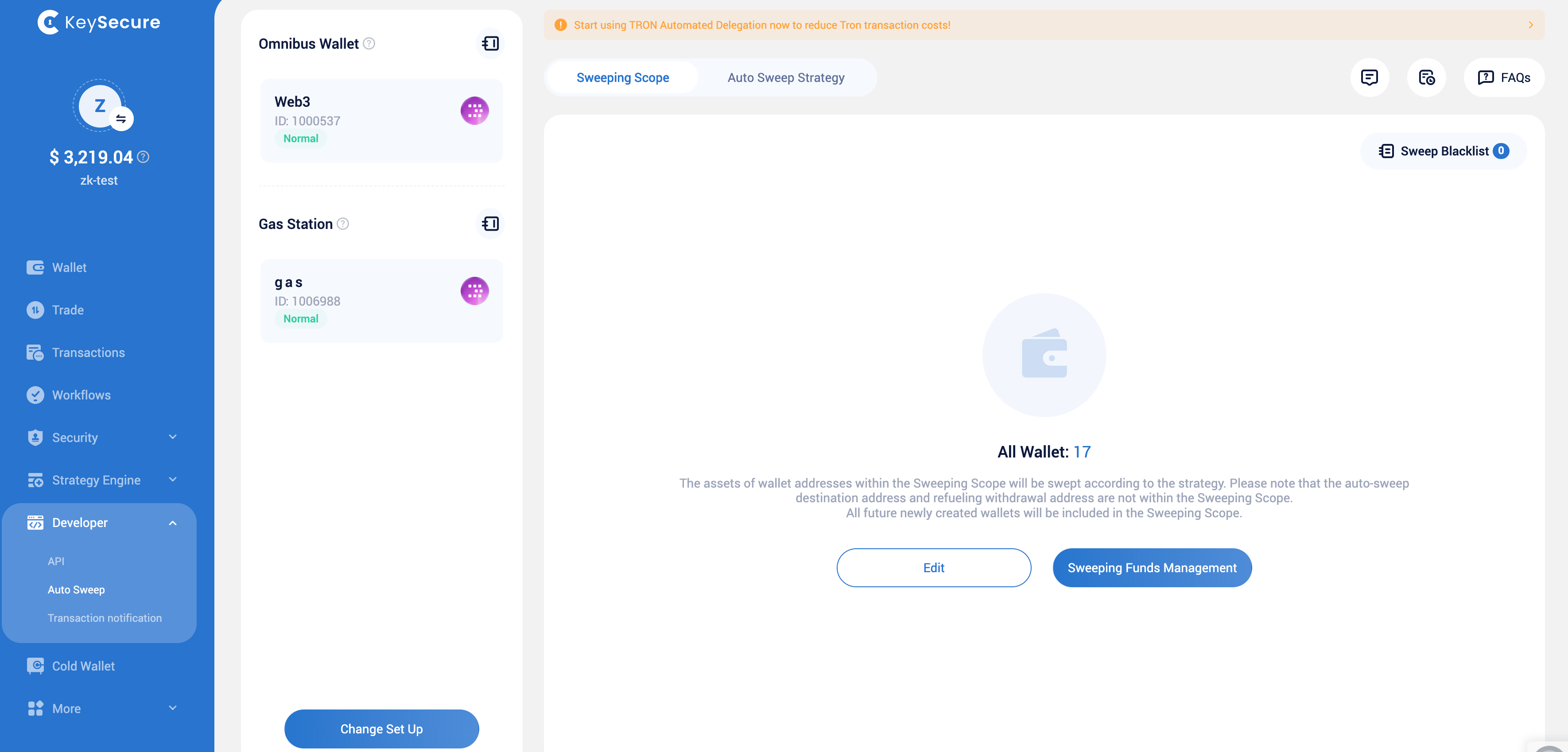
2
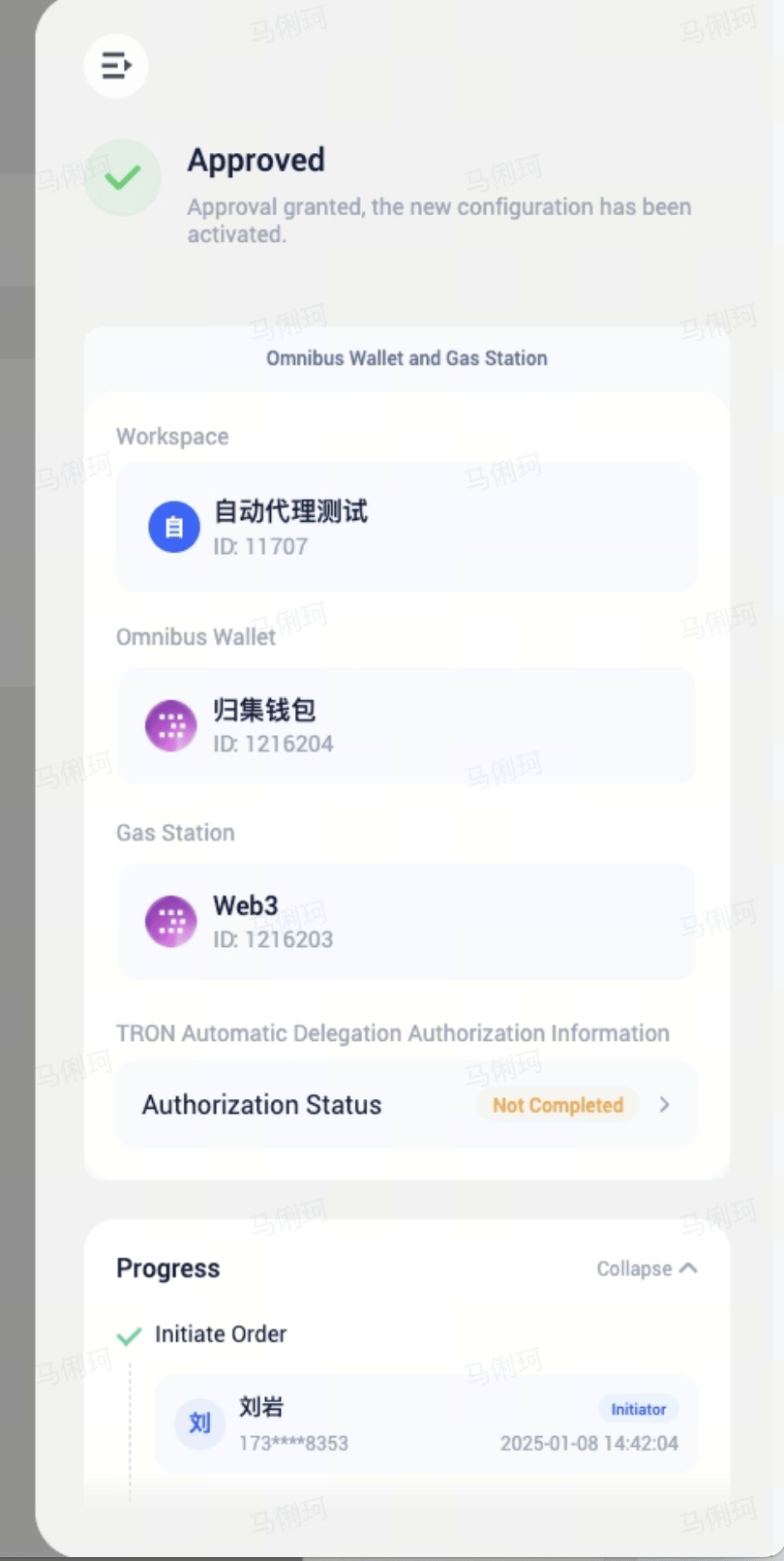
Confirming Wallet Configuration
After submitting the configuration request, it needs to go through the workspace strategy approval. Once approved, the sweeping strategy will be automatically created and the sweeping feature will be enabled.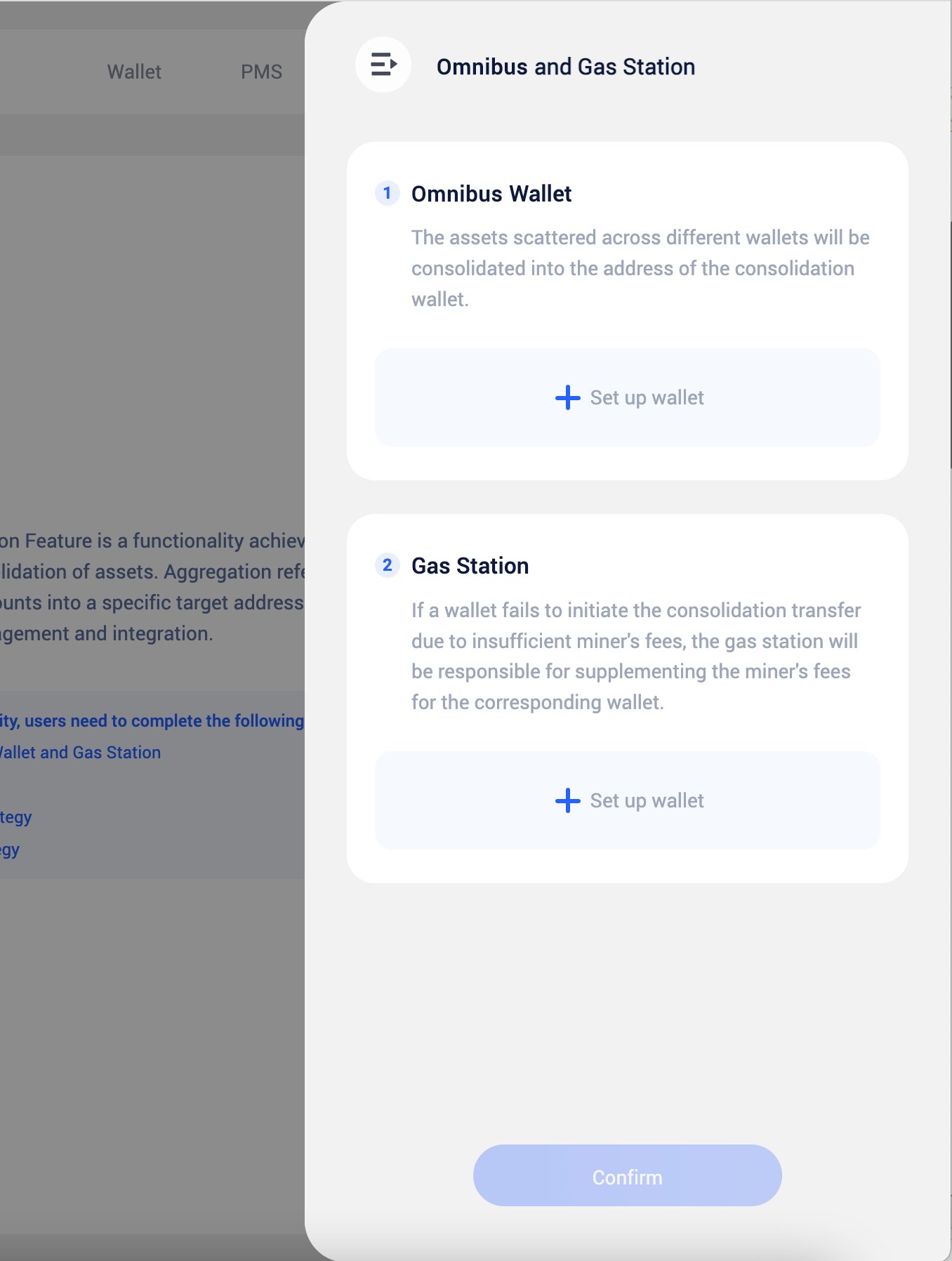
3
Determining the Sweeping Scope
Decide which wallets’ assets will be swept.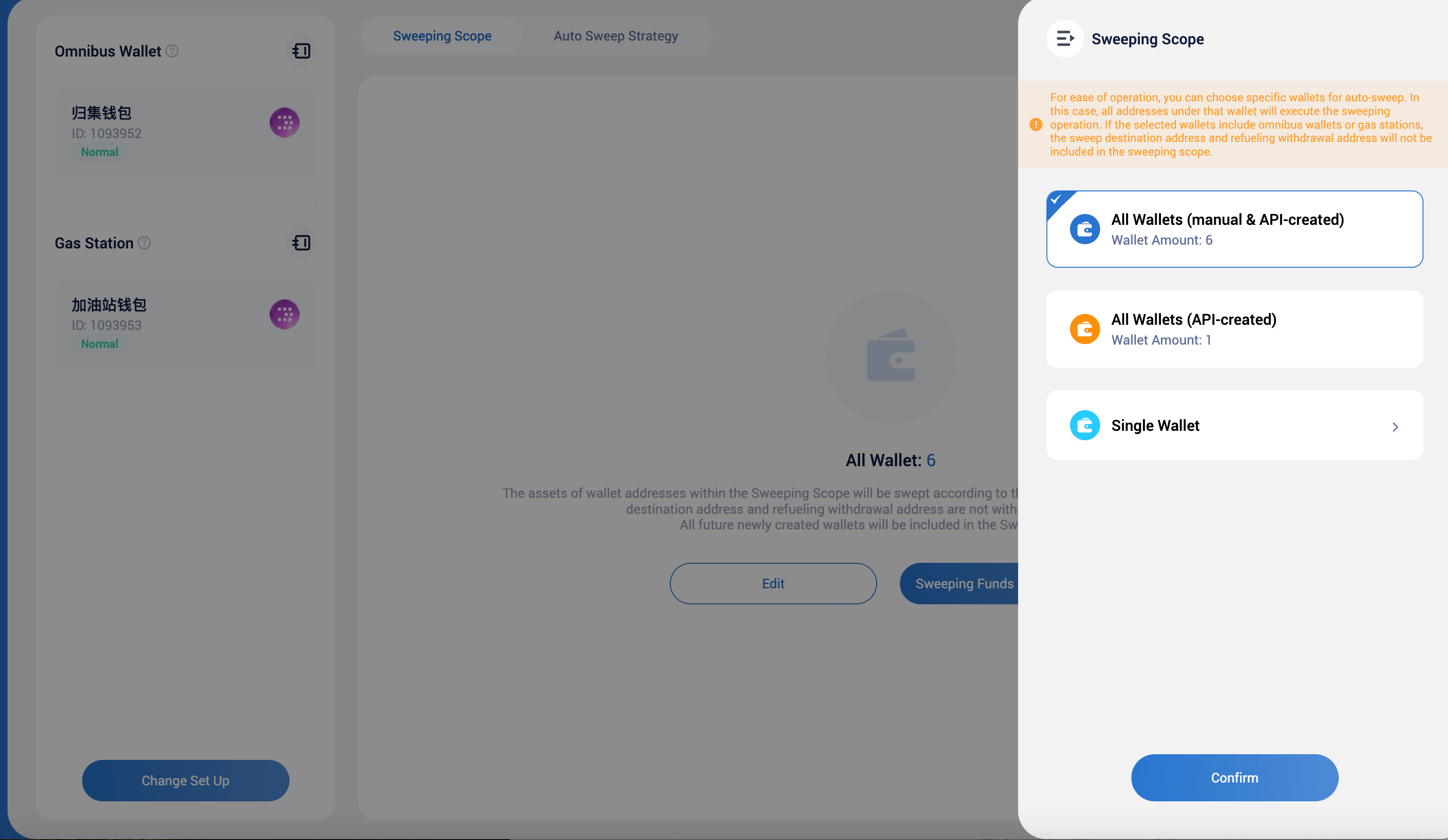
4
Sweeping Strategy
The sweeping strategy is automatically generated and enabled. The sweeping strategy may encounter anomalies: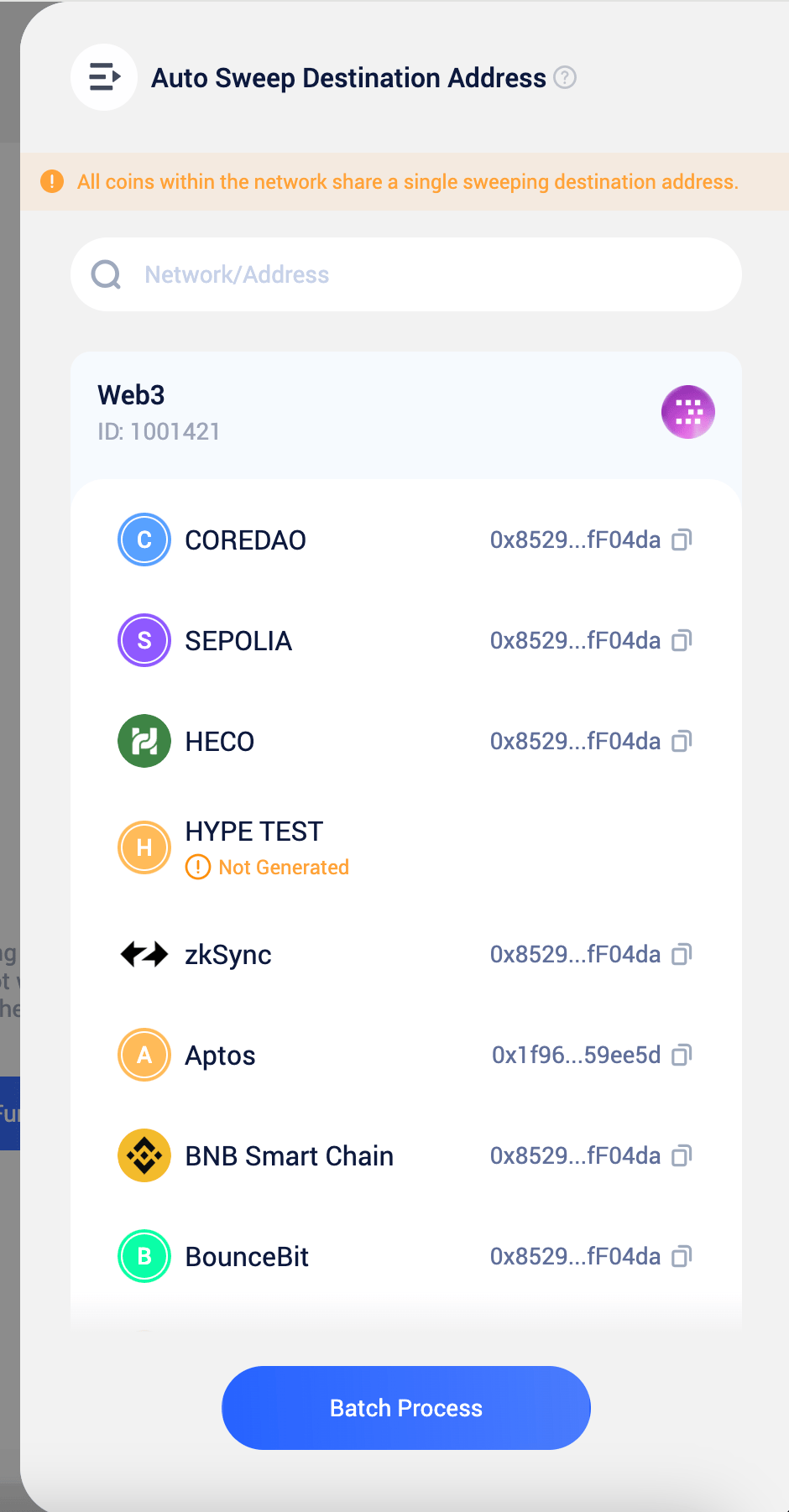
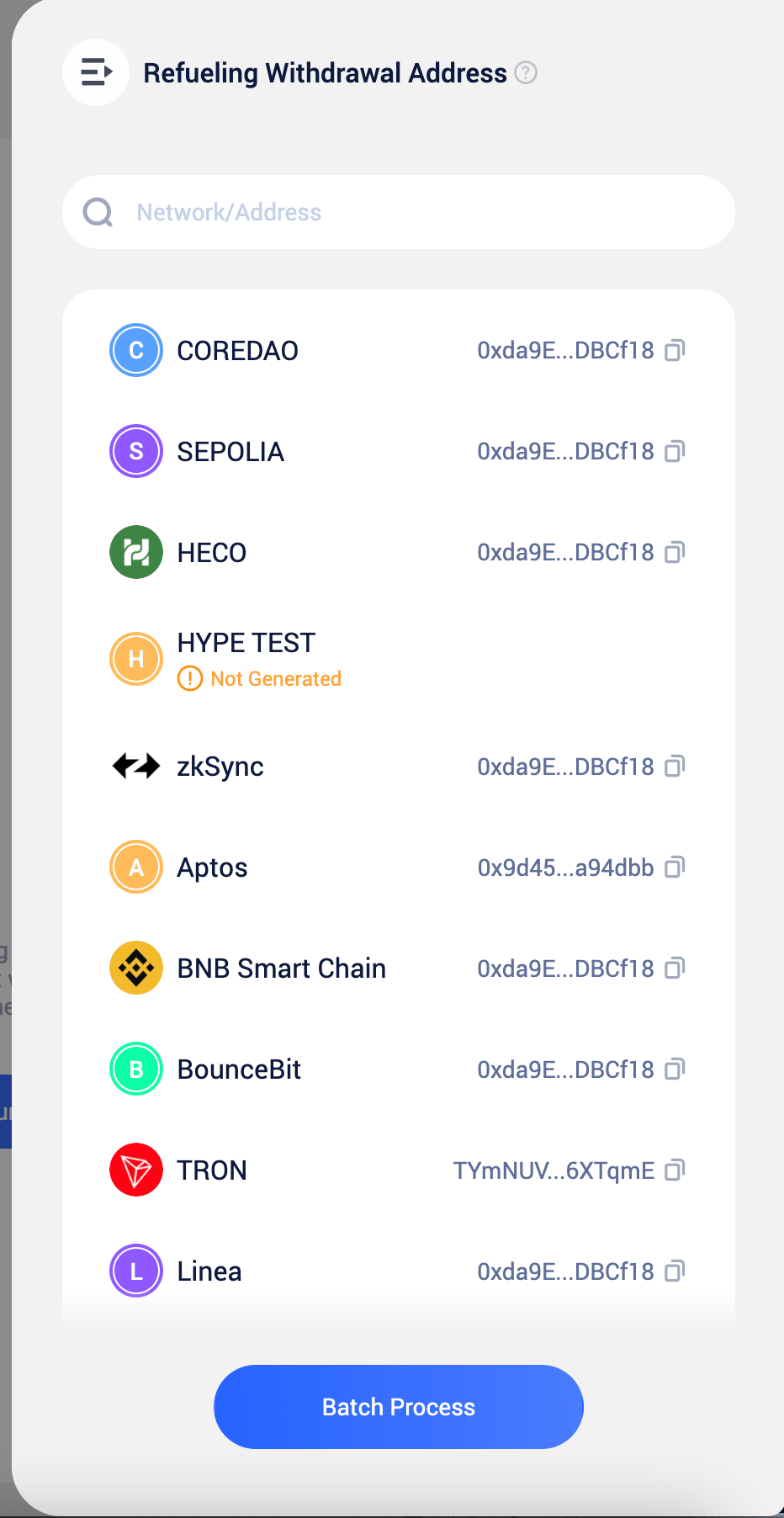
- The Omnibus Wallet is not configured
- The Omnibus Wallet has not generated addresses
- The Omnibus Wallet addresses are not encrypted, requiring signature by the workspace owner or admin even after the strategy is enabled
- Insufficient gas fees
5
Configuring Notification
Once the system detects: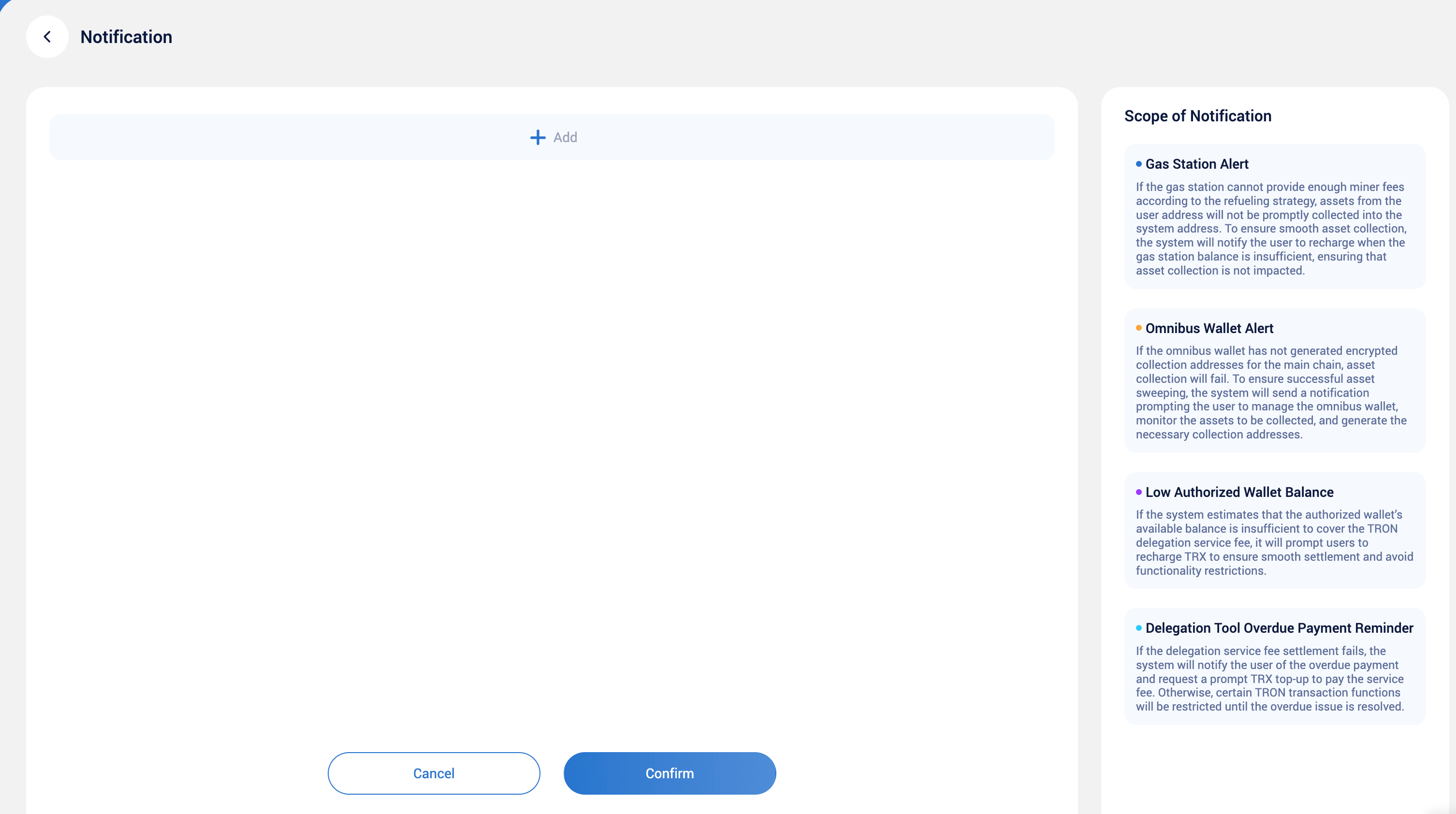
- Lack of network’s native token for sweeping, and/or
- The Omnibus Wallet lacks addresses: The Omnibus Wallet has not generated encrypted sweeping network addresses, resulting in assets being unable to be successfully swept
IIII. Frequently Asked Questions
The Role of the Omnibus Wallet and Gas Station in Sweeping
The Role of the Omnibus Wallet and Gas Station in Sweeping
- Asset Management Consolidation: The Omnibus Wallet is used to consolidate assets from general addresses. When a general address meets the auto-sweep conditions, the system transfers the address assets to the Omnibus Wallet.
- Gas Fee Replenishment: The Gas Station is used to recharge gas fees for general addresses. When a
What Types of Assets Does the auto-sweep Function Support?
What Types of Assets Does the auto-sweep Function Support?
Keysecure supports sweeping of Account-type network native tokens and coins. Account-type networks include but are not limited to:
- Ethereum
- Binance Smart Chain
- TRON
- Polkadot
Which Types of MPC Wallets Support Full coin Sweeping Functionality?
Which Types of MPC Wallets Support Full coin Sweeping Functionality?
Keysecure supports all types of MPC wallets for auto-sweep.
How can I prevent certain addresses from participating in the sweeping process?
How can I prevent certain addresses from participating in the sweeping process?
If you wish to prevent certain user addresses from participating in the sweeping process, you can add them to the Sweep Blacklist.Once blacklisted, all assets associated with the address will be automatically locked and excluded from the sweeping process.Applicable for: Preventing specific addresses from being swept to enhance fund security or meet compliance requirements.