
Introduction
Users can view all the warm and cold wallet contract addresses linked to the MPC hot wallet and retrieve the corresponding Vote-Free Address for each contract.Operating Process
1
Create New Fund Scheduling Rule
Access the MPC Wallet Web portal, select [Cold Wallet] - [Contract Address], and click the Add button.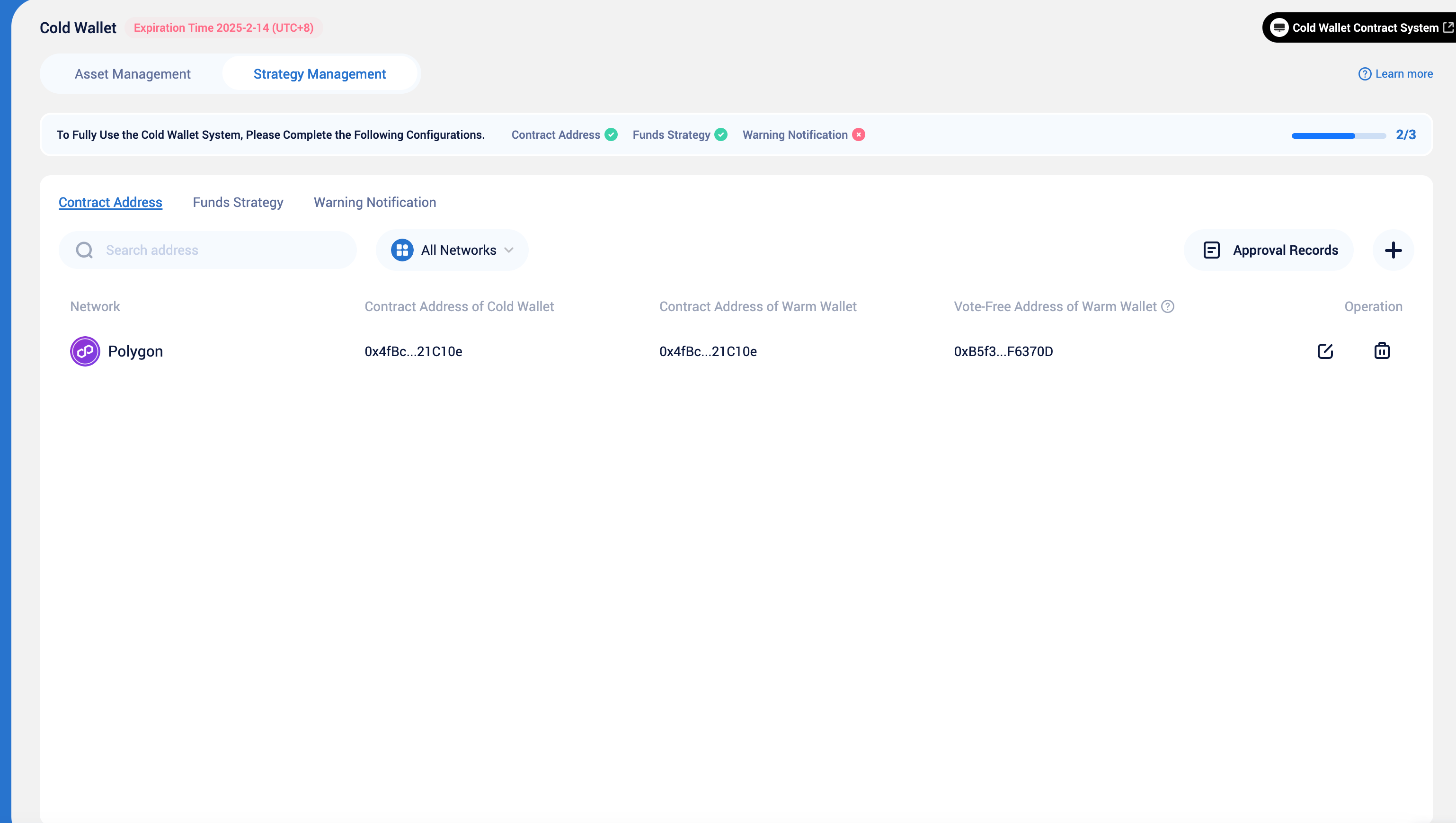
2
Edit Address Details
Select the contract network and fill in the warm wallet and cold wallet contract addresses.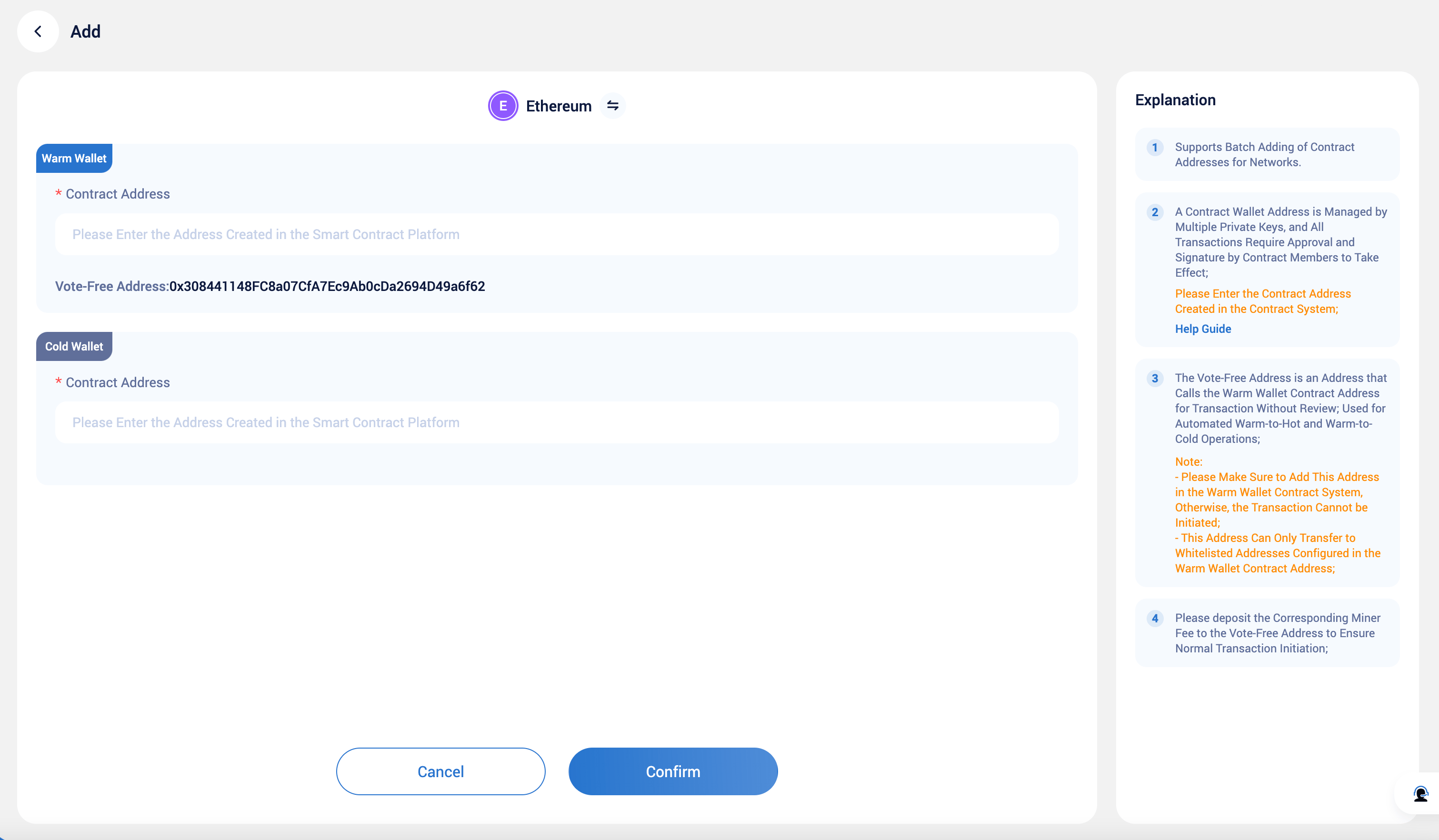
Note: Supports batch adding of contract addresses on the same network. Please retrieve the created contract address information from the Smart Contract Platform and fill it in.
3
Submit Application
After completing the information, verify GA, and you can submit the application. This application needs to be approved by the workspace strategy before it takes effect.
You can check the approval progress of your submitted application in [Approval Records].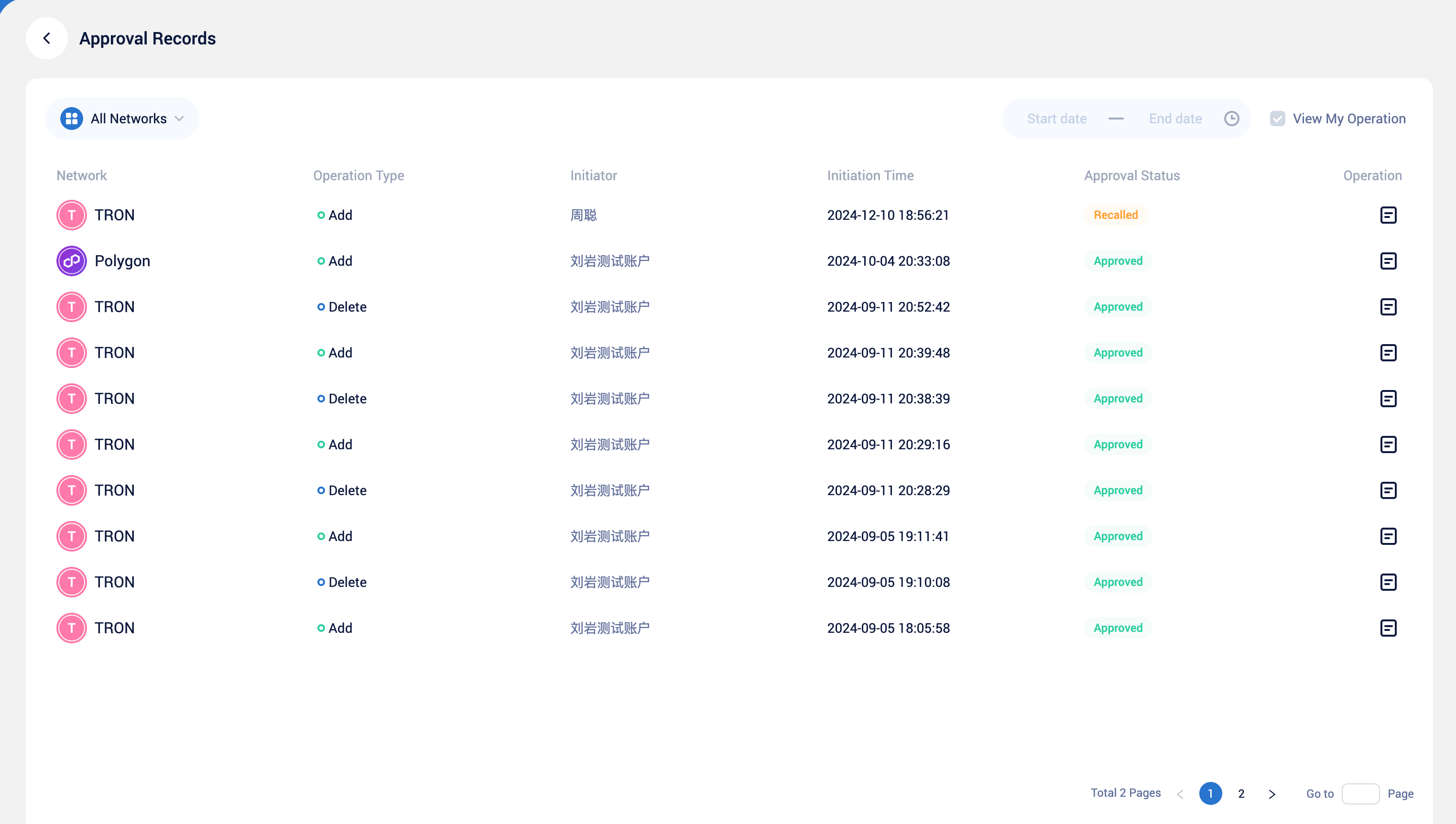
You can check the approval progress of your submitted application in [Approval Records].
4
Approve Scheduling Strategy
If you are a workspace strategy approver, you can view pending tasks and approve them in real-time through the [Workflow] module on the App or Web portal.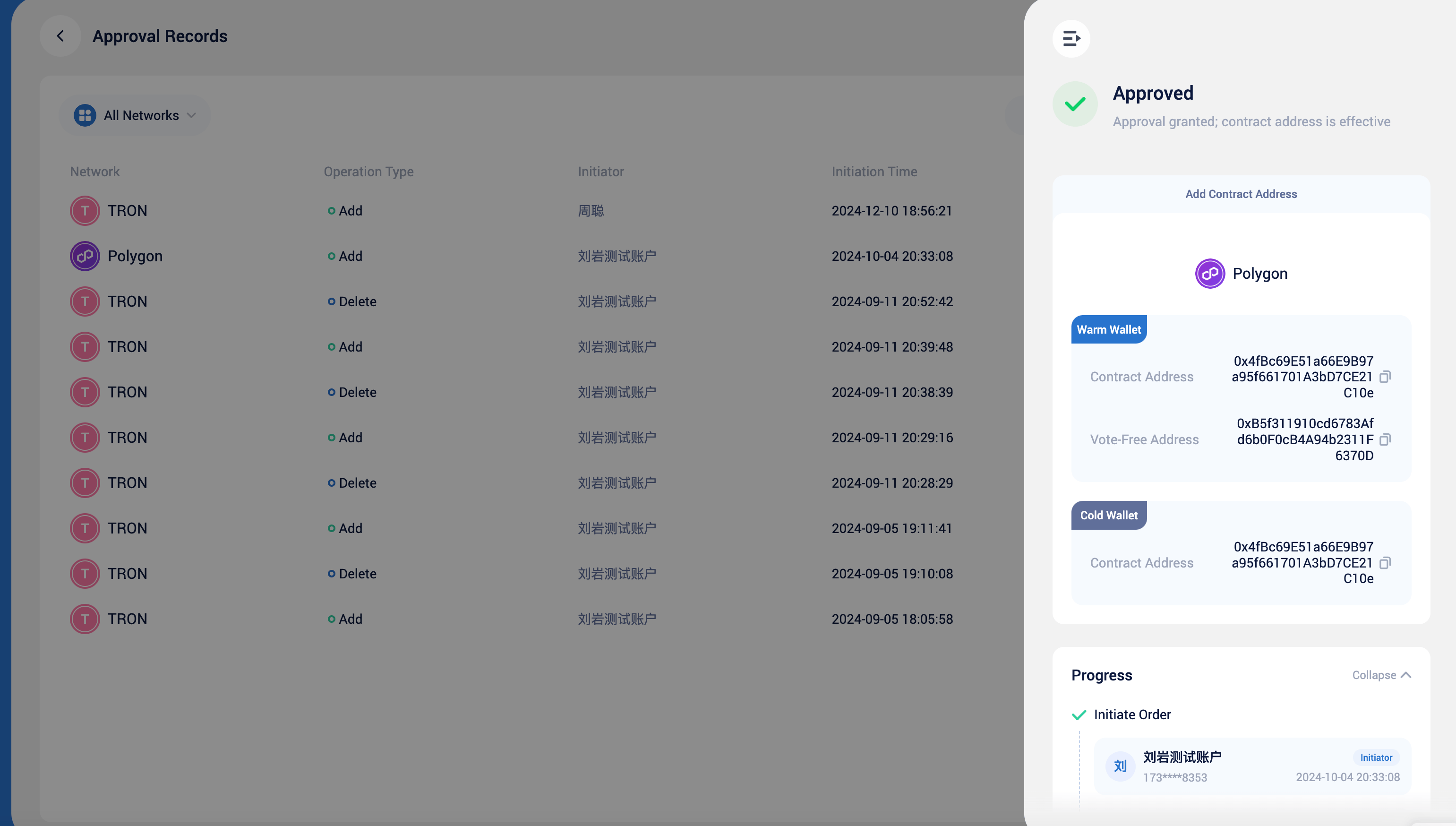
5
Obtain and Add Vote-Free Address to Warm Contract
After approval, you can view the contract address information in the [Contract Address] list and obtain the corresponding auto free address. After adding this auto free address to the relevant warm wallet contract, the Funds Strategy for the coin will successfully run, and you will also be able to manually initiate dispatch tasks.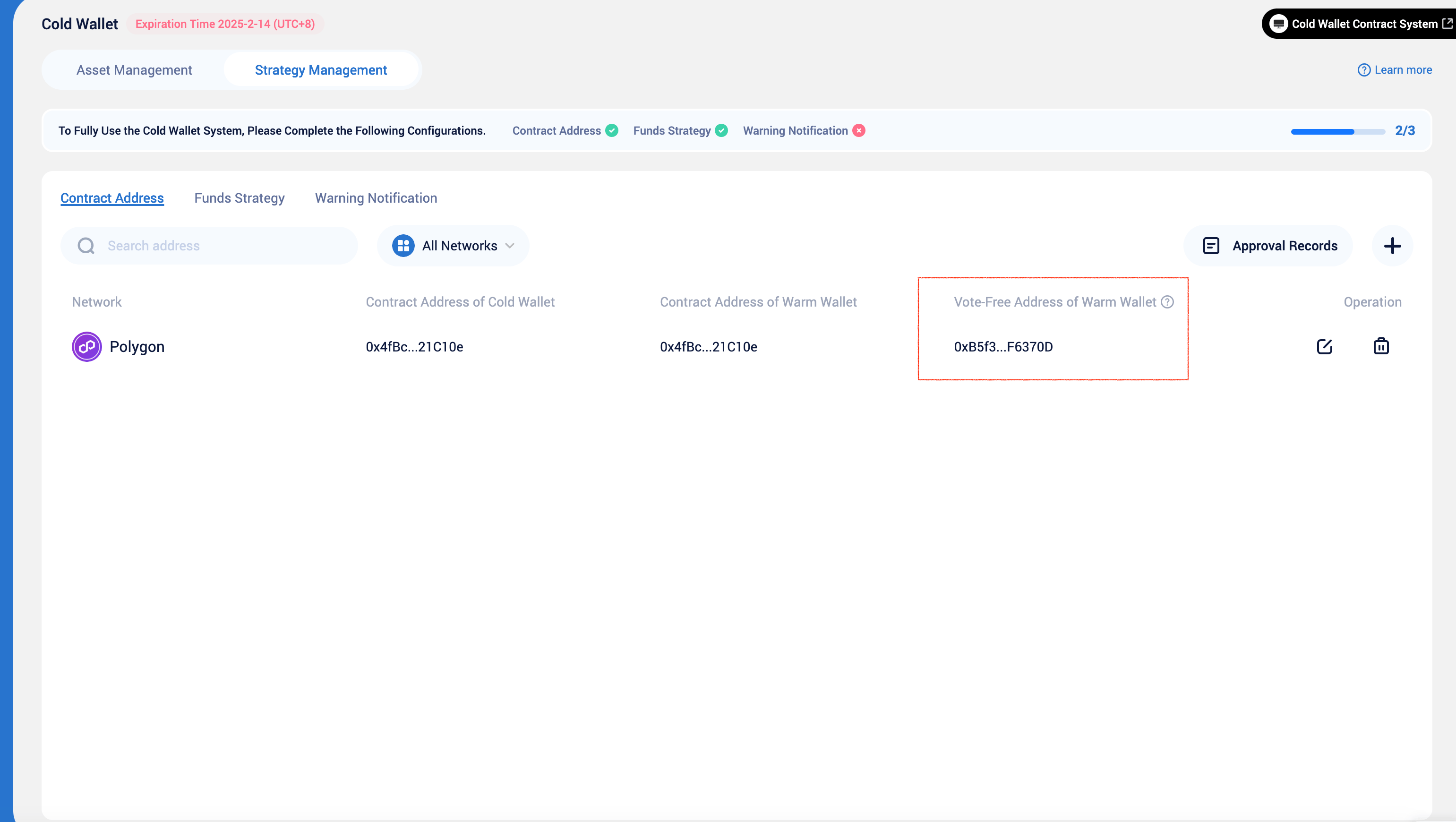
The vote-free address is automatically assigned by Keysecure to each workspace. To achieve automated transfers, you need to add the vote-free address to the warm contract. Transactions initiated by this address will be successfully completed without the consent of the signers.
Frequently Asked Questions
Which contract addresses should I add?
Which contract addresses should I add?
To ensure the normal operation of the cold wallet solution, please visit the Smart Contract Platform to obtain the warm wallet and cold wallet contract addresses created by your team and add them to the contract address list.
How do I change the vote-free address?
How do I change the vote-free address?
The current vote-free address is automatically generated and assigned to each workspace by the Keysecure System. If you need to change it, please contact the Keysecure customer support team.
How can I ensure the smooth operation of the fund scheduling strategy?
How can I ensure the smooth operation of the fund scheduling strategy?
- Successfully add wallet contract addresses for all networks.
- Configure the corresponding warm-to-hot, hot-to-warm, and warm-to-cold strategies.
- Add a vote-free address for each warm contract and ensure the address has sufficient gas fees.
- Add whitelist addresses to the warm wallet and cold wallet contracts.