
I. Function Introduction
The Transaction Records module is used to display all deposit and withdrawal records, including coins that have ceased operations. Users can filter and export transaction records through the advanced search and export functions.II. Operation Procedure
Export Deposit Records
1
Select the Records to be Exported
Open the Transaction Records page and select the records to be exported in the Deposit Records section.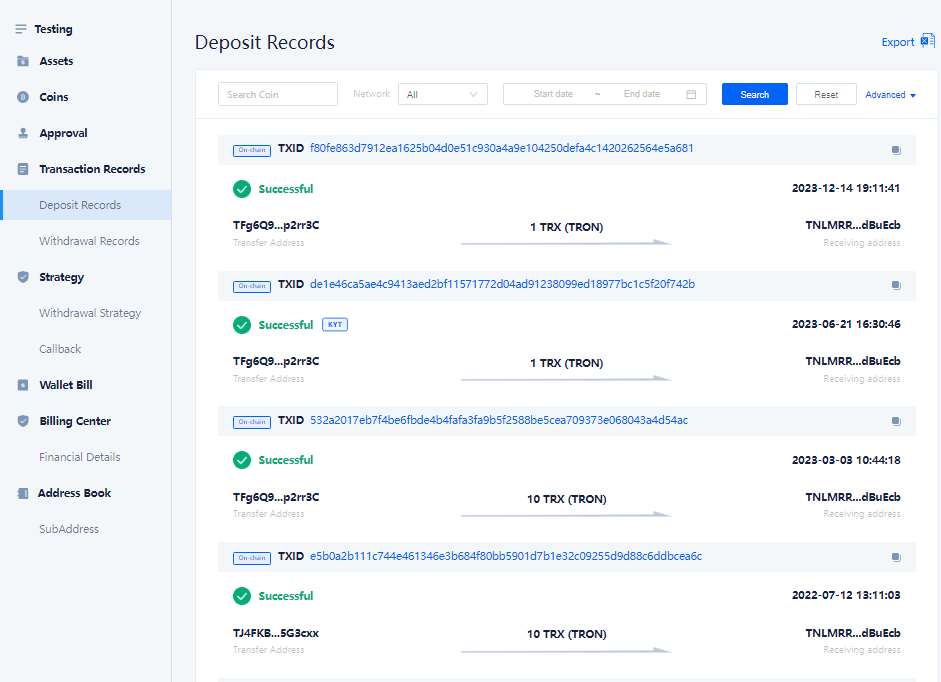
2
Click the Export Button
Click the Export button.
3
Download Deposit Records
The downloaded deposit records include the following fields:
- Order number
- Number of coins charged
- Coin
- Transfer address
- Receiving address
- TXID
- Time
- Status
- Remark
Deposit Details
1
View the Details of a Deposit Record
View the details of a specific record in the Deposit Records.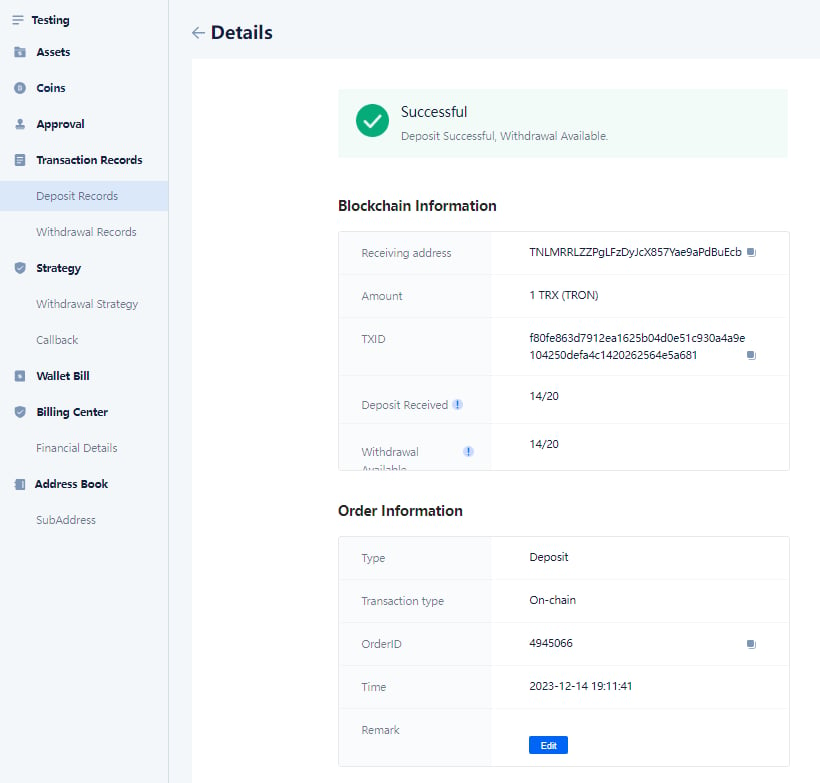
2
Deposit Details Include the Following Information
The deposit details include the following information:
- Coin Deposit: The number of block confirmations required for coin deposits. The current asset will not be credited until the confirmation count is reached.
- Withdrawal Unlock: The number of block confirmations required for asset withdrawal. The current asset cannot be withdrawn until the confirmation count is reached.
- Transaction Type: Blockchain transfer, Alliance transfer. When it is an Alliance transfer, the transaction does not go on-chain (no miner’s fee), and the TXID is exclusive to the alliance.
Export Withdrawal Records
1
Select the Records to be Exported
Open the Transaction Records page and select the records to be exported in the Withdrawal Records section.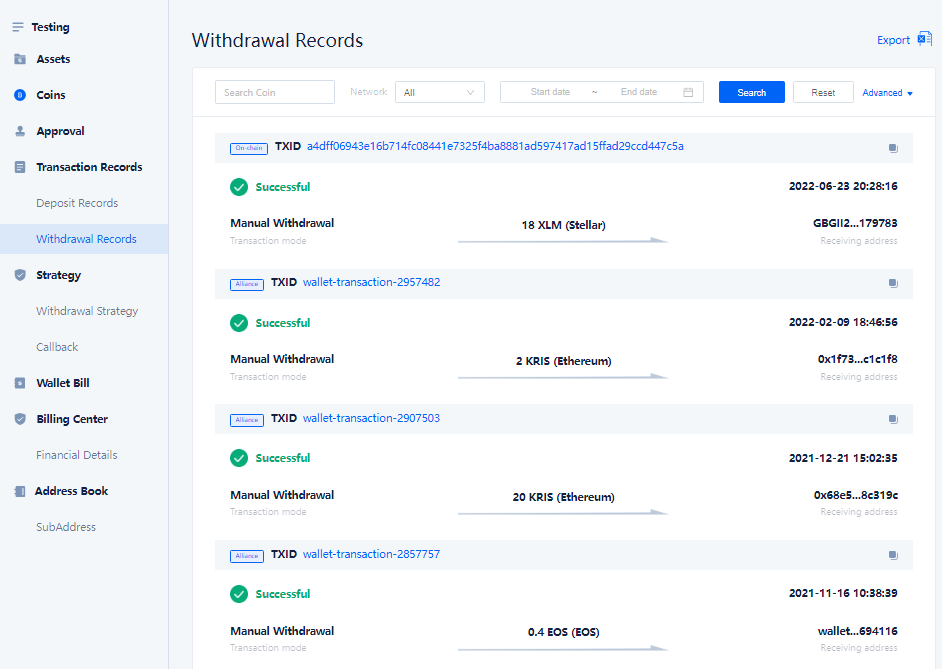
2
Click the Export Button
Click the Export button.
3
Download Withdrawal Records
The downloaded withdrawal records include the following fields:
- Order number
- Withdrawal quantity
- Coin of withdrawal
- Miner’s fee
- Coin of miner’s fee
- Service charge for profit sharing
- Coin of profit sharing service charge
- Trading method
- Transaction Type
- Cash withdrawing user
- Withdrawal time
- Status
- Receiving address
- TXID
- Remark
Withdrawal Details
1
View the Details of a Withdrawal Record
View the details of a specific record in the Withdrawal Records.
2
Withdrawal Details Information
The withdrawal details include the following information: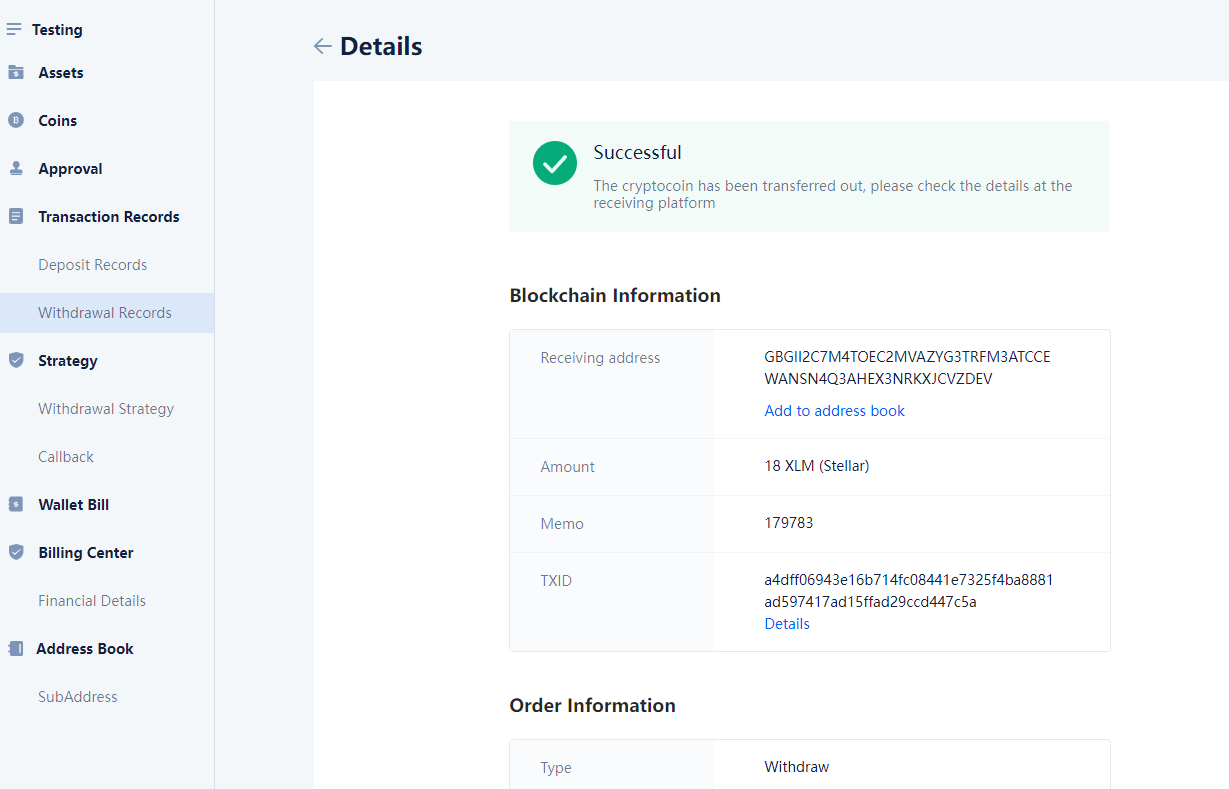
III. Frequently Asked Questions
Why can't I perform deposit and withdrawal operations?
Why can't I perform deposit and withdrawal operations?
It may be that the system closes related operations at certain times (such as during blockchain forks, upgrades, system maintenance, etc.), so you cannot perform them. Please wait for the system to enable them before operating.
How to add a whitelist address?
How to add a whitelist address?
Only the wallet owner has the right to add whitelist addresses. Please contact the wallet owner for related operations.
How to solve the problem of delayed withdrawal arrival?
How to solve the problem of delayed withdrawal arrival?
If the withdrawal is delayed, please confirm whether the required number of block confirmations has been met. If the number of block confirmations does not meet the requirements, your assets may not be able to arrive temporarily and you need to check again after the confirmation count is reached.