
Function Overview
On the Keysecure’s smart contract platform, you can link third-party wallets and create warm or cold wallet contracts across different networks.Operation Process
1
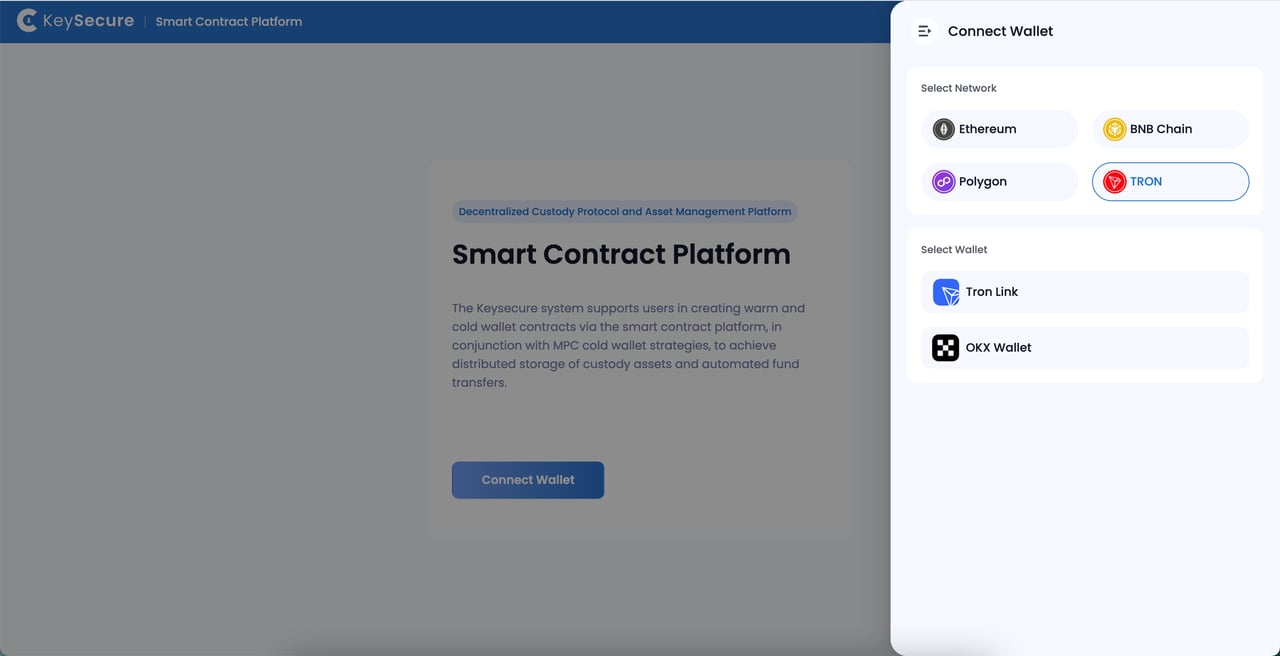
Select Network and Connect Wallet
Choose the network on which you want to create a contract based on your business needs, and connect your third-party wallet.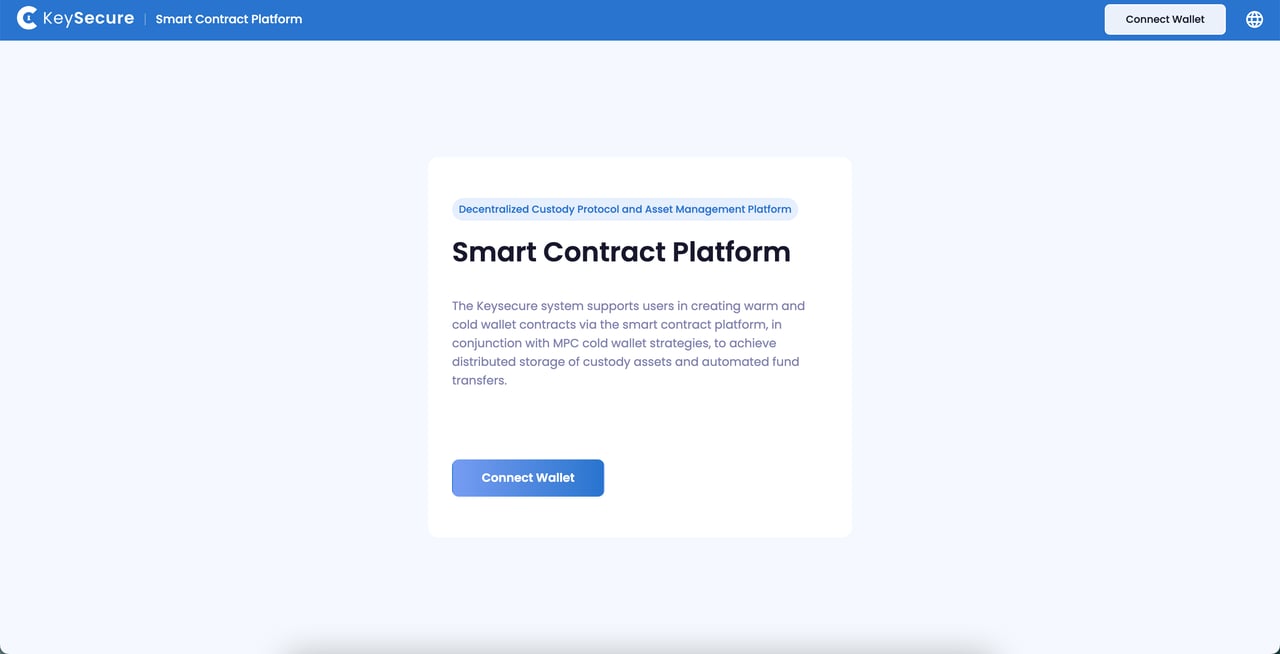
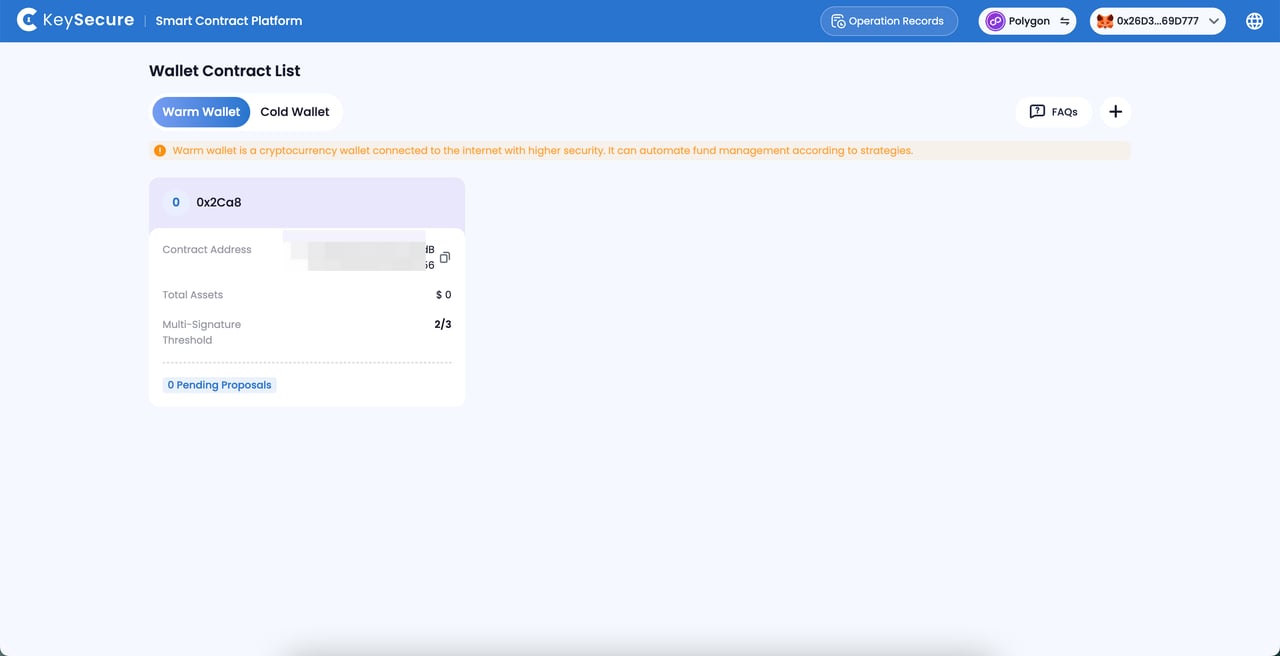
2
Edit Contract Content
You can edit the following parameters for the new contract: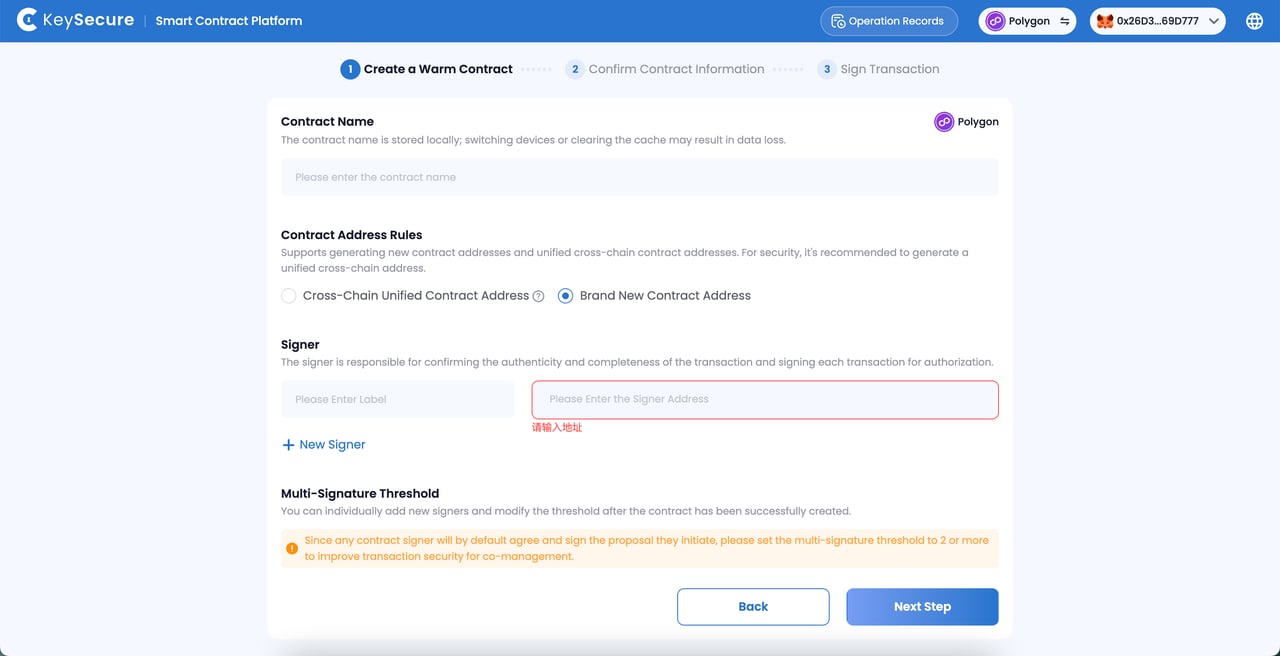
- 1. Contract Name: Design the contract name. The contract name is stored locally, and switching devices or clearing the cache may result in data loss.
- 2. Contract Member Information: The signer addresses and signer notes for the multi-signature contract. Only the signer notes are stored locally, so switching devices or clearing the cache may result in data loss.
- 3. Contract Address Rules (EVM Network Contract): You can choose to generate a brand new contract address or use a cross-chain unified contract address, meaning the creation of the same smart contract address as on other EVM networks. For the security of your funds, it is recommended to choose the cross-chain unified contract address.
- 4. Multi-Signature Threshold: The number of signers required to confirm any contract transaction (including contract configuration changes).
Since any contract signer will default to agree and sign the proposal they initiate, to achieve joint management, add 2 or more signers for each contract and set the multisig threshold to 2 or higher to enhance transaction security.
3
Initiate Contract Transaction
Confirm the proposal information, sign using the connected third-party wallet address, and pay the gas fees.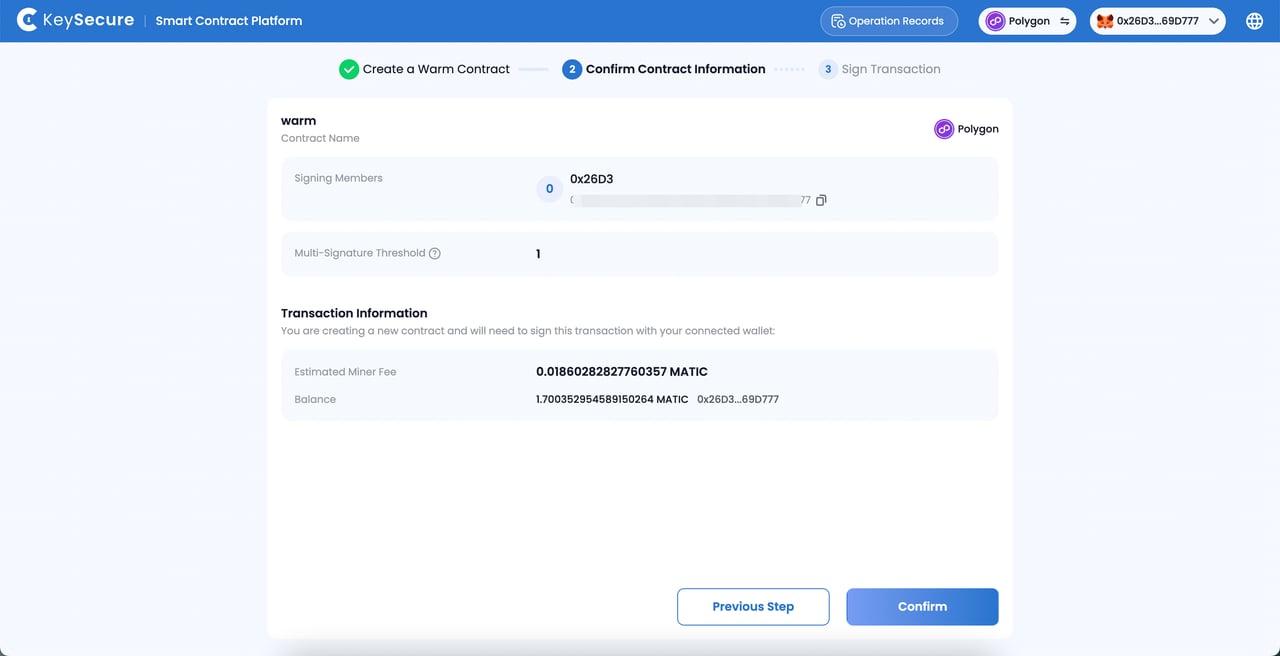
4
Execute
After initiating the proposal, wait for the contract creation results.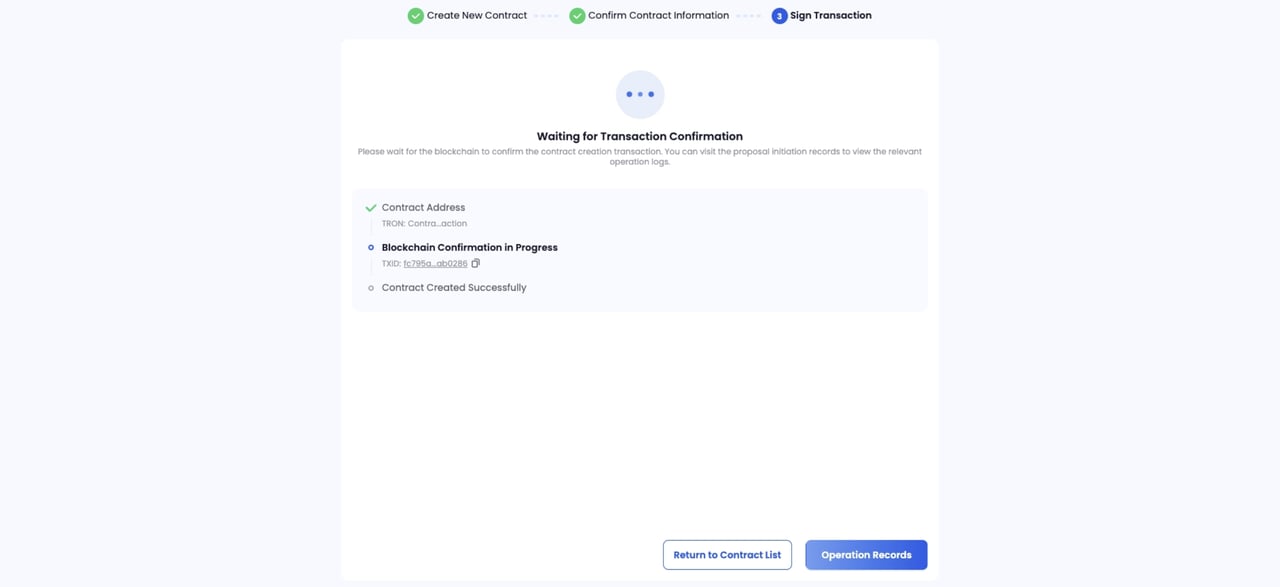
Frequently Asked Questions
Why Can't I Create a Contract?
Why Can't I Create a Contract?
Please ensure the following:
- You have successfully connected the third-party wallet.
- You have paid sufficient gas fees for the contract creation transaction.
Why can't I view the contract I've created?
Why can't I view the contract I've created?
The following factors may cause the inability to view the information of the created contract:1. The current wallet is not a signer of any contract: You can choose to create a new contract or contact a team member to add you as a signer to an existing contract.2. The contract you created is still being processed: To ensure security, the contract needs to reach a certain number of confirmations before it can be displayed on the platform. Please wait a moment and try again later.