
Function Introduction
The MPC workspace consists of three private key shares. Two of these shares are encrypted and stored with Microsoft Cloud Services and Amazon Cloud Services, while the other is kept on your local device. To ensure the security of your assets, it is vital to promptly backup the locally stored private key share and keep it safe. These private key shares exist in the form of a recovery phrase, making them easy to remember. There are two backup options for private key shares: local backup and cloud backup.Operation Procedure
Manual Backup
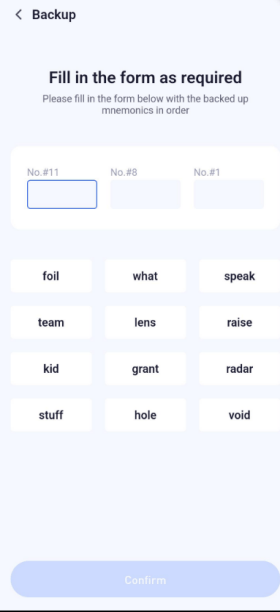
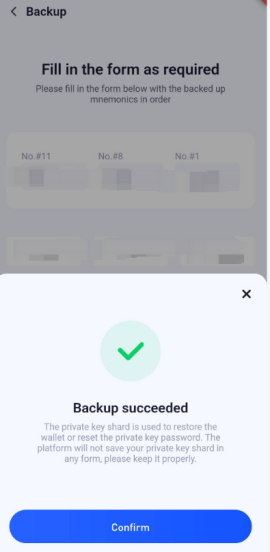
Manually record the recovery phrase of the private key and store it locally for high-security assurance.1
Private Key Backup Feature
Open the Security feature in the Keysecure App, select the workspace, and manually backup the private key.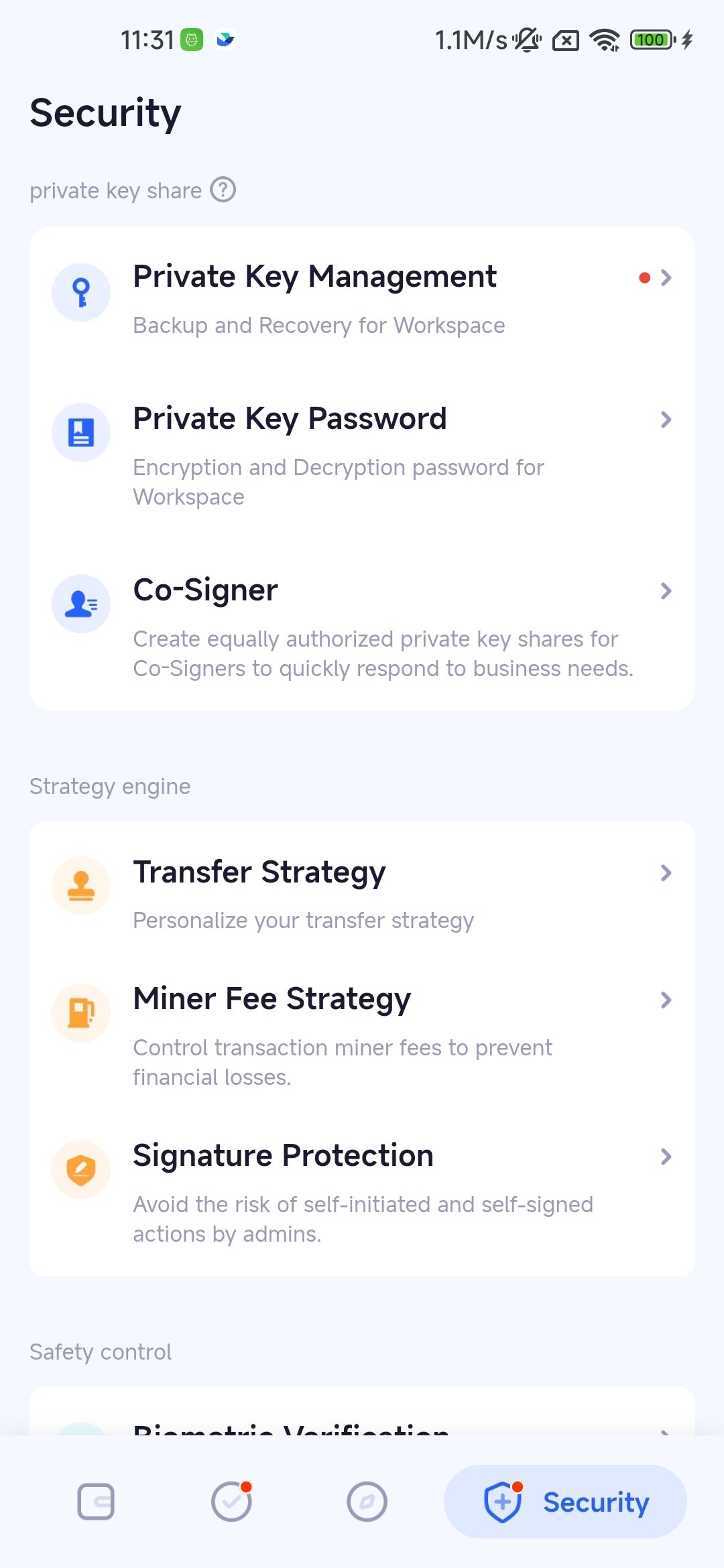
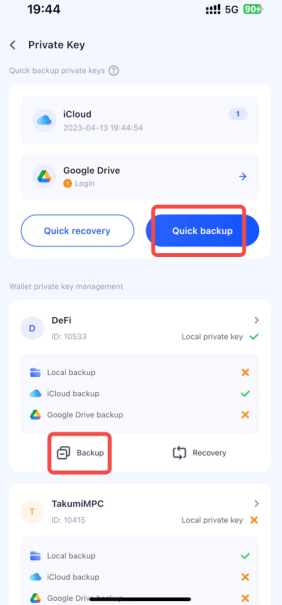
2
Enter Private Key Password
Verify with the private key password or biometric verification.
3
View Recovery Phrase and Save
Record the recovery phrase in a secure offline environment.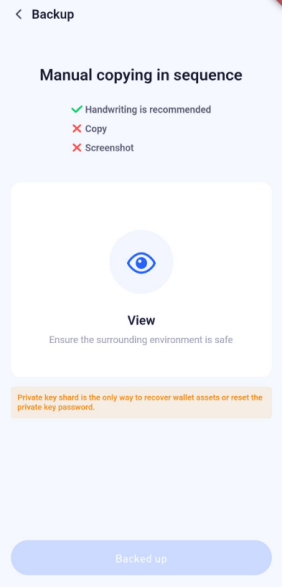
Cloud Backup
Encrypt and backup the private key shares to the cloud for a secure and convenient solution.1
Open Private Key Backup Feature
Open the Security feature, select the workspace, and backup the private key to the cloud.
2
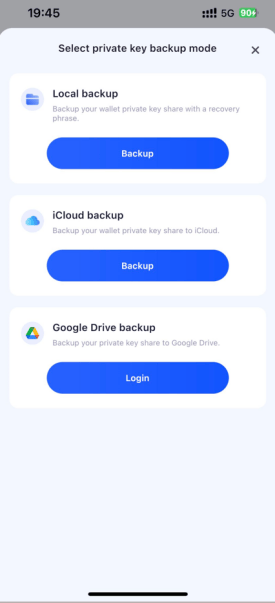
Select Cloud Drive
Choose a suitable cloud backup option based on the nature of your mobile device.
3
Cloud Backup
Wait for the cloud backup to complete, ensuring the backup is successful.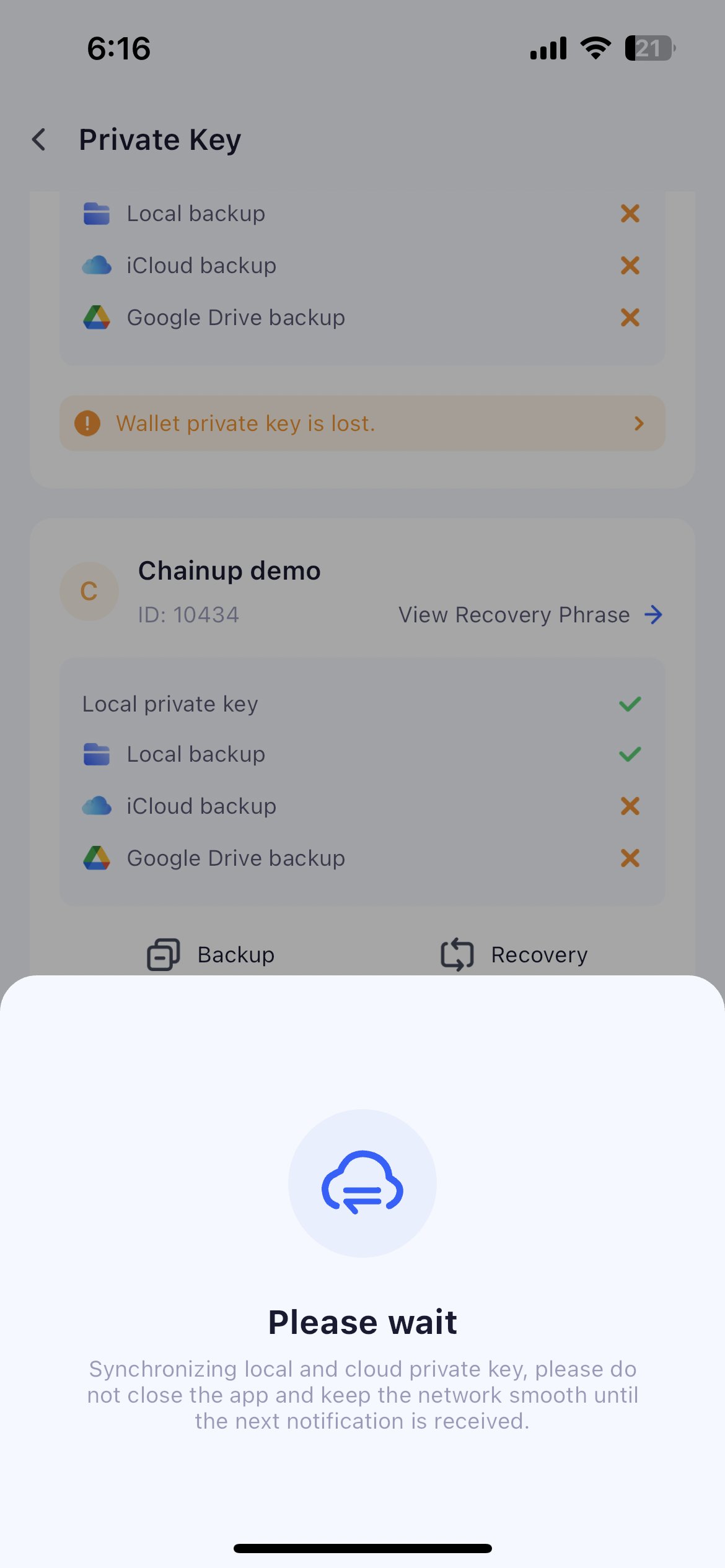
Frequently Asked Questions
Besides backing up the local private key shard, can I back up the two private key shards stored on the cloud server?
Besides backing up the local private key shard, can I back up the two private key shards stored on the cloud server?
If you are the owner or an admin of the workspace, you can request to obtain the recovery phrases for the two private key shards stored on the cloud server for local backup. For more details, please refer to Offline Key Recovery.